 Isuru
Isuru A US podcast production company came to me running several scripted and unscripted shows with a whole company behind them: acquisition, development, production, marketing, sales, and distribution. Every team did good work in its own lane. The trouble started whenever a show crossed from one lane to the next.
Someone in production would update a recording date. Marketing wouldn’t see it. Sales would ask in Slack. Finance was looking at a different spreadsheet entirely. The show kept moving forward, but the information about it didn’t travel with it, so people spent their week re-asking questions that had already been answered somewhere.
The Challenge
The company’s work was spread across six tools: ClickUp for production tasks, Airtable for show records, Google Sheets for sales schedules and ad breaks, Dropbox for files, Slack for everything that slipped through, and email for outside contacts. Each one was fine on its own. Together they meant a show’s air date could live in three places and disagree with itself.
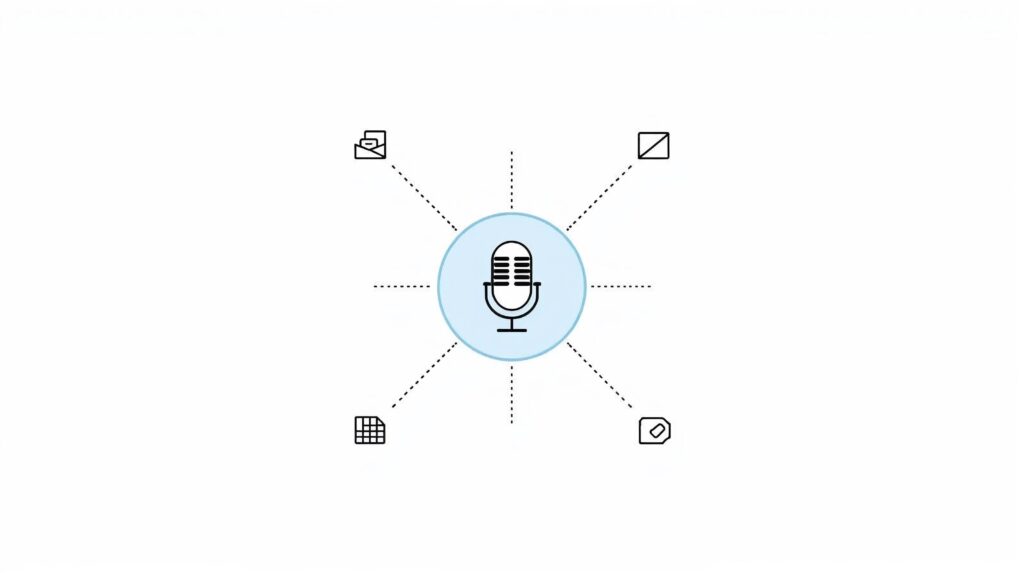
There were two catches. Each team was attached to how they already worked, and production in particular loved ClickUp and wasn’t going to give it up quietly. On top of that, the operations lead didn’t want a big-bang switchover; they wanted it built in stages so the team could take ownership piece by piece. So the goal was never to force everyone into one rigid system. It was to give the company a single place where a show sits at the center and every team looks at it through its own lens.
What I Built
The show is the center of everything. The whole workspace rests on one idea: the unit that matters is the show, and everything else hangs off it. I set it up as a simple chain, from show to projects to tasks to resources. Create a project and you pick its show; add a task and it already knows the show; upload a resource, the same. That means a show’s page can gather everything tied to it on its own, from tasks and air dates to ad breaks, without anyone tagging things by hand. A new show spins up from a template that builds its whole homepage automatically, so nobody has to assemble it each time.
Each department gets its own view of the same record. Production sees its pipeline, marketing sees its projects, sales sees ad inventory, and leadership sees the whole picture, all reading from the same underlying show. Production kept the exact workflow they had in ClickUp, the same stages they already had muscle memory for, shown as a board for the team, a timeline for the manager, and a table for anyone who wants everything at once. Matching their old flow instead of “improving” it is what got them to actually move over. Each project fills in its own progress bar from its finished tasks, so the status stays right without anyone maintaining it.
Personal dashboards that work even without a login. Not everyone on the team is a Notion user, and some people open the workspace without signing in, which breaks the usual “assigned to me” view. So each person has a dashboard filtered by their name rather than by who is logged in. Whoever opens it, they see only their own tasks, projects, and resources.
Sales and finance that keep themselves current. The sales grid came straight from their old Google Sheet: one master view of ad breaks across the network, with per-show exceptions handled automatically, so sales can open a single show or the whole network and see the right inventory either way. Finance runs on a transaction log tagged by month, and the monthly summary pulls its own totals and profit or loss without a separate tracker to update. The admin dashboard rolls all of it up, pending tasks, today’s work, and quarterly goals that calculate their own progress, on one page that used to take reports from three tools.
Delivered in stages. Rather than hand over one enormous system, I rolled it out section by section with a short walkthrough video for each, so the team could take ownership as they went instead of inheriting something they didn’t understand.
The Result
The company went from six disconnected tools to one workspace where every show, project, and task lives together. When production changes a recording date, marketing sees it on the same record. When sales logs an ad break, it shows up on the show’s page. When finance runs the numbers, they are reading the same data the team entered. Everyone still gets their own view, but there is finally one source underneath all of them.
The Call That Made It Stick
The part that made this work wasn’t the databases. It was the order I built them in. I started with the team most likely to resist, production, and rebuilt their existing workflow exactly before touching anything else. If I had “improved” their pipeline, they would have been back in ClickUp within a week. The broader lesson sits underneath that: when a company is drowning in six tools, the tools usually aren’t the real problem, and the missing piece is a single source of truth. You don’t fix that by swapping every tool at once. You pick one thing for everything to orbit, here it was the show, and let the rest settle around it.