
How I Built a Scalable Client HQ for a Social Media Agency in Notion – and Solved the Multi-Client Permission Problem

If you’re running an agency in Notion and every new client means copying pages, rebuilding databases, and praying your editors figure out what’s due – this one’s for you. But there’s a deeper problem most agency owners don’t even realize they have until it’s too late: Notion doesn’t let you lock a filtered view. If you share a database with a client and filter it to show only their projects, they can remove that filter and see every other client’s data. That’s not a minor inconvenience. For an agency managing competing brands, it’s a dealbreaker.

I built a workspace that fixes both problems. Client onboarding goes from a 2-hour rebuild to a 5-minute duplication, and every client’s data stays completely isolated from every other client’s – without sacrificing the owner’s ability to see everything from one dashboard.

The Situation

The founder of a social media agency came to me with a problem I see constantly: a Notion workspace that worked when the business was small but completely broke down as it grew.

They already had a workspace in place – content calendar, some client pages, basic task tracking. But the business had evolved. More clients, expanded services, dedicated video editors per account. The original setup couldn’t handle any of it.

Content was scattered across disconnected pages. Meanwhile, editors had no clear view of what needed cutting and when. Onboarding a new client meant manually recreating the entire structure from scratch. On top of that, the founder – who was also scripting videos, managing client communication, and reviewing edits – had no single place to see what was happening across all accounts.

Beyond the organizational chaos, there was also a structural problem baked into how they were using Notion. They wanted to give each client access to their own tasks and content pipeline. The natural approach is to create one big database, filter it per client, and share the filtered view. However, here’s what most people don’t realize: Notion filters aren’t permissions. A client can remove or change any filter on a shared view and instantly see data belonging to every other client. For an agency handling multiple brands – sometimes direct competitors – that’s not a risk you can take.

The Approach

The core challenge was building a system where three different roles – the agency owner, each client, and each editor – all needed different views of the same workflows, with real data separation between clients, not just filtered views.

I started by mapping the architecture in Whimsical before touching Notion. The structure needed to answer three questions at once: What does the owner need to see across all clients? What does each client need to see about their own content? What does each editor need to see about their assigned videos?

The answer was a hub-and-spoke model with physically separated data.

For the permission problem, the solution is architectural. Each client gets their own dedicated databases inside their own portal. Their data isn’t filtered from a shared pool – it doesn’t exist in the same database as anyone else’s. As a result, a client can click around their portal all day and never encounter another client’s information, because there’s nothing to find.

However, that creates the opposite problem for the owner: now the data sits spread across a dozen separate databases. How do you get a unified view? Notion’s Tasks feature lets you combine multiple task databases into one cross-client view. From there, the owner sees all tasks, all deadlines, and all statuses from one dashboard. Notion currently caps this at 10 databases per combined view (it used to be unlimited), so I designed the system around that constraint.

The second challenge was the content workflow. The agency had two distinct patterns: sometimes the client submits an idea that the agency scripts and produces, and sometimes the agency proposes ideas that the client approves or rejects. Both paths needed to coexist in the same pipeline.

I designed two automation buttons – Option A (client submits idea) and Option B (agency plans the video) – each generating a different task sequence with role assignments and relative deadlines baked in.

The Build

The workspace has five major components:

Client Portals and Data Separation

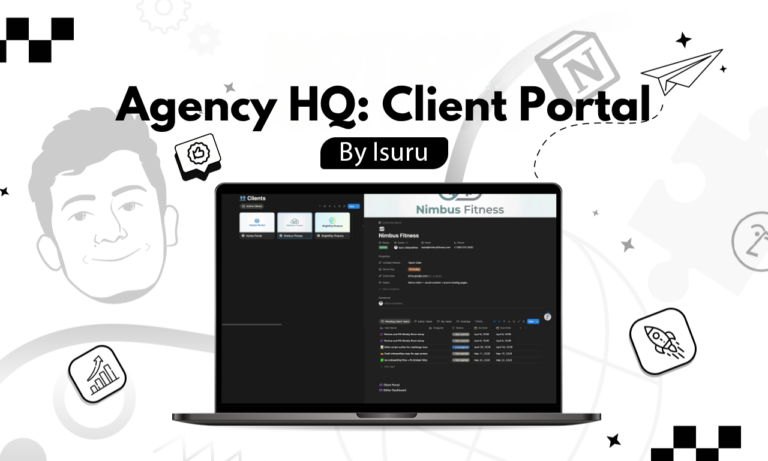
Client Portal Template (two versions). A detailed version with roadmap, projects, content pipeline, brainstorm system, task manager, resources library, notes, and an embedded course section. Plus a streamlined version for simpler engagements. You can duplicate and customize both per new client in minutes. Because each portal contains its own databases, duplicating the template automatically creates isolated data storage for that client.

Per-Client Database Architecture. This is the permission solve. Instead of one shared database with filters anyone can remove, each client portal holds its own task and content databases. The owner’s internal HQ then uses Notion’s Tasks feature to roll up those per-client databases into one combined view – giving full cross-client visibility without ever exposing one client’s data to another. The 10-database cap on combined Tasks views is a real constraint, so I built the system with that ceiling in mind.

Content Workflow and Brainstorming

Content Pipeline with Smart Views. I set up two content types: Standard Video (with hook, script, B-roll suggestions, drive links, and a full status workflow from Idea through Ready) and Meme/Text-on-screen (lighter structure for quick-turnaround posts). Board view handles status tracking, while calendar view covers scheduling.

Two-Way Brainstorm System. Clients see two sections: “Ideas by Client” (their own ideas flowing through Idea, Script, Review, and Record stages) and “Ideas by Internal Team” (agency-proposed ideas they can select, send to revision with required feedback, or reject). Meanwhile, the agency owner’s view mirrors this from the other side. Revision loops require the client to explain what they want changed before it bounces back – so there are no vague “make it better” requests.

Automation and the Owner’s Dashboard

Role-Based Task Automation. Every content item generates a task chain: Review Idea, Write Script, Client Reviews Script, Client Records Video, Client Uploads Raw Files, Editor Edits Video, Client Approval. I assigned each task to the right person with deadline offsets from the creation date. The owner manually sets recording dates (fixed shoot days per client) and editor deadlines (target: ready by Saturday for the following week’s content).

Central Internal Dashboard. This is the owner’s HQ. It pulls together filtered task views across all client databases: My Tasks, Editor Tasks, Overdue, Today’s Tasks. There’s also a content pipeline overview per client and brainstorm views for scripting and idea management. In short, one place to start the workday and know exactly what needs attention.

The Result

The founder went from a workspace that took hours of manual setup per client to one where onboarding takes minutes. Duplicate the template, rename it, share the right views with the client and their editor – done.

Now, editors log in and see exactly which videos need cutting, with deadlines and assets attached. Clients access their own tasks, submit ideas, review scripts, and approve final content without ever seeing another client’s data. And the founder sees everything across every client, every editor, and every deadline from one dashboard.

No more permission anxiety. No more manual rebuilds. No more hoping a client doesn’t click the wrong filter.

What I Learned

The Notion permission gap is one of the most common problems I see in agency workspaces, and most owners don’t even know it exists until a client stumbles into someone else’s data. The fix isn’t a workaround or a hack – it’s an architectural decision you make at the foundation level. You separate databases per client and combine views for the owner. It takes more planning upfront, but it’s the only approach that actually scales without compromising client trust.

Leave a Comment

Your email address will not be published. Required fields are marked *

Scroll to Top