 Isuru
Isuru The client runs a small social media agency. They were managing 8 clients when we started and wanted to reach 20 by the end of the year. Their Notion workspace had grown one client at a time, a page here and a folder there, notes and links stacked in whatever shape made sense the day they were made.
The core problem wasn’t organization. It was permissions.
The Multi-Client Permission Problem
The instinct with multiple clients in Notion is to build one clean workspace with shared projects and tasks databases, then filter each client down to their own rows. That falls apart the moment a client opens the filter menu. A filter is a display choice, not a lock, so a curious click exposes everyone else’s projects, tasks, and deadlines.
For an agency, that’s a dealbreaker. Some of these clients compete with each other. The system had to guarantee, structurally, that one client could never reach another’s data.
The Architecture I Built
The fix was the shape of the workspace, not a setting.
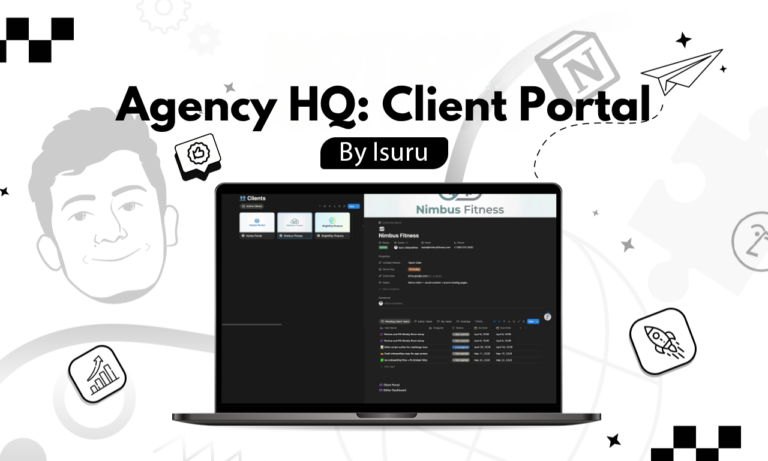
A client portal template. Instead of one shared projects database and one shared tasks database sitting at the top of the workspace, I built a portal template that gets duplicated for each new client. Each portal is a self-contained page with its own projects database, its own tasks database, and its own content calendar. The client’s data lives inside their portal, not in a shared pool.
Isolated access per client. Each client is invited only to their own portal. Because that portal contains their own databases, there is nothing to unfilter and nothing to leak. They can only ever see their own projects, their own tasks, and their own files.
Agency HQ for the owner. The owner works from an internal HQ that pulls a combined view across every client portal, so they can see all projects and tasks in one place without any client seeing another.
What Made This Work
The real decision was refusing the obvious build. A shared database with per-client filters looks tidy in a demo, but it leans on nobody touching the filter. Splitting the data itself into per-client databases inside per-client portals means the separation is guaranteed by the structure, not by discipline.
Adding a new client is a portal duplication. The client walks into their own space with their own projects and tasks databases already set up, and can’t reach anywhere else in the workspace.
The Result
The founder now runs the entire roster from one HQ, seeing every client, project, and task in one place, with a hard guarantee that no client can see another. Each client works inside their own portal, on their own projects and tasks, with no path across to anyone else’s data.
The multi-client permission problem wasn’t solved by a Notion feature. It was solved by building the right architecture around how Notion’s permissions actually work.