 Isuru
Isuru An architecture studio ran most of its work in a minimal Notion workspace: clients, projects, and invoices. The accounting lived in QuickBooks. Every new client and every invoice had to be entered in both places by hand.
They wanted that double entry gone. Create a client or an invoice once in Notion, and have it show up in QuickBooks on its own.
The Challenge
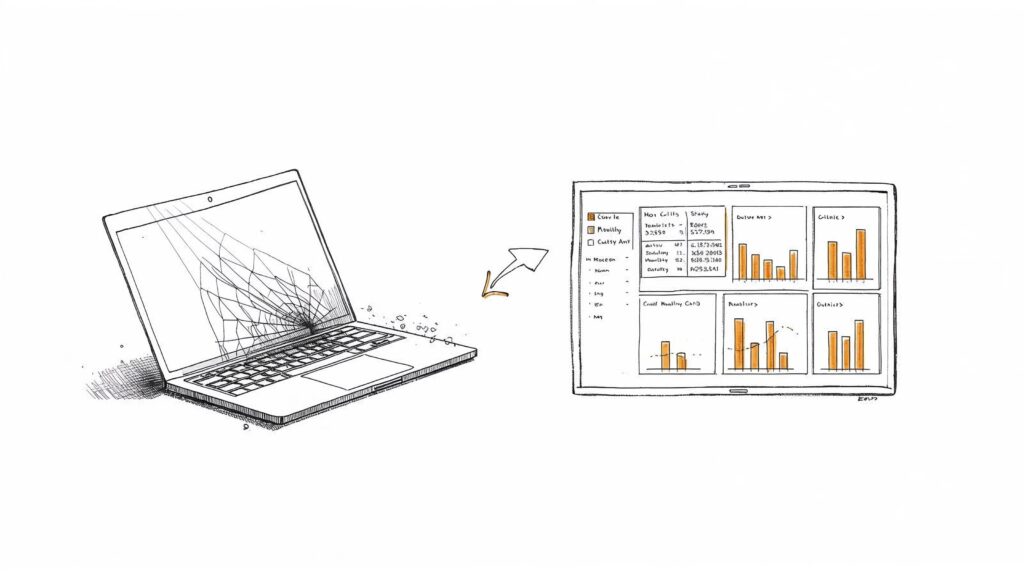
The studio entered each client in Notion first, then retyped the same details into QuickBooks: name, email, phone, and address. Invoices worked the same way, built in Notion and rebuilt in QuickBooks by hand. It was slow and easy to get wrong, with typos and the occasional missed invoice.
They had tried Zapier and hit a wall. The customer name didn’t match cleanly between the two systems, so the automation kept failing or creating duplicate customers.
The Approach
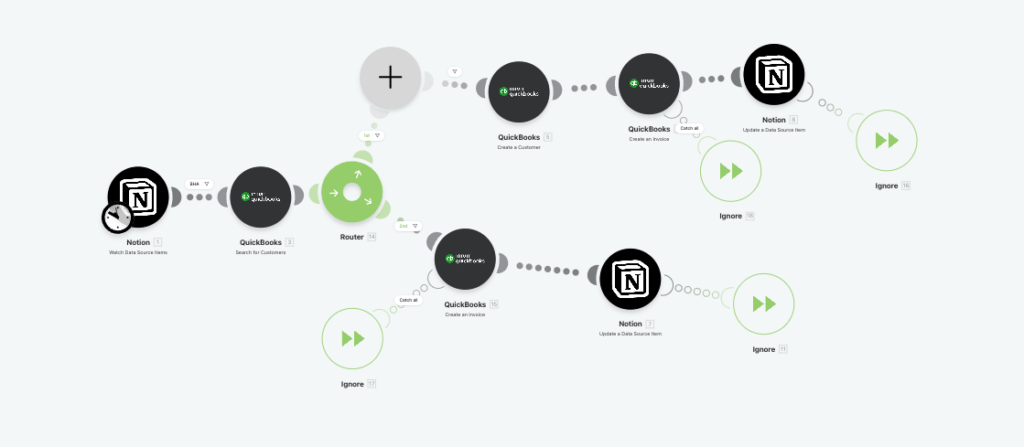
The first decision was the tool. Zapier handles simple one to one triggers, but this needed a condition: if the customer already exists in QuickBooks, use that record; if not, create it first, then create the invoice. Make does that branching directly, so I built it there.
The second decision was where each piece of information should live. New clients and invoices start in Notion. Payments and tax records stay in QuickBooks. Giving each one a single home meant the two systems never fought over the same field, and the rest of the build followed from there.
The Build
Customer creation with full details. The first version created customers in QuickBooks with just a name. I mapped every field from the Notion client database and split the address into the street, city, state, and zip fields QuickBooks expects, so one Notion client becomes one complete QuickBooks customer.
Invoice sync with customer matching. The main scenario watches the Notion invoice database. Before creating an invoice, it looks up the customer in QuickBooks. If the customer exists, it links the invoice to that record; if not, it creates the customer first, then uses the new ID. That avoids duplicates and removes the need to set up customers in advance.
Status sync back to Notion. After the invoice is created in QuickBooks, the automation sets the Notion record’s status from “Not Sent” to “Open,” so the studio doesn’t update it by hand.
Project rollups. Each project totals invoiced, paid, and outstanding by rolling up from the linked invoices. A rollup pulls numbers from related records and adds them up. The old manual “Fees Tracker” column is gone.
The Result
The automation has run smoothly for over seven months. Notion and QuickBooks now stay in sync on their own, so a client or invoice entered once in Notion never has to be retyped into QuickBooks.
What I Learned
The bigger takeaway is what a tool like Make.com makes possible. Notion doesn’t talk to QuickBooks on its own, but a third party automation platform can connect the two, and the same setup works for thousands of other apps. Most of the work is in the setup and the error handling. Get that right and it runs on its own, with no manual entry.