
A living budget workspace for a bride planning her wedding, rebuilt from a flat spreadsheet into a three-database Notion system where one number cascades into ten category allocations.
The Client
A bride deep in wedding planning who found me on Fiverr in January 2023. She already had a wedding budget spreadsheet that worked, but she wanted it to live somewhere better, look better, and behave like a real planning tool instead of a quarterly accounting sheet.
She came back later that year specifically to give written permission to use the build as a portfolio piece, which is why this case study exists.
The Problem
The original spreadsheet had three quiet limitations that added friction every time she opened it:
- No central total to category allocation logic. The sheet had a total budget cell and 10 category rows, but every per-category target was typed in by hand. Changing the total meant recalculating ten cells manually.
- No concept of transactions inside categories. Each category was a single row with a flat dollar amount. There was no way to see what specifically added up to that amount, no list of line items, no payment status, no due tracking.
- No visual layer. Wedding planning is emotional. The tool you open three times a week should not feel like a spreadsheet.
What I Built
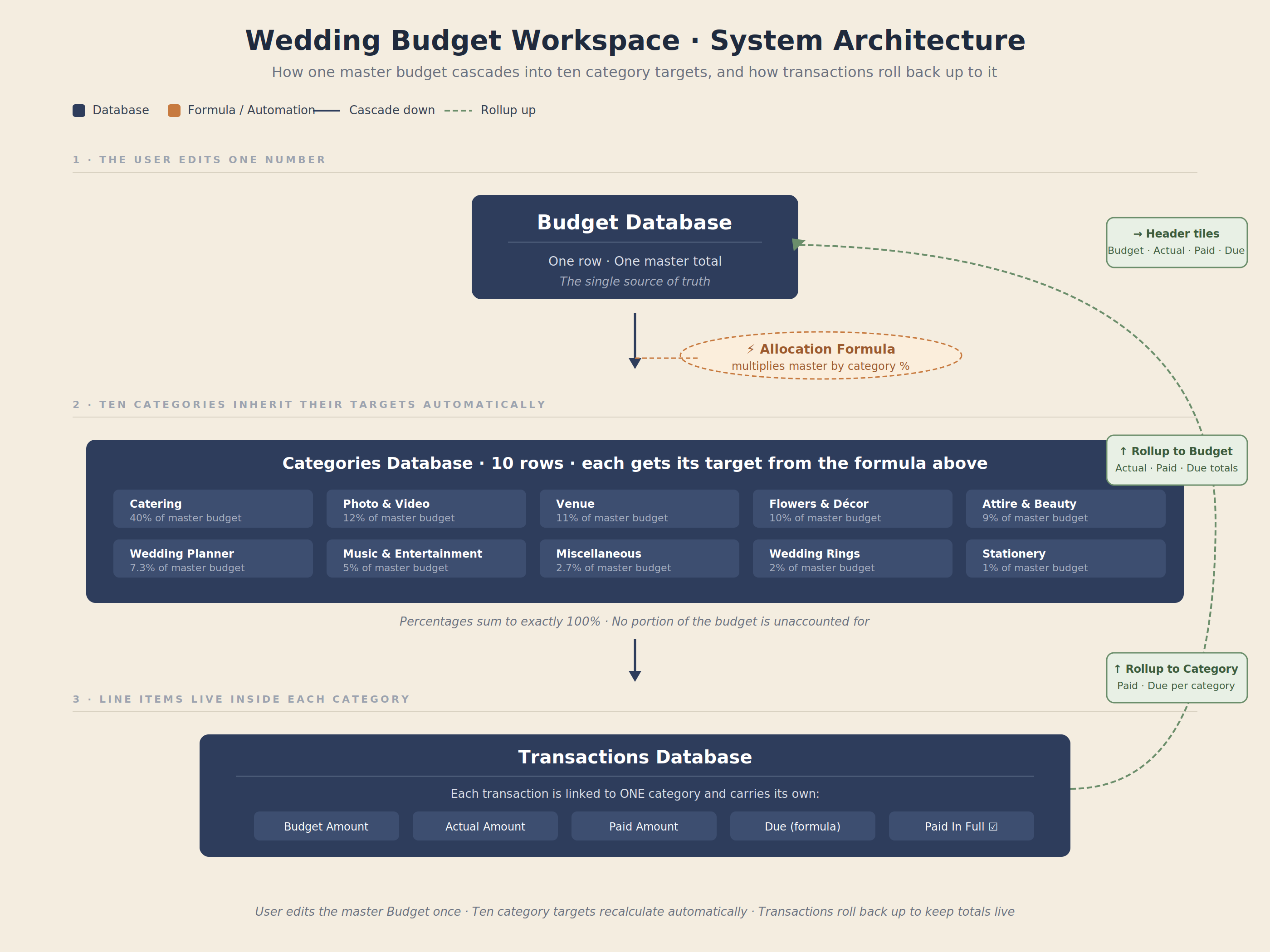
A three-database Notion workspace where the entire budget flows from one master number, fans out across ten category allocations, and rolls back up through transactions into a four-tile header dashboard.
The architecture has three layers that talk to each other:
- Budget database holds the single master total. One row, one number, plus rollups that summarise Actual, Paid, and Due across the entire workspace.
- Categories database holds the 10 standard wedding spending categories (Venue, Catering, Photography, Flowers, and so on). Each category inherits the master budget via relation, then runs it through an allocation formula that returns its target spend based on industry-standard percentages.
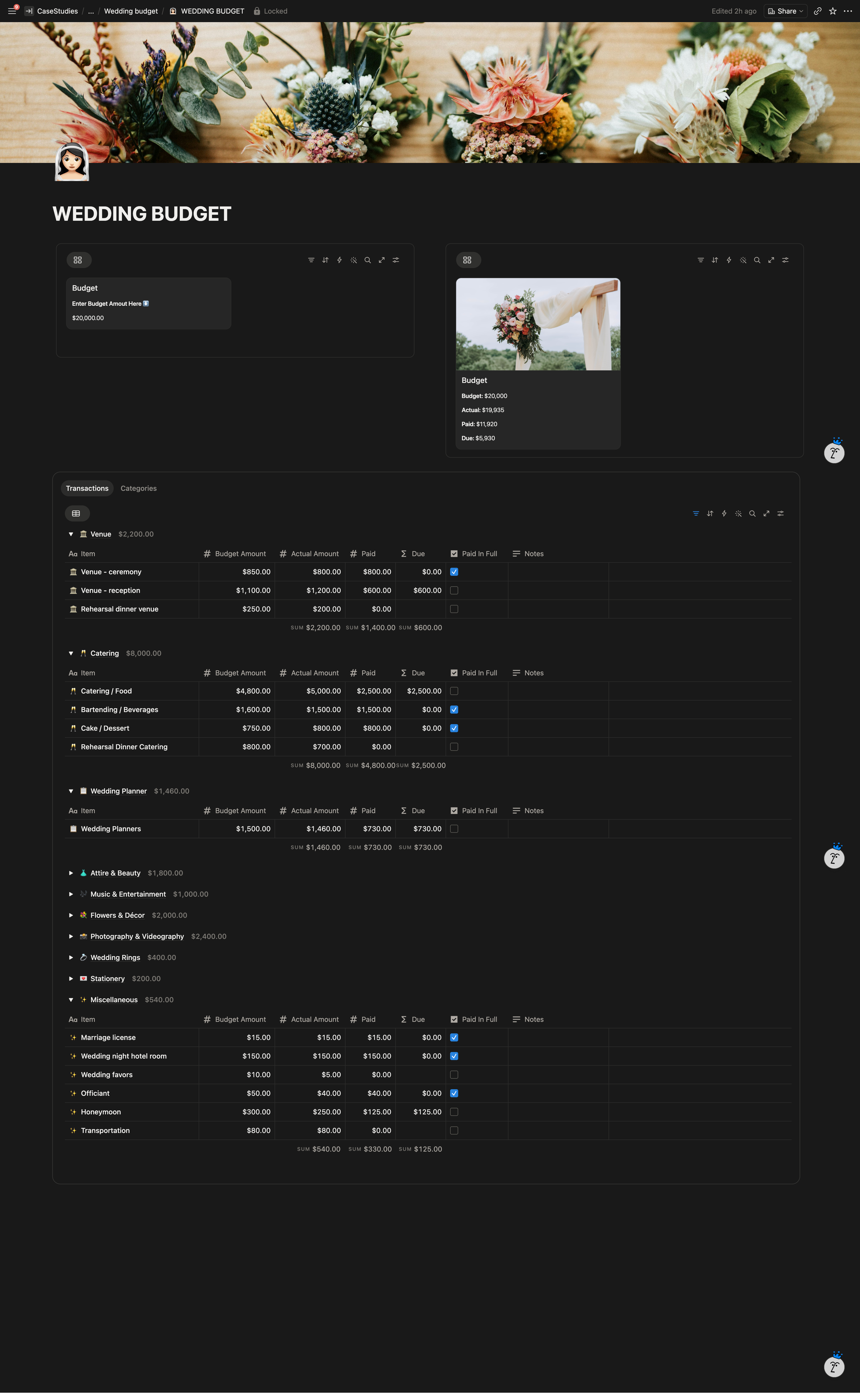
- Transactions database holds 45 line items, each linked to one category. Every transaction carries Budget Amount, Actual Amount, Paid, Due (formula), and a Paid In Full checkbox.
Rollups close the loop. Transactions roll up into Categories, Categories roll up into Budget, and Budget surfaces in the header tiles. The user only edits two kinds of fields: the master budget number, and individual transactions. Everything else computes itself.
Key Features
- One-number budget control. Edit the master Budget figure once, and all ten category targets reallocate automatically using a 10-way allocation formula tied to industry-standard wedding percentages.
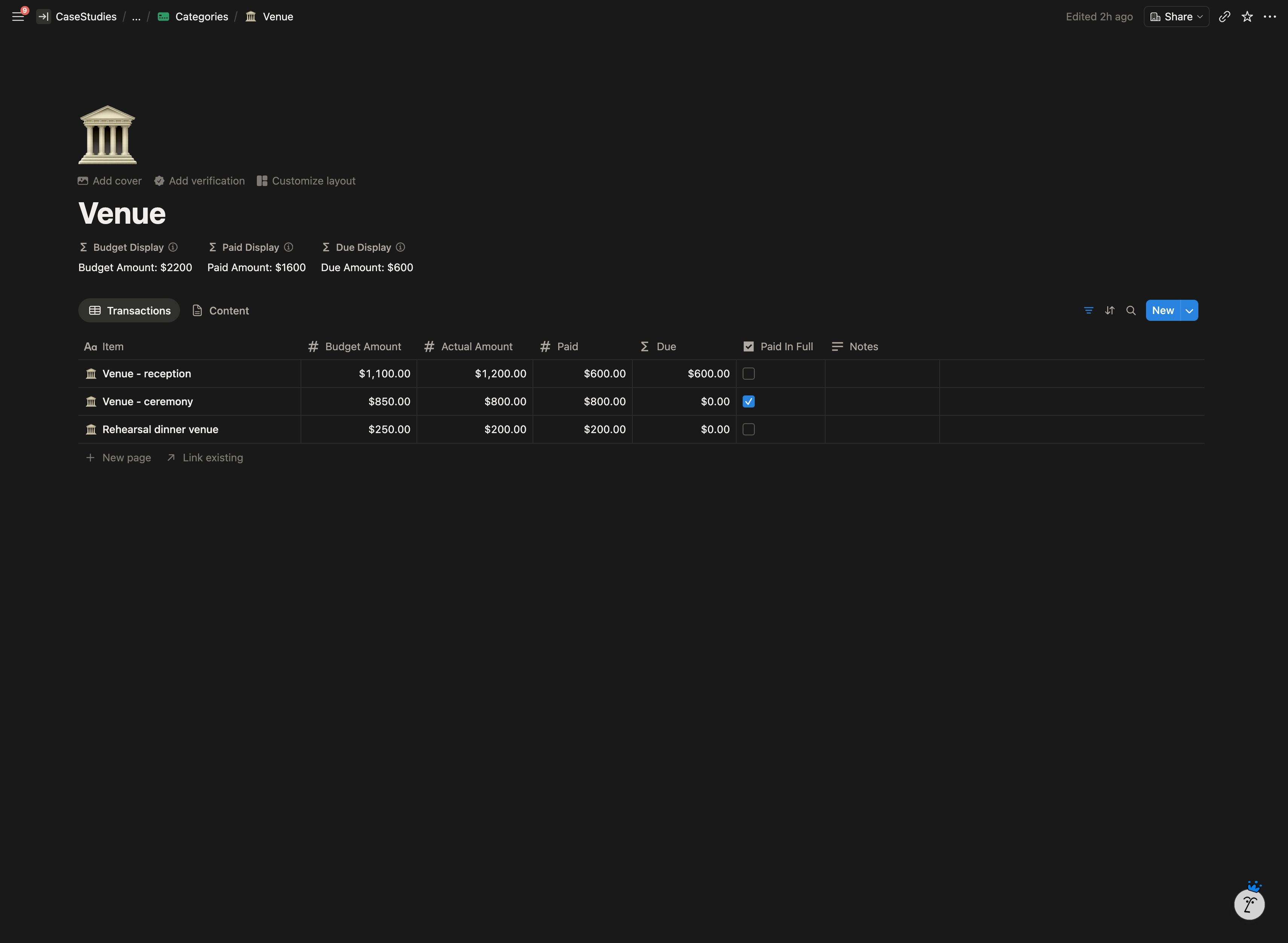
- Per-category transaction ledgers. Each category page holds its own line items with Budget vs Actual tracking, partial payments, and Paid In Full checkboxes.
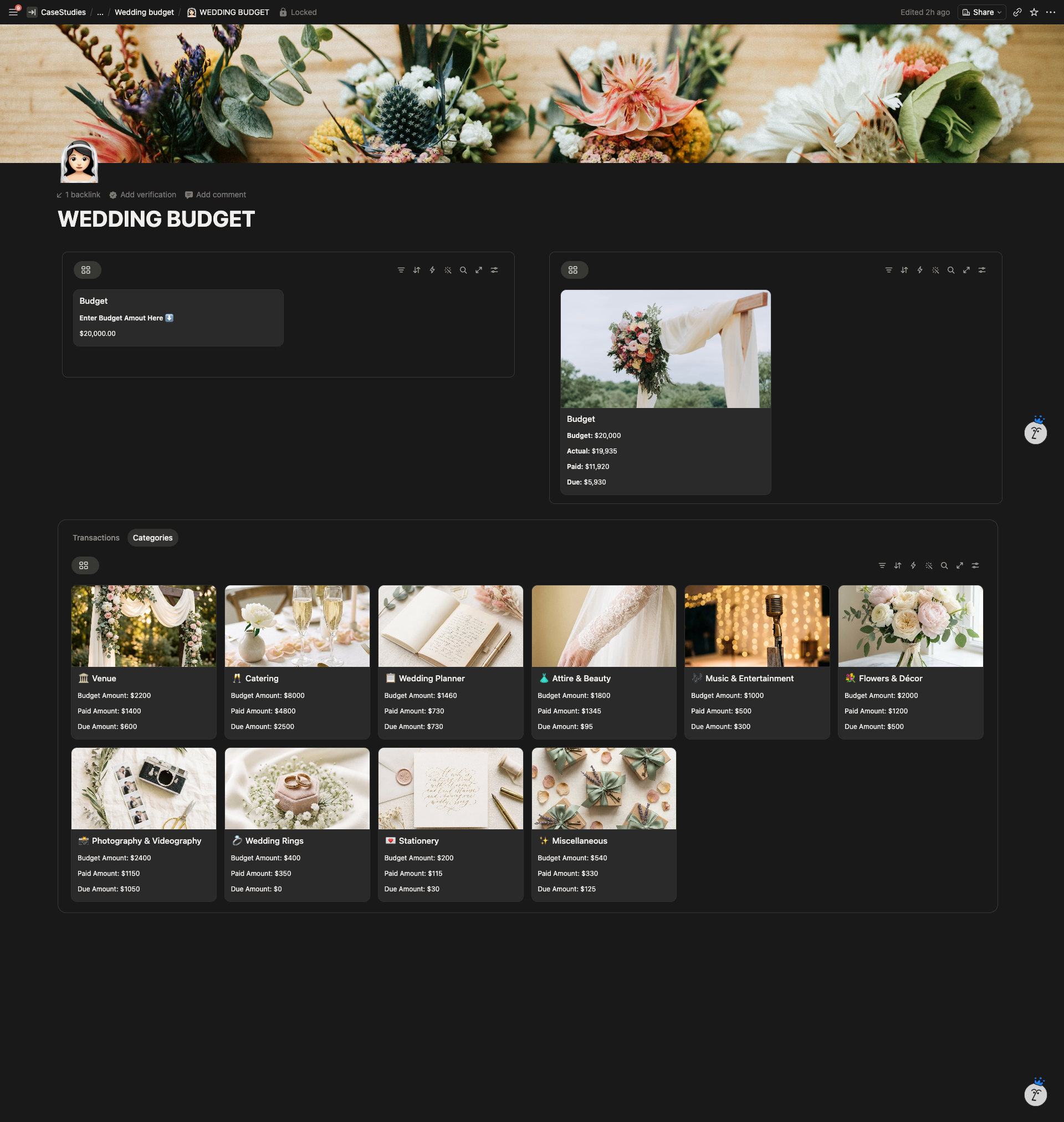
- Four-tile header dashboard. Budget, Actual, Paid, and Due rendered as bold-labeled, comma-formatted dollar tiles at the top of the page.
- Categories gallery view. Each category has a wedding-themed cover image, a dedicated emoji icon, and three labeled display values (Budget Amount, Paid Amount, Due Amount) visible on the card.
- Icon inheritance. Every transaction inherits its parent category’s emoji, so the Transactions table groups visually by category at a glance without filtering.
- Comma-formatted currency throughout. Custom display formulas render every dollar value with thousands separators.
- Tabbed layout. Transactions and Categories sit side by side as tabs on the main page, so the operational layer and the allocation layer share one screen.
- Reusable architecture. The same percentage-based allocation structure works for any budget that needs to split a total across fixed categories.
System Architecture
The Result
The client walked away with a budget workspace that holds together as scope changes. Updating the total takes one edit and refreshes all ten category targets within seconds. Every transaction carries its own paid and due tracking, so she can see exactly where the money has gone and what is still owed, both at the line-item level and at the category level.
The visual layer (cover images, emoji icons, comma formatting, gallery cards) made it the kind of tool she actually wanted to open during planning, not avoid.
Client Feedback
“He is literally the only seller who was able to build my budget spreadsheet exactly how I wanted it. He is absolutely amazing and I will be hiring him for future projects.”