The Client
A Queensland construction company running three service lines: concrete, concrete pumping, and earthmoving. Five trucks, a crew of operators and concreters, and a growing admin load. The business was scaling but the internal systems hadn’t kept up.
The Problem
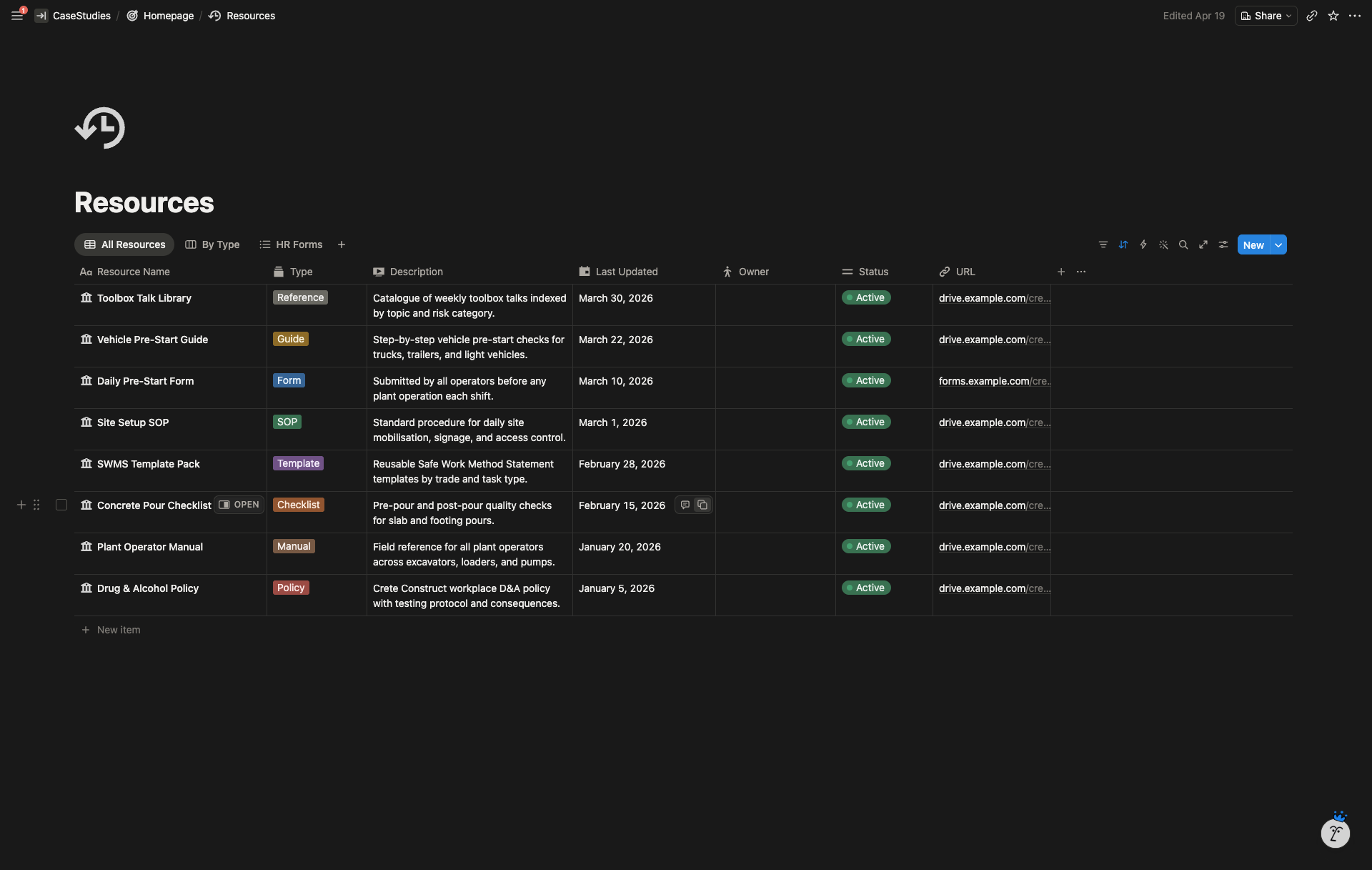
The business was running on four disconnected tools. Google Forms collected pre-starts, inspections, and job bookings. Google Sheets held the data after Zapier pushed it through. Connect Team managed rostering. Notion was starting to creep in for notes.
Every workflow lived in a different place. A truck pre-start submitted in the morning sat in a Google Sheet that nobody checked. A new job booking came through a form, got pasted into the roster by hand, then triggered a separate message to the crew. Maintenance reminders didn’t exist, services were remembered or missed, and onboarding a new staff member meant sending four different form links and chasing uploads over text.
Admin was spending hours each week moving information between tools that didn’t talk to each other.
The Solution
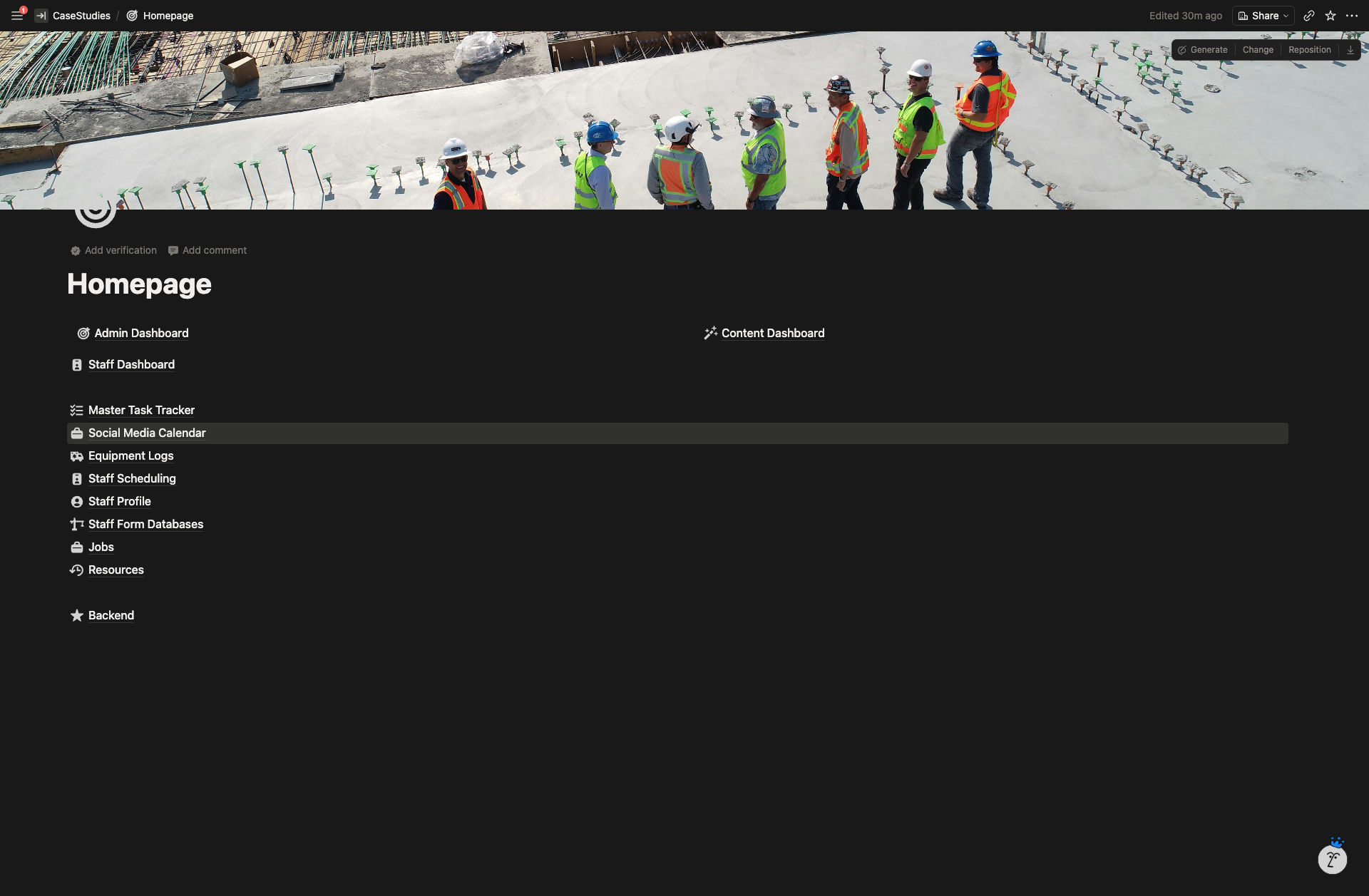
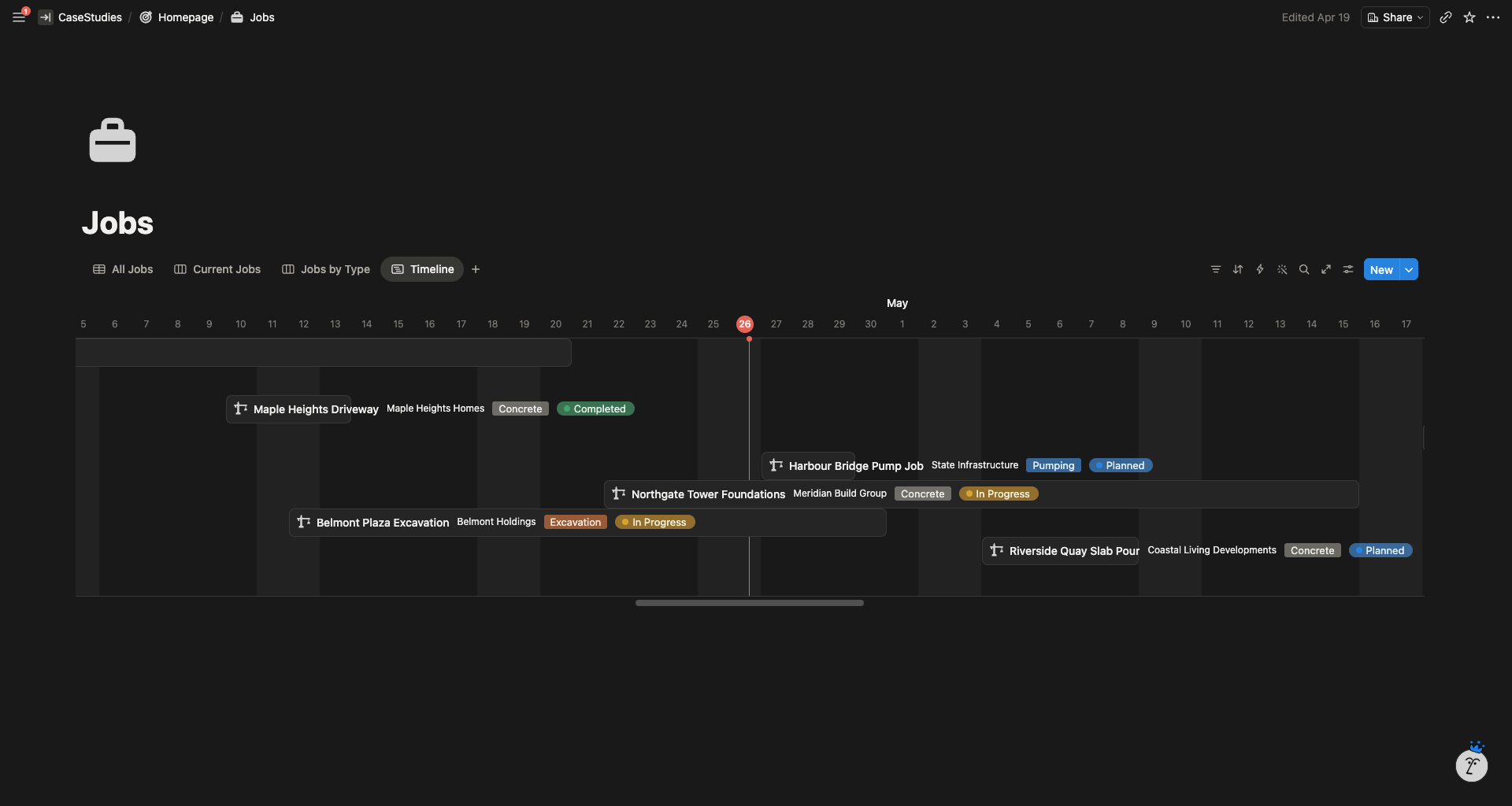
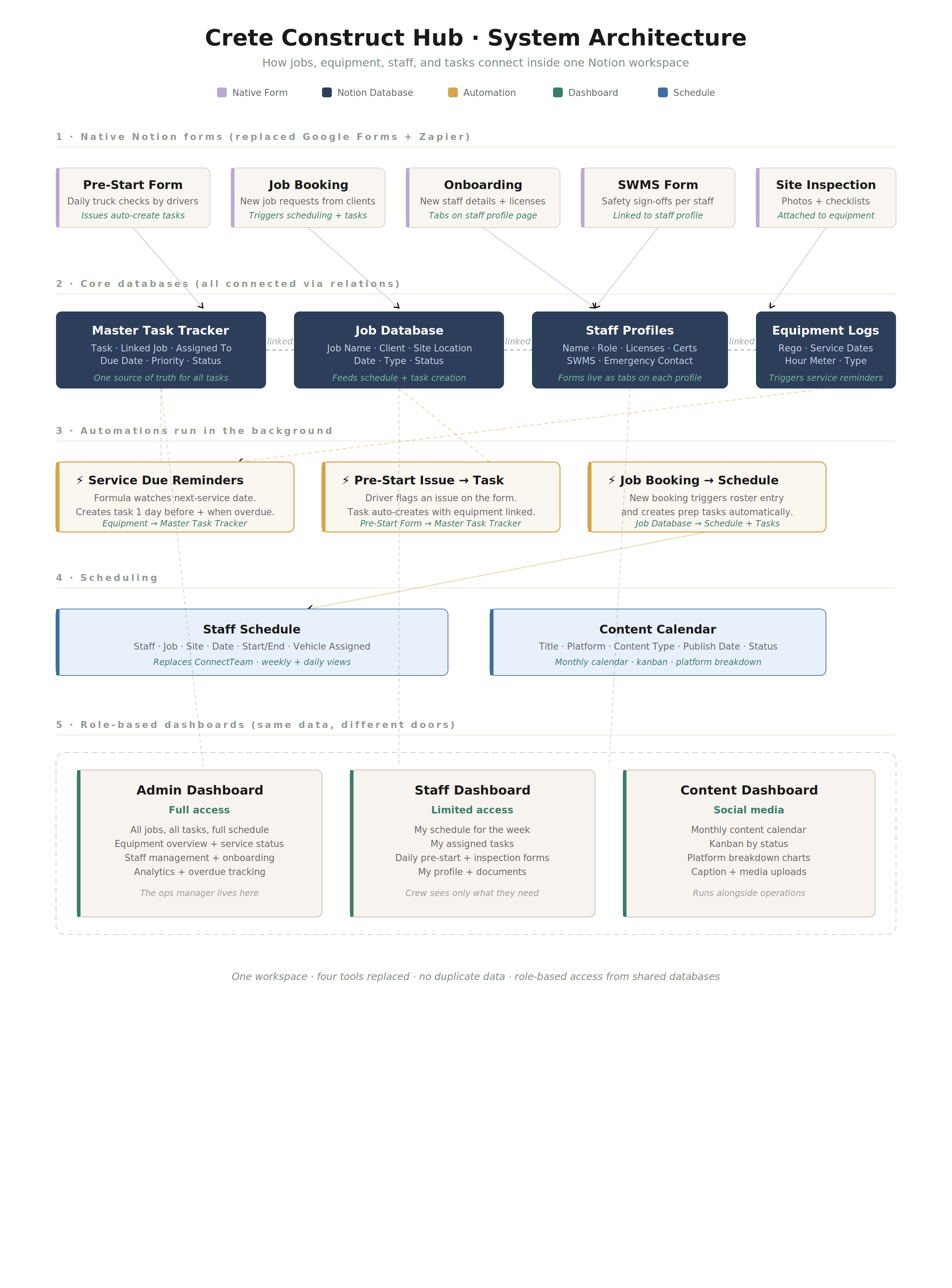
One Notion workspace that replaces the entire stack. Every form, schedule, task, and equipment record lives inside it, connected through relations so booking a new job automatically creates the roster entry, the task list, and the equipment assignment.
Native Notion forms replaced Google Forms, so submissions feed directly into the right database without needing Zapier in the middle.
What I Built
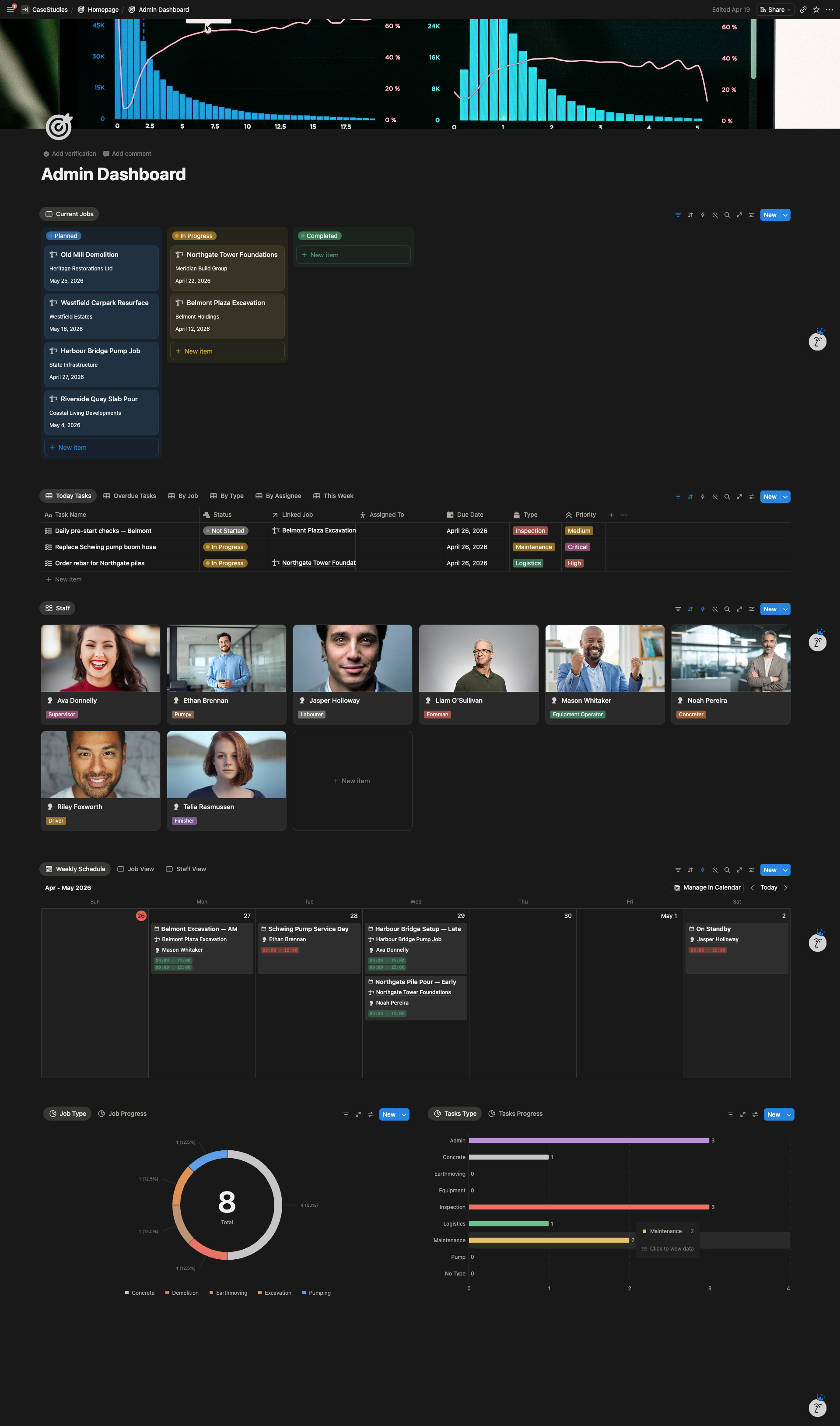
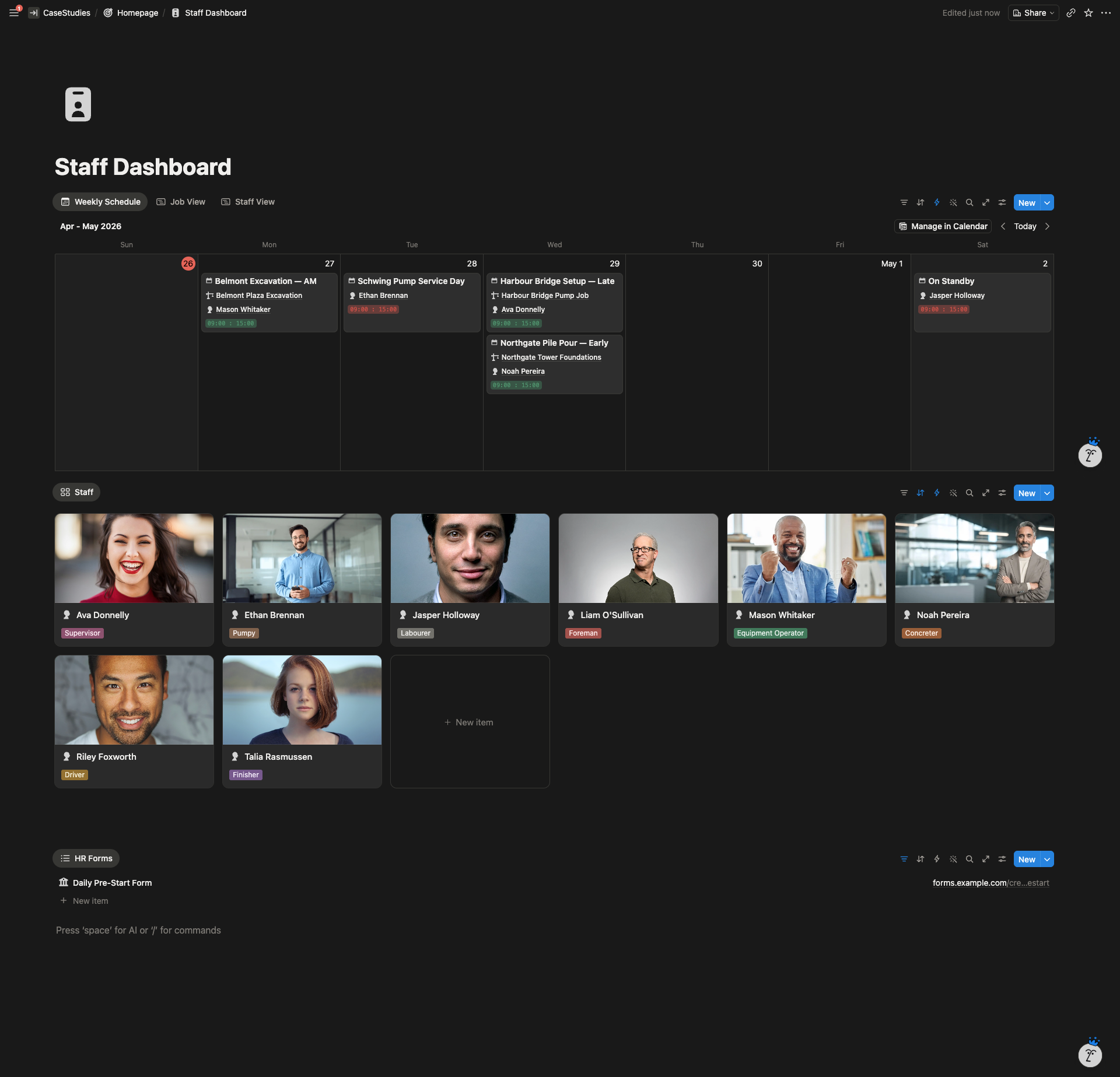
- Role-based dashboards. Admin, Staff, and Content dashboards, each showing only what that user needs. Admin sees every job, task, staff card, and analytics chart. Staff see their own schedule and the forms they need to fill in. Clean, mobile-friendly, no hunting.
- Master Task Tracker. One central task database feeding every dashboard. Tasks auto-generate from job bookings, equipment service due dates, and pre-start issues. Views split tasks by Today, Overdue, By Job, By Assignee, This Week.
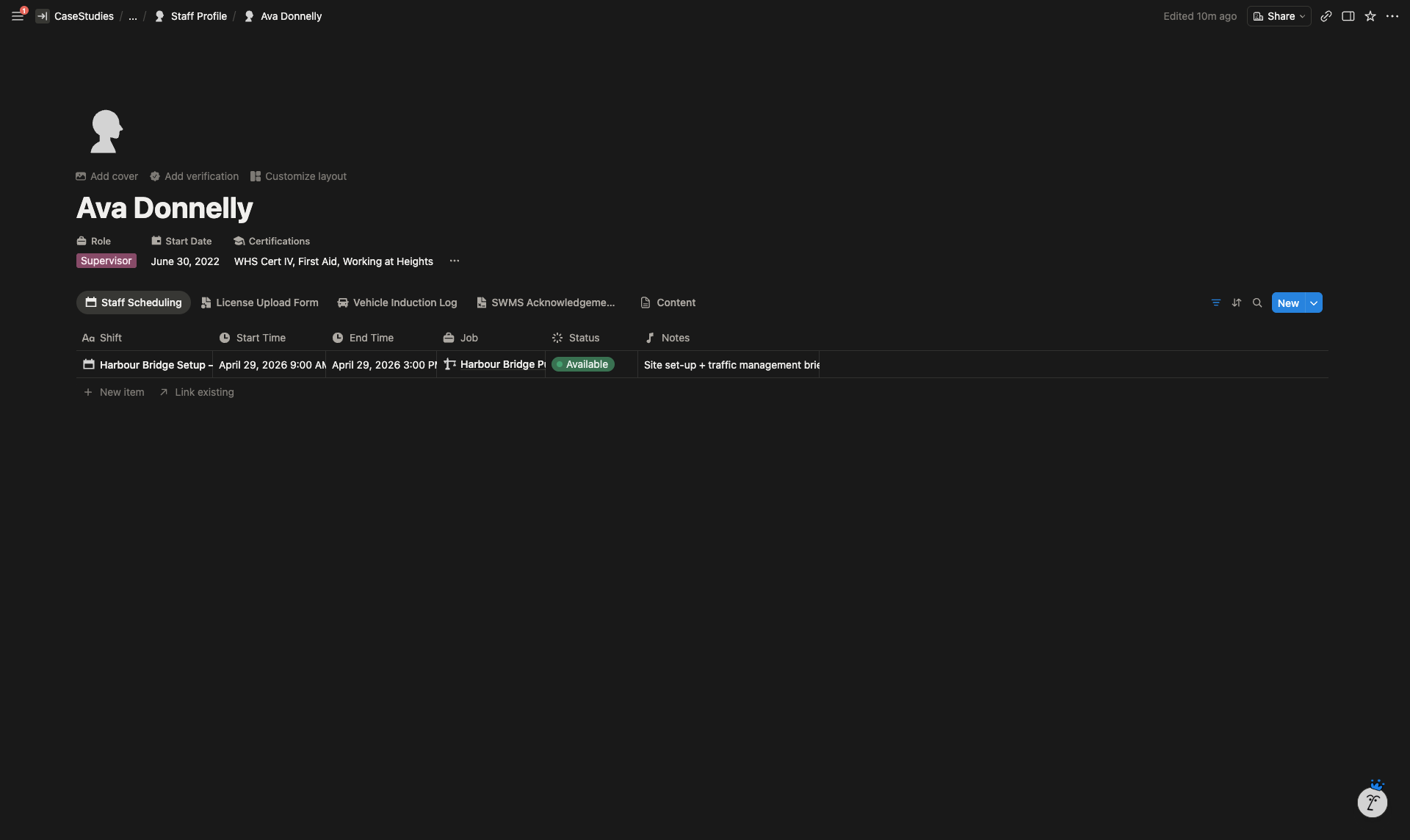
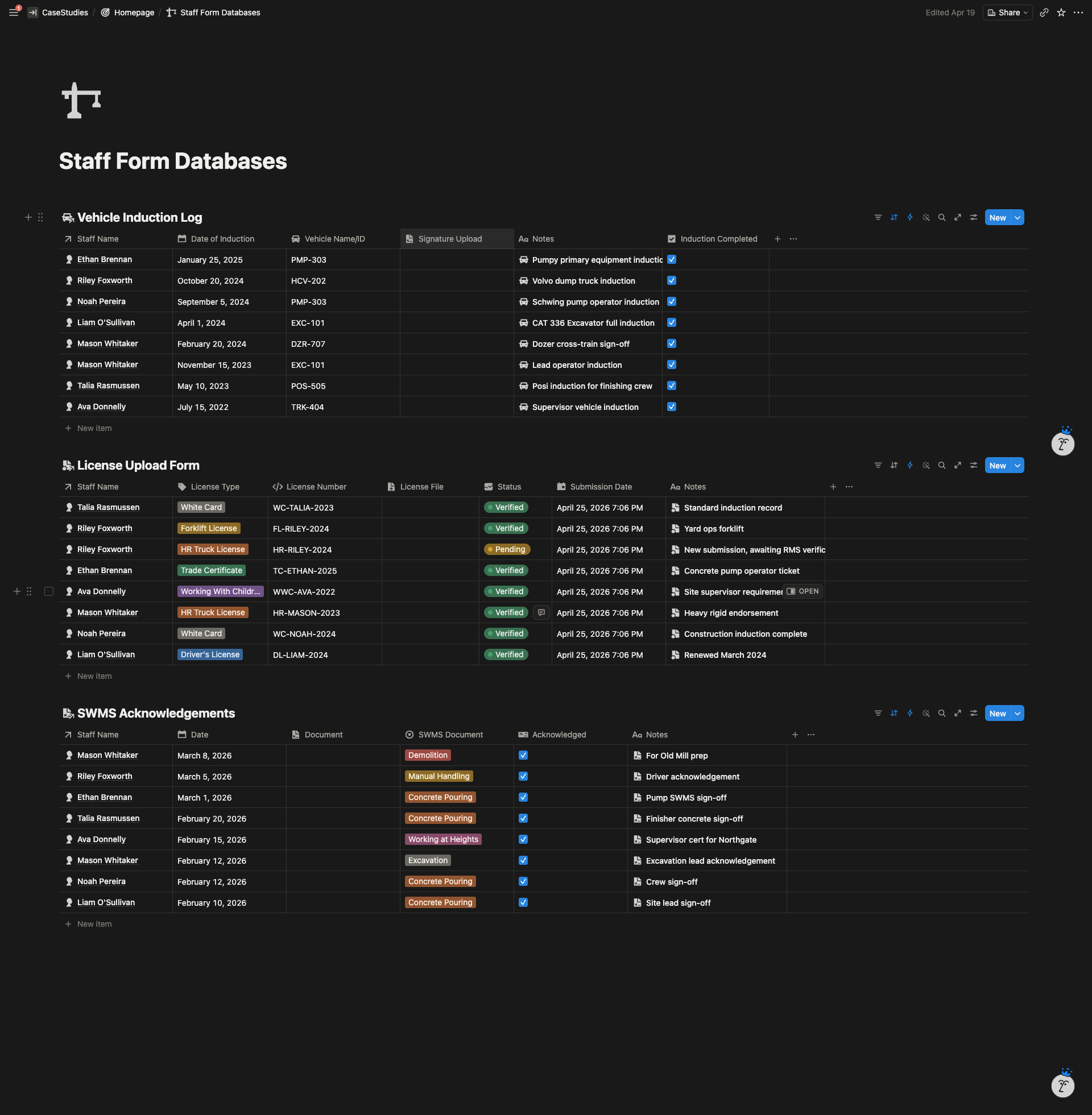
- Staff Profile system with embedded forms. Each staff member has a profile page with their role, start date, certifications, and emergency contacts. Five onboarding forms (New Staff Details, SWMS Acknowledgement, Pre-Start Issue Log, License Upload, Vehicle Induction) are attached directly to the profile so everything lives in one place.
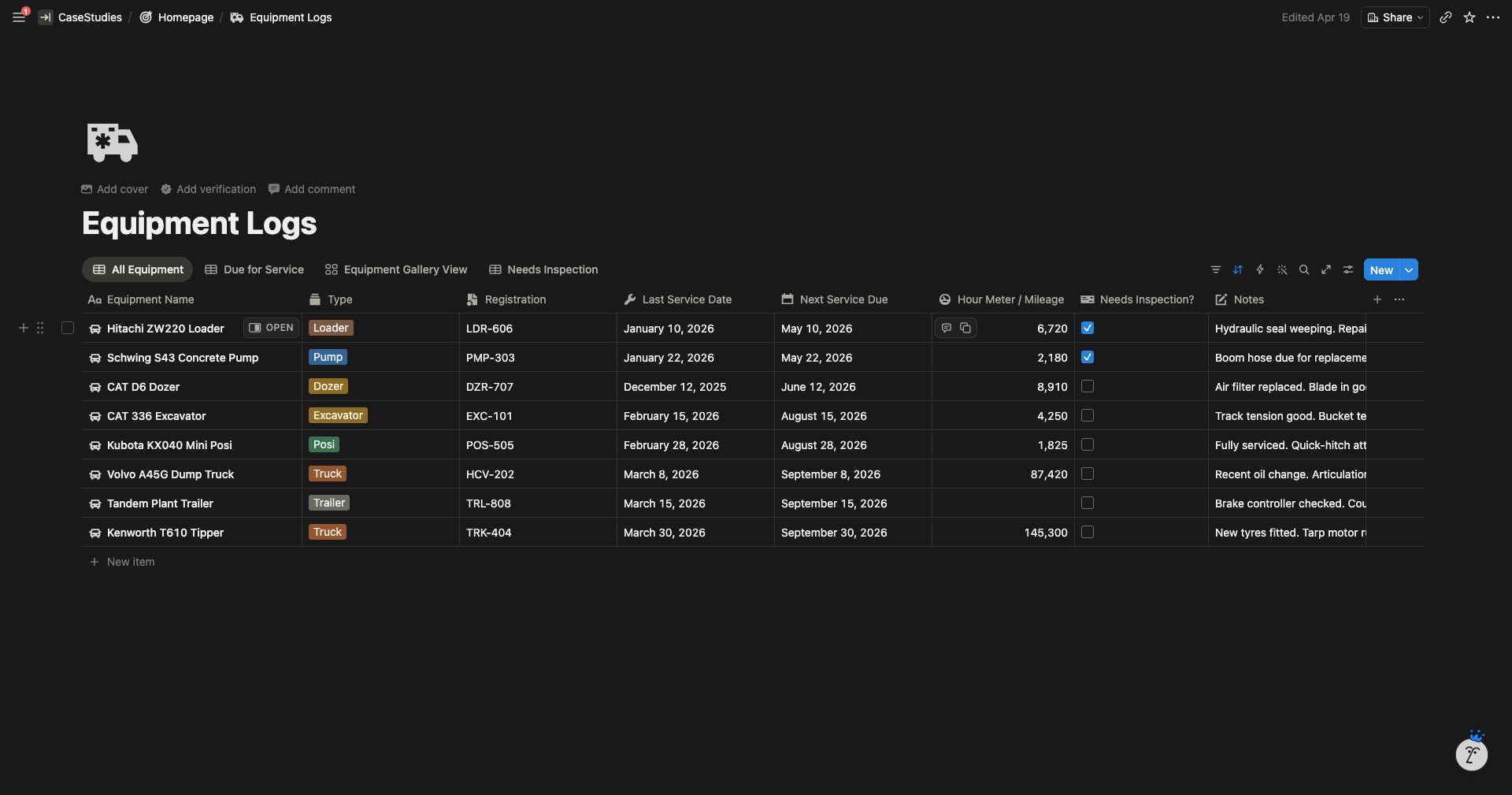
- Equipment Logs with automatic service reminders. Each truck, pump, and machine has its own record with rego, service dates, and hour meter. A formula flags equipment coming due, and a task gets created automatically in the Master Task Tracker one day before and when overdue.
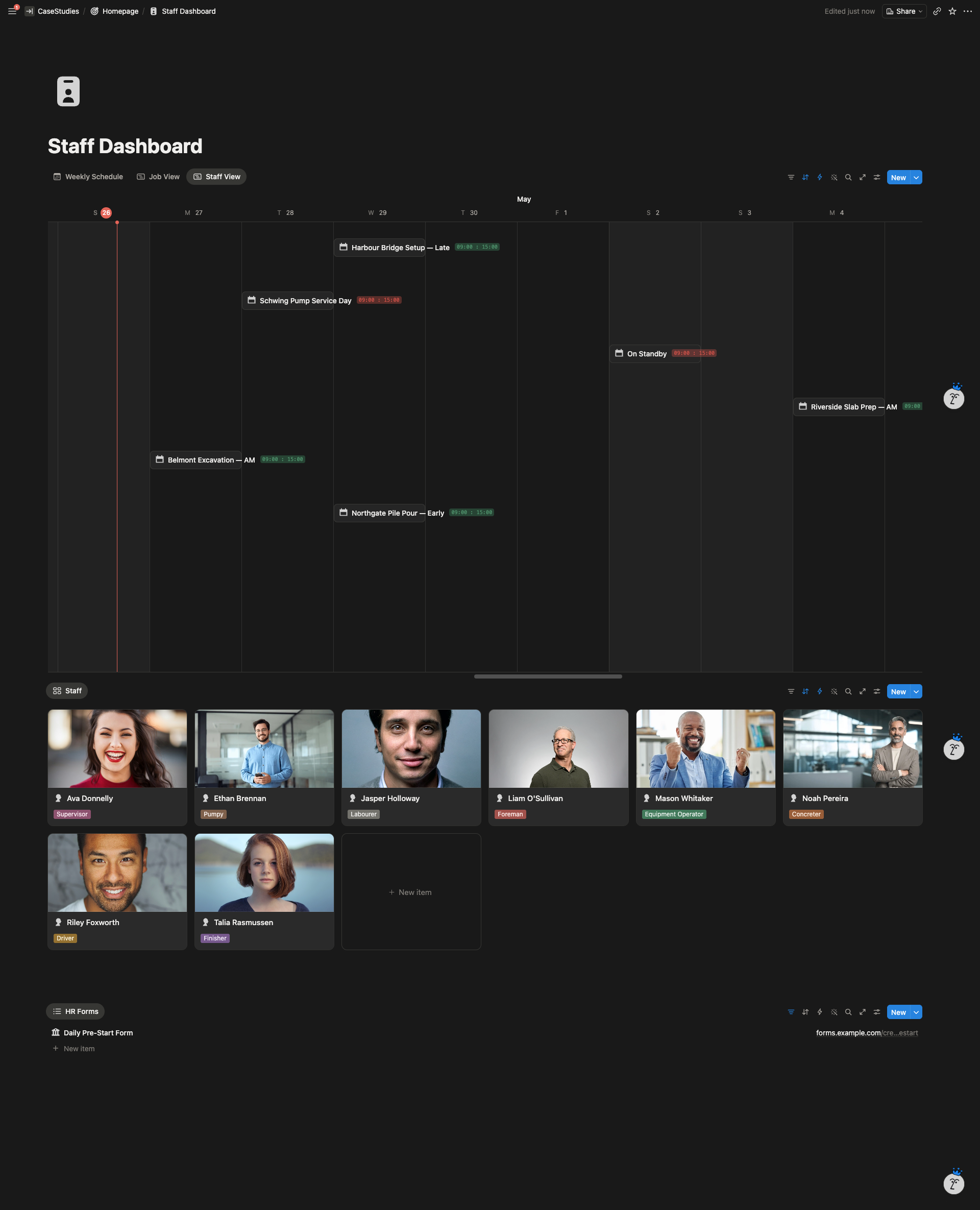
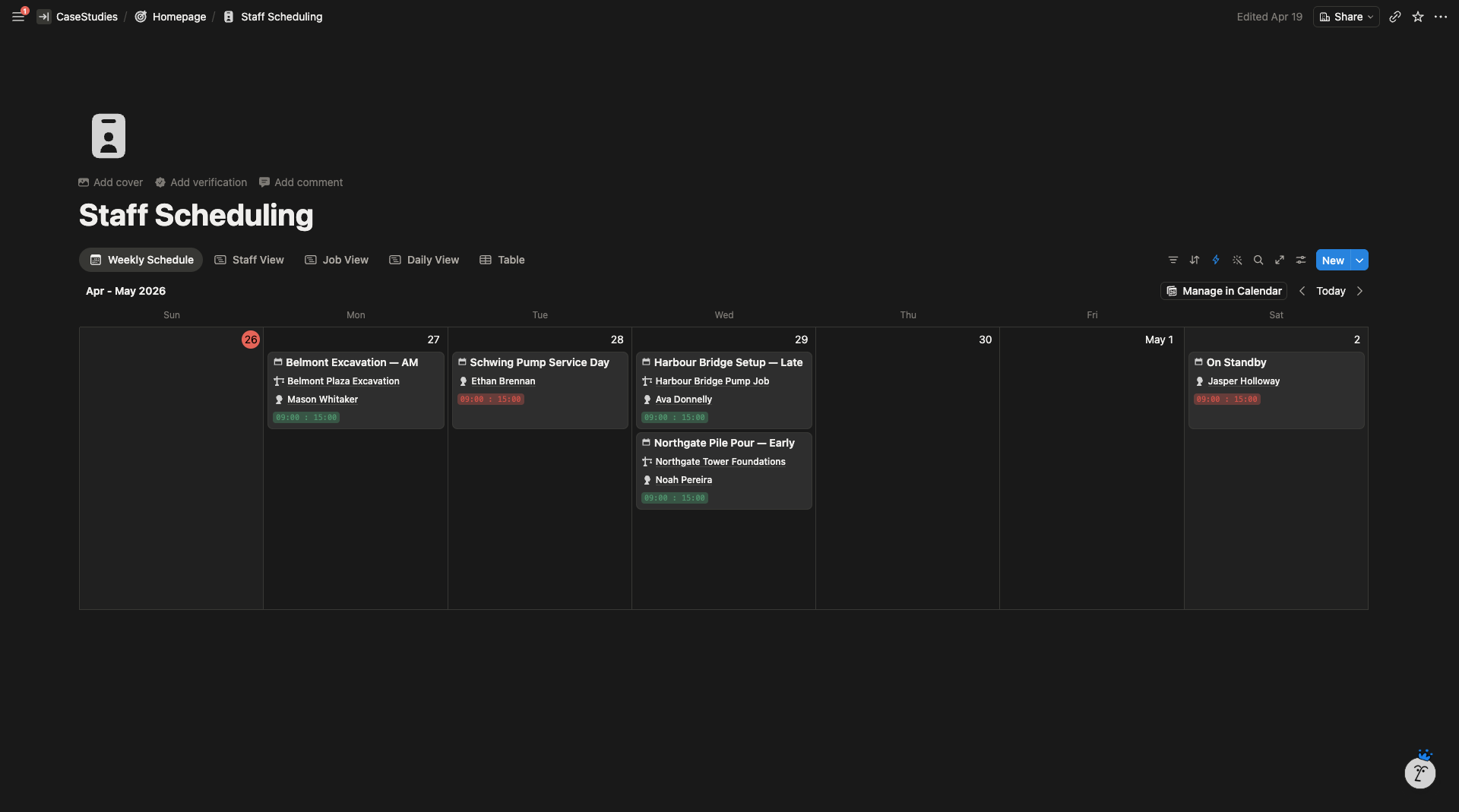
- Staff Scheduling (replacing Connect Team). Weekly calendar, job view, and per-staff filters. Jobs booked through the Notion form automatically create schedule entries for assigned crew.
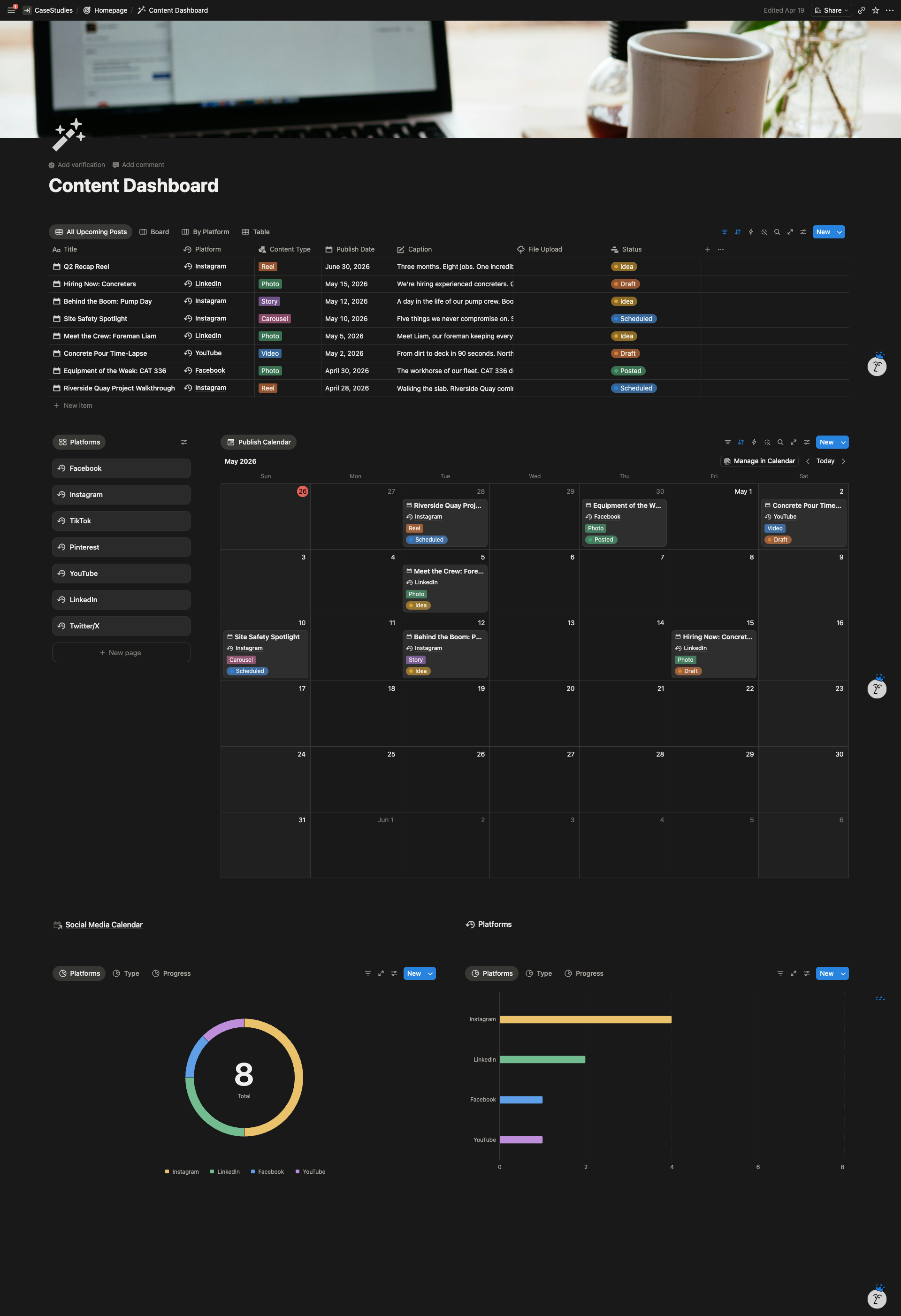
- Content Dashboard. A parallel workspace for social media planning. Monthly calendar, board view by status, and analytics on post distribution across platforms.
- Admin analytics. Current jobs by stage, today’s tasks, weekly schedule, job type breakdown, and task type distribution all visible at a glance on one page.
System Architecture
The Result
The admin team now books a job in Notion and the roster, task list, and equipment assignment are generated automatically. That process previously touched three separate apps and took around 15 minutes of manual copy-paste per job.
Truck pre-starts and inspection photos attach directly to the equipment record they relate to, so service history is one click away instead of buried in a spreadsheet of form responses. Service reminders no longer depend on memory.
Onboarding a new staff member takes one link instead of four, and every uploaded license and certification is stored against the staff profile automatically.