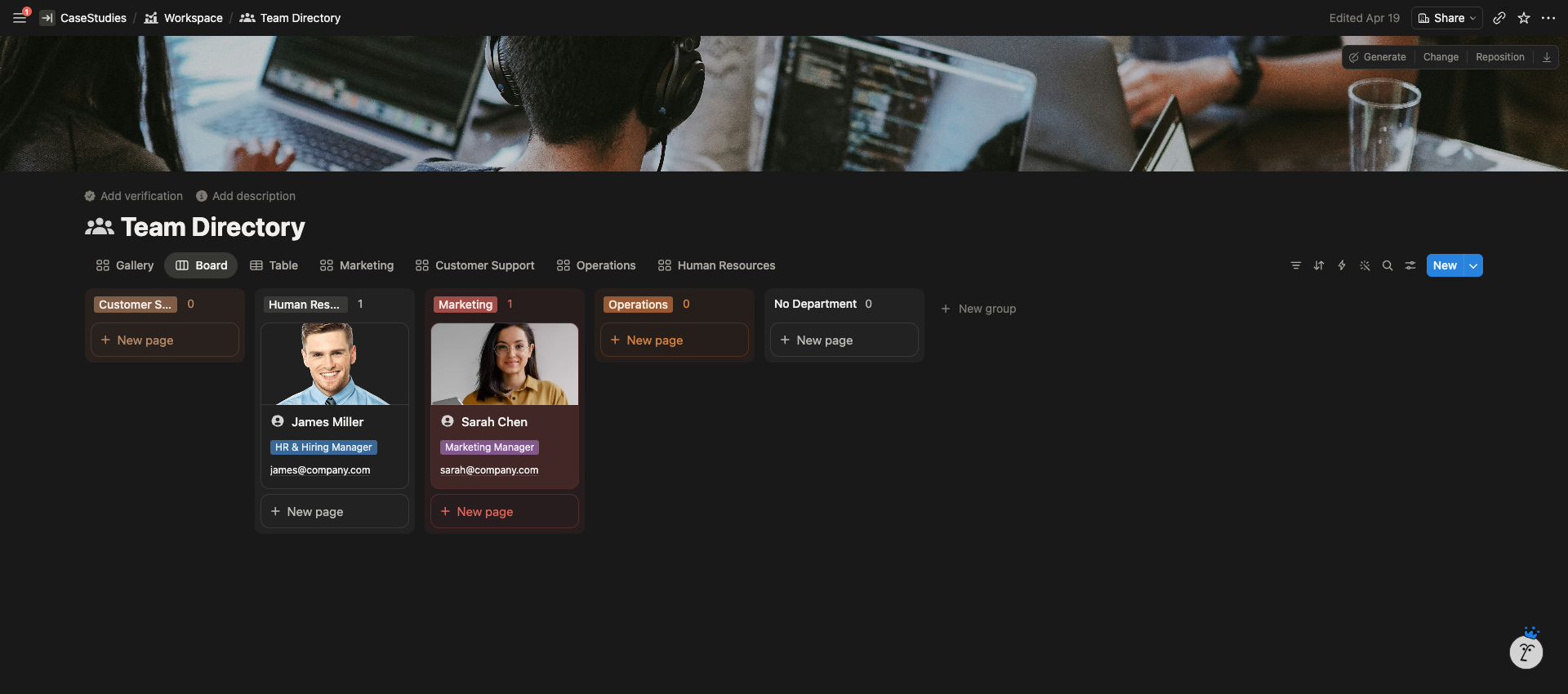
A Notion workspace built as the single source of truth for a growing e-commerce team. Documentation separated from production, with department-level SOP libraries and an automated training system designed to scale from 5 to 20+ employees.
The Client
A growing direct-to-consumer e-commerce company with a 5-person team across creative, customer support, operations, social media, and founder/ops. They were preparing to scale hiring and needed their internal systems to grow with them.
Their stack was already set: Asana for project management, Google Drive and Dropbox for file storage, Frame.io for creative review. Notion needed to stay in its lane: documentation, systems, and structured knowledge.
The Problem
Knowledge lived everywhere and nowhere. SOPs were scattered across Docs, Drive folders, and Slack threads. There was no central place for new hires to learn how the company actually ran. As they prepared to hire more team members, the founder knew the current setup would collapse under the weight of 15+ people trying to find a refund policy or a supplier contact.
They needed a structured internal wiki where Notion was the brain of the company, not another tool fighting with Asana or Drive for the same job.
The Solution
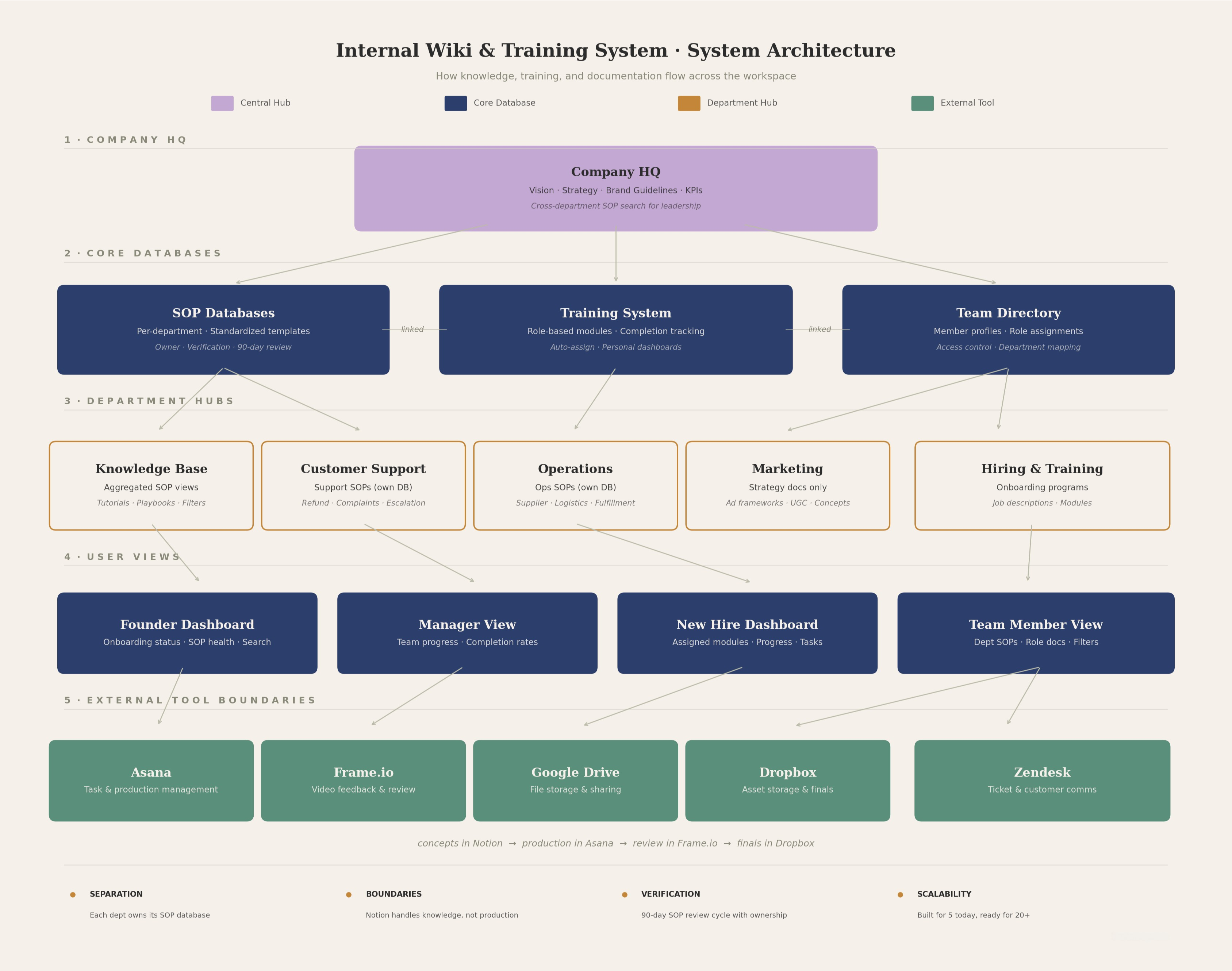
I built a department-first architecture with clean separation between Notion’s role (knowledge, strategy, documentation) and the rest of their stack. Instead of one shared SOP database across departments, I set up separate databases per department. That structural choice keeps Customer Support’s refund SOPs from cluttering Operations’ logistics docs, while still letting leadership search across everything.
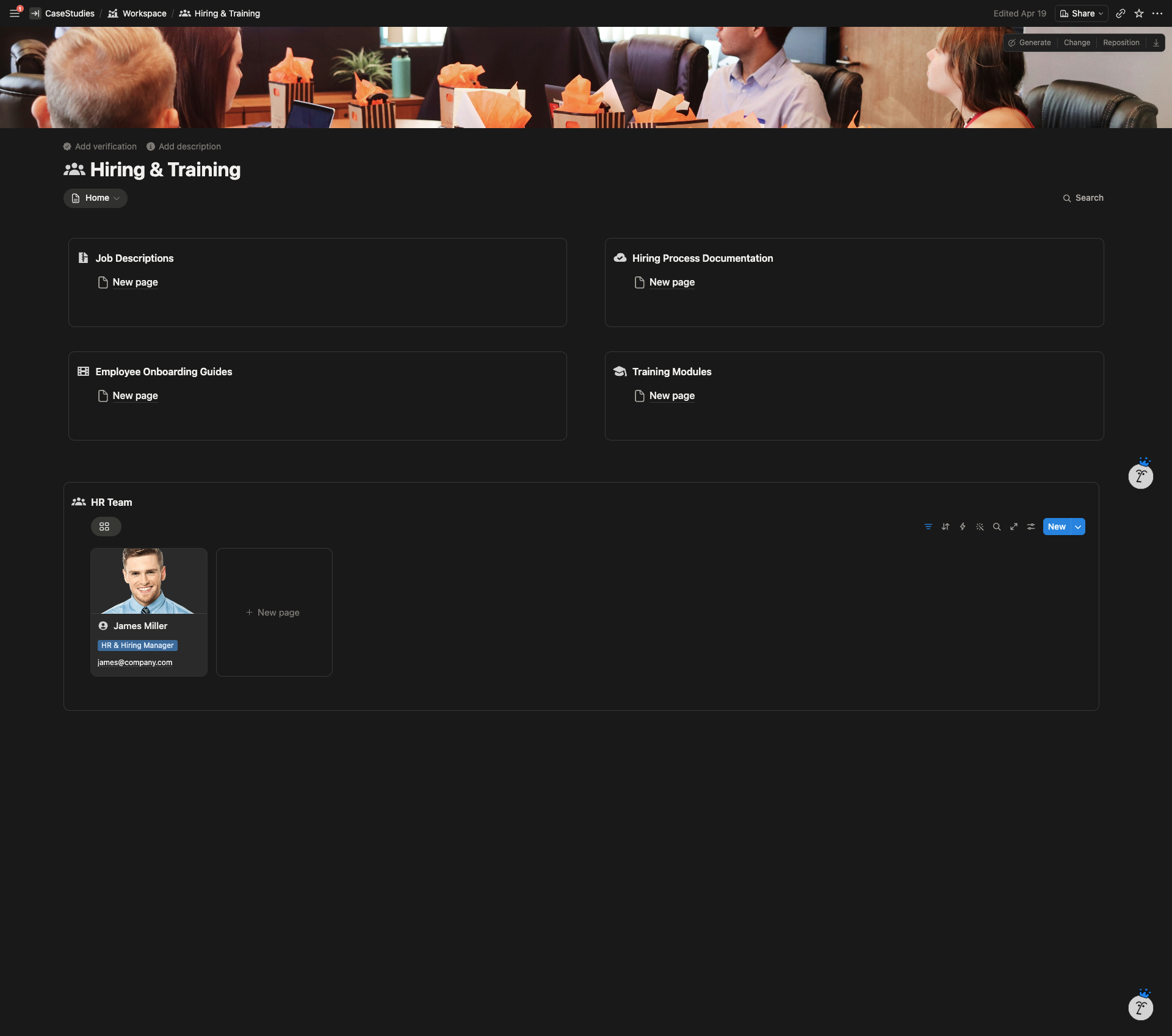
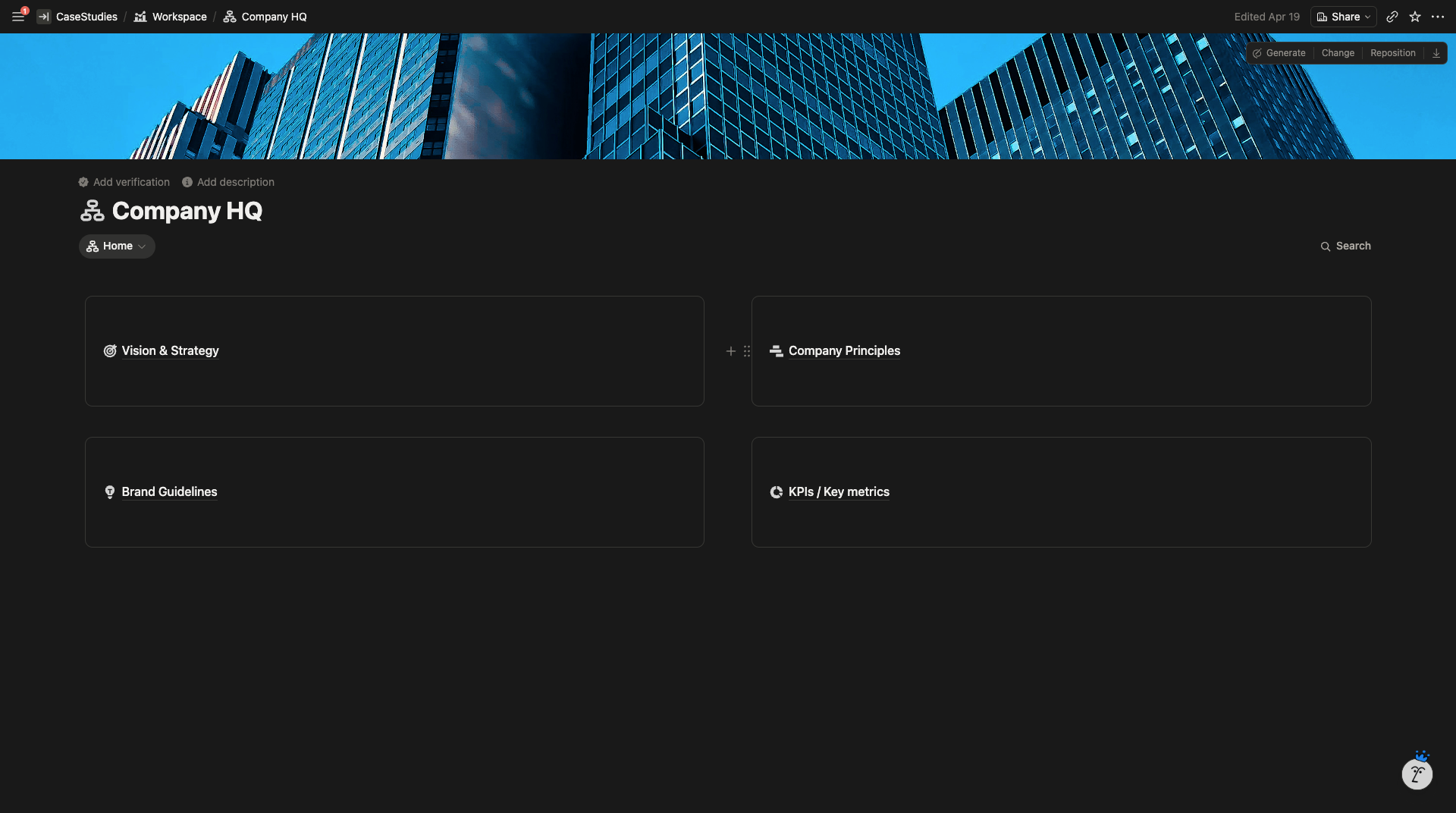
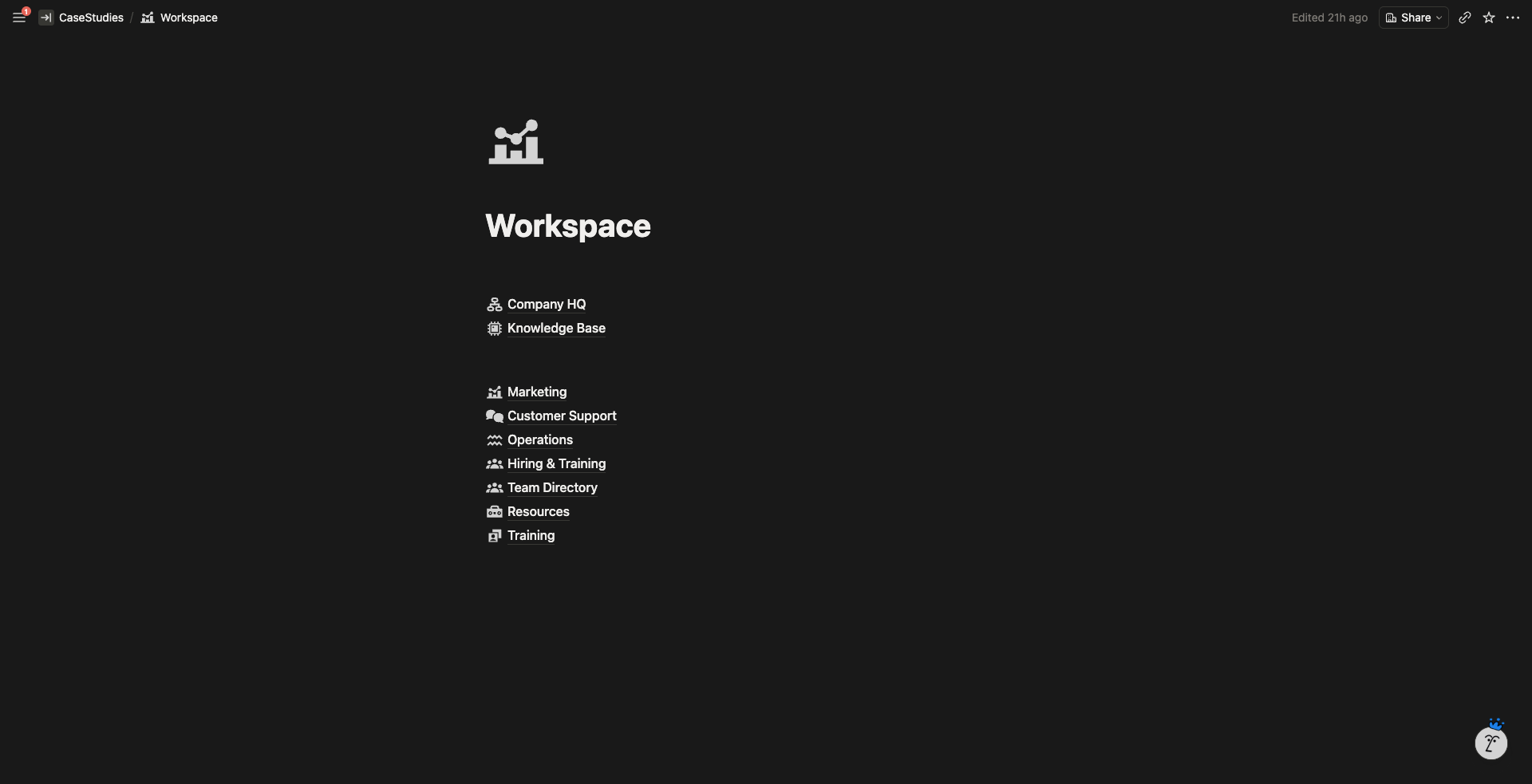
The workspace is built around six department hubs (Company HQ, Knowledge Base, Marketing, Customer Support, Operations, Hiring & Training) plus three system-wide pillars: Team Directory, Resources, and Training.
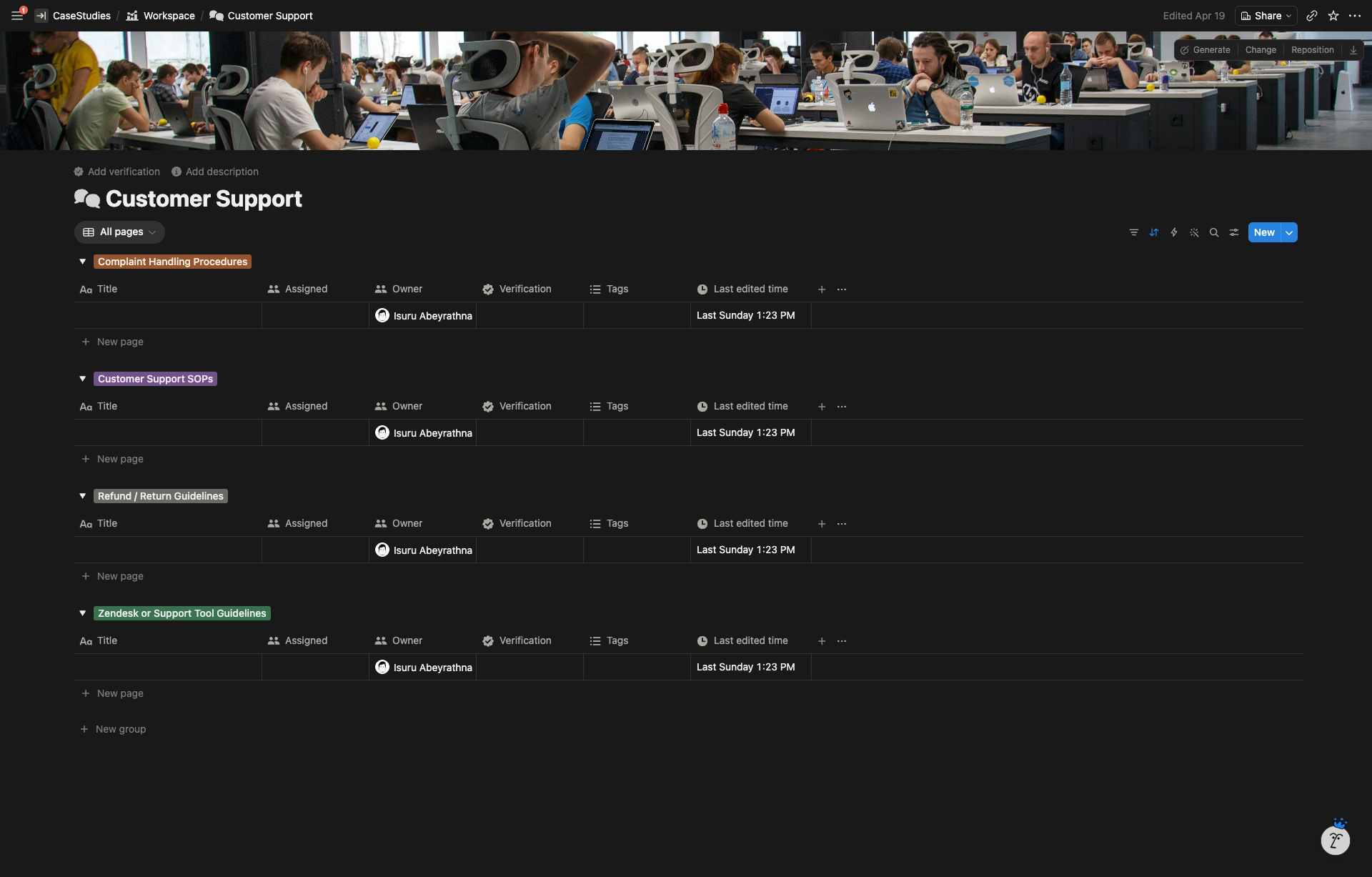
Every department hub uses Notion’s wiki feature with verification, owners, and tags, so SOPs don’t rot. If a policy hasn’t been verified in 90 days, it shows up in the dashboard as needing review.
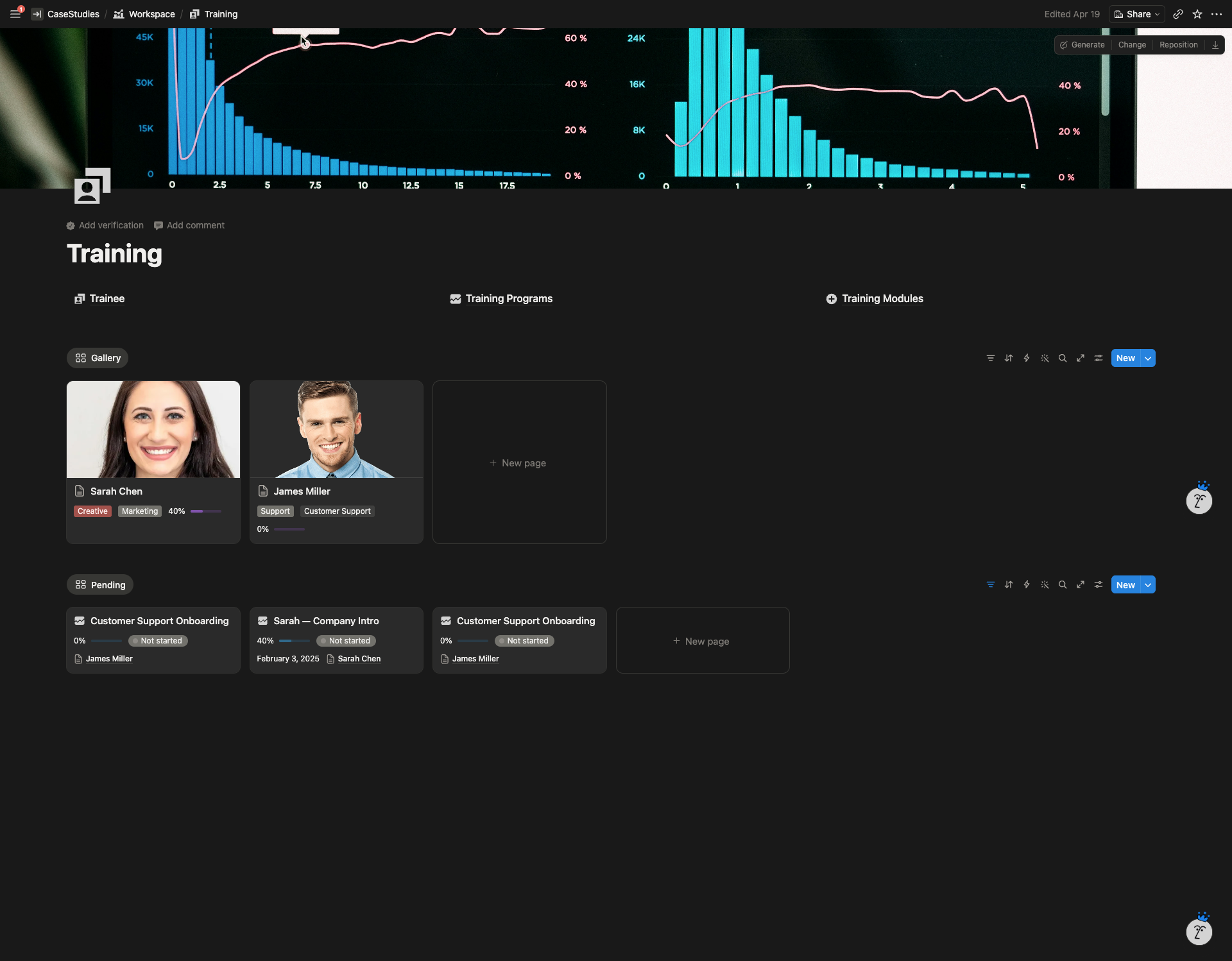
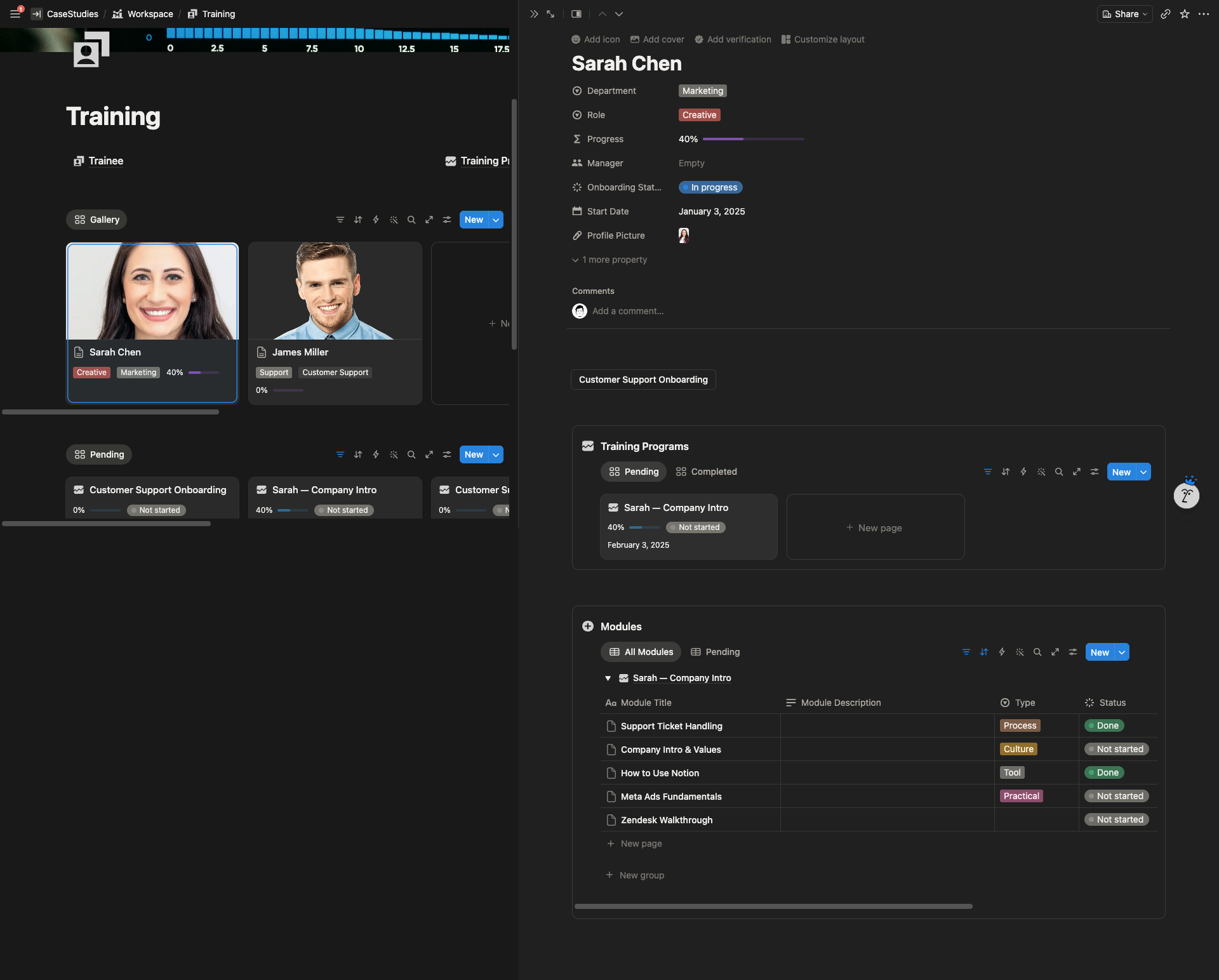
The training system uses Notion buttons to spin up new training programs from templates. Each trainee gets a personal dashboard showing their assigned modules, progress percentages, and pending tasks. Management gets a bird’s-eye view of onboarding across the team.
System Architecture
Highlighted Features
- Department-separated SOP libraries. Each department owns its own database with role-specific templates, preventing cross-team noise while keeping everything searchable from Company HQ.
- Standardized SOP template. Purpose, tools required, step-by-step process, common mistakes, embedded Loom slots, version history, and last-updated tracking built into every page.
- Automated training system. Notion button automations generate new training programs from templates. Trainees see only their assigned modules and progress.
- Personal dashboards. Each team member has a view filtered to their assigned SOPs, modules, and resources.
- Team Directory with role-based templates. Four different templates by role type, with automatic wiki assignment based on department.
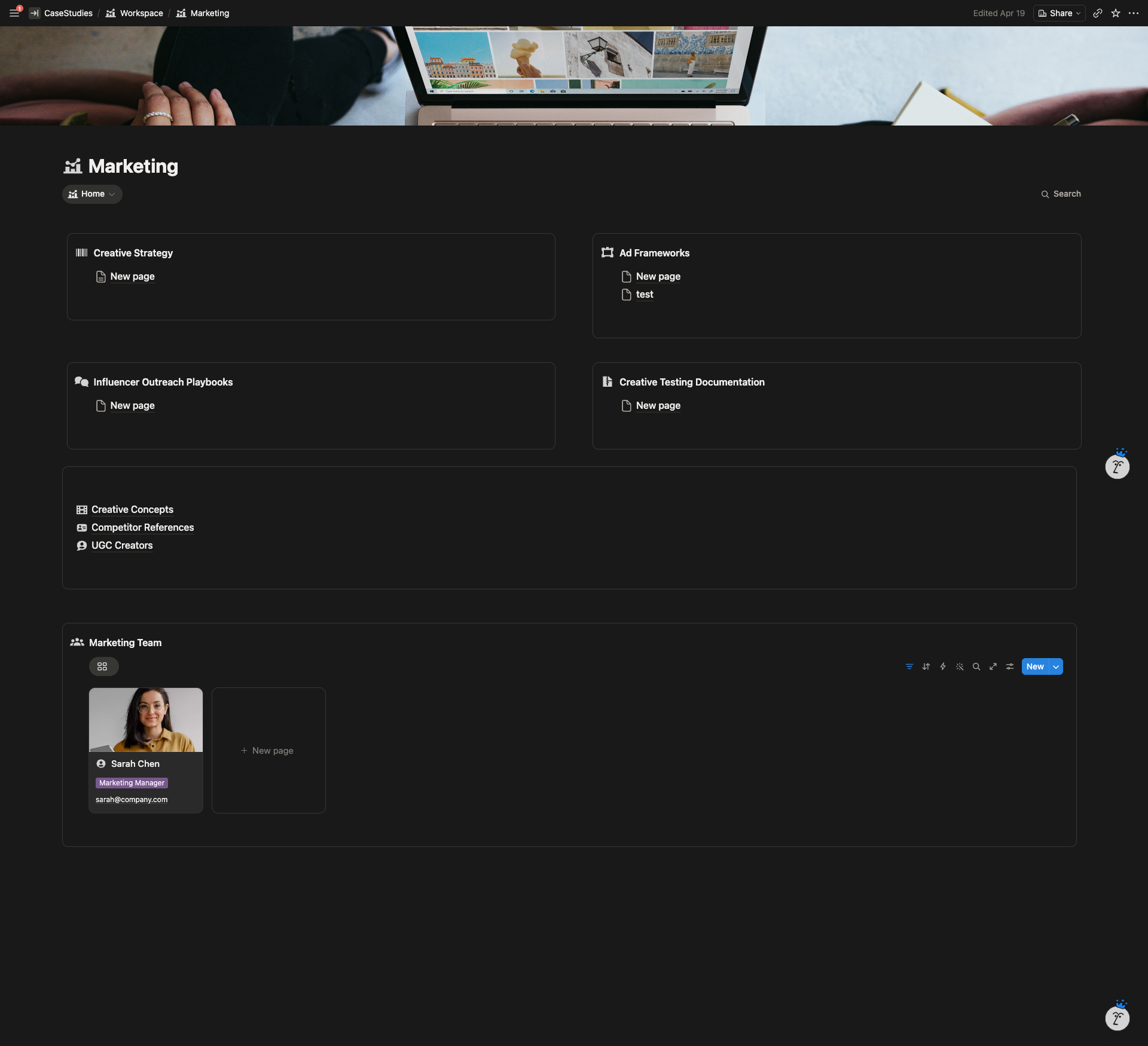
- Creative strategy hub (production-free). Creative Concepts, Competitor References, and UGC Creator databases live in Notion. Production pipeline stays in Asana and Frame.io.
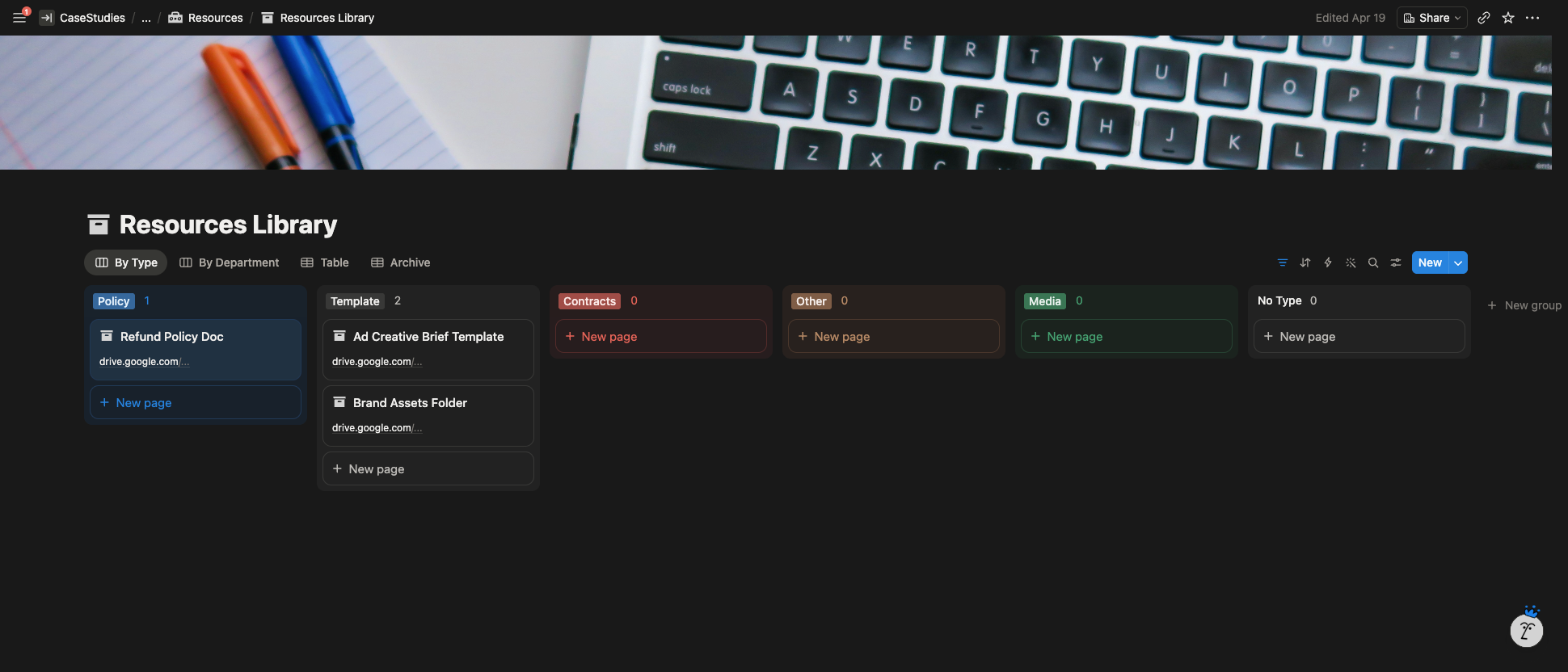
- Integration-ready structure. Embedded Loom slots in SOPs, Asana task links, Drive and Dropbox asset links, all organized through the Resources library.
- Permission-ready architecture. Built for team spaces with per-department access control, so Customer Support can’t accidentally edit Operations’ supplier list.
- Searchability layer. Tags, categories, filters, and multiple database views (All Pages, By Tags, Board, Pages I Own) so anyone can find anything in three clicks.
The Result
The company moved into the workspace with a clear map of where every piece of knowledge lives. New hires can be onboarded through structured training programs with tracked completion instead of ad-hoc Loom links and shoulder-tapping. Leadership has one place to check if SOPs are up to date, who owns what, and which training modules still need to be built.
The workspace is built to hold 20+ employees without restructuring.