
The Client
A US-based veterinarian running a clinic, a music studio, a small rental portfolio, and a recently launched non-profit. He’d been using Notion for a while at a semi-proficient level, mostly through templates he’d bought over the years.
The Problem
He had stitched together several paid Notion templates to cover different parts of his life. Tasks lived in one template, projects in another, the clinic data was scattered, his music students existed as notes in a different app, and there was no calendar that covered everything. He wanted to see his day in one place instead of opening four templates to find out what was on.
The Solution
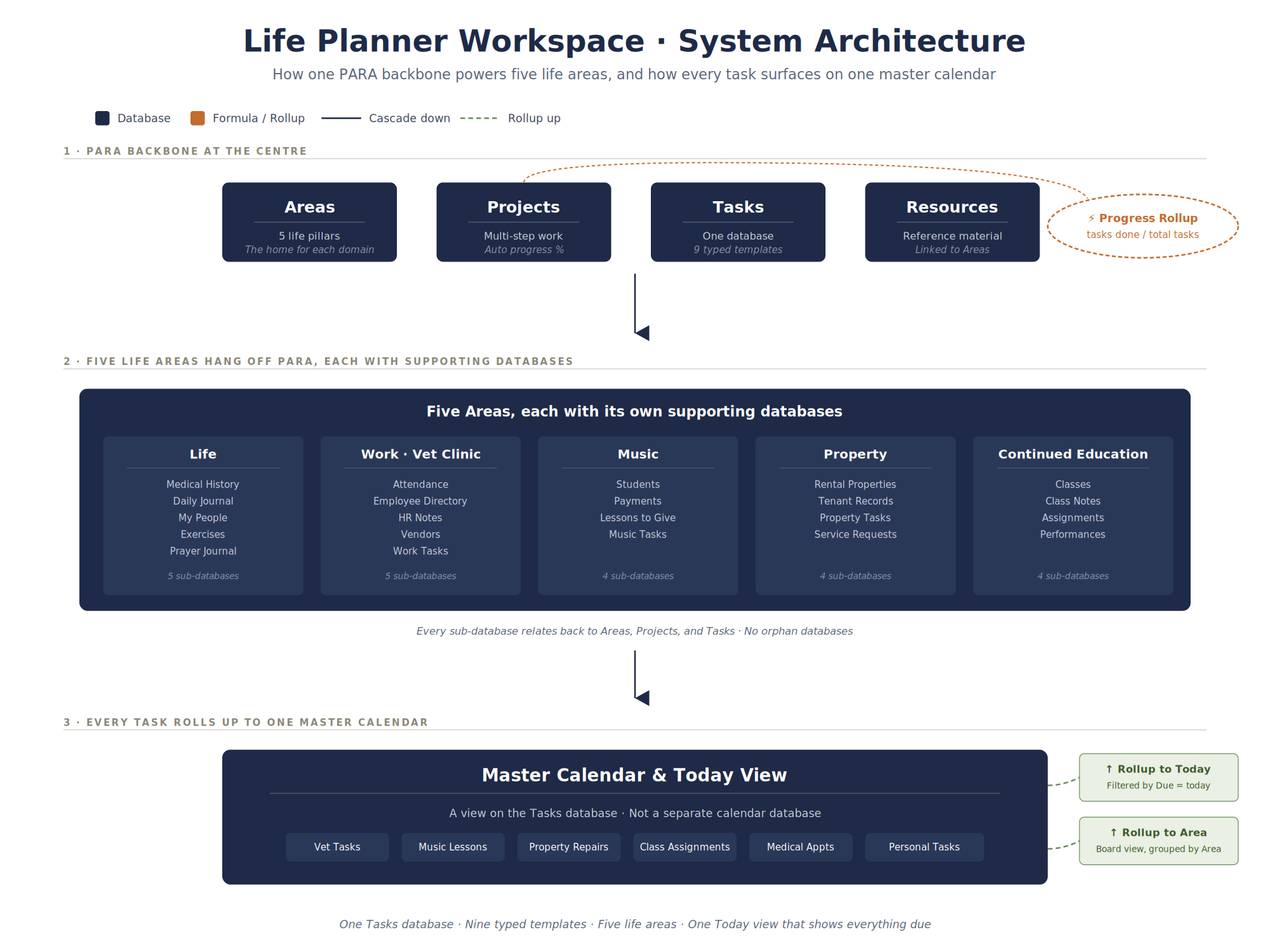
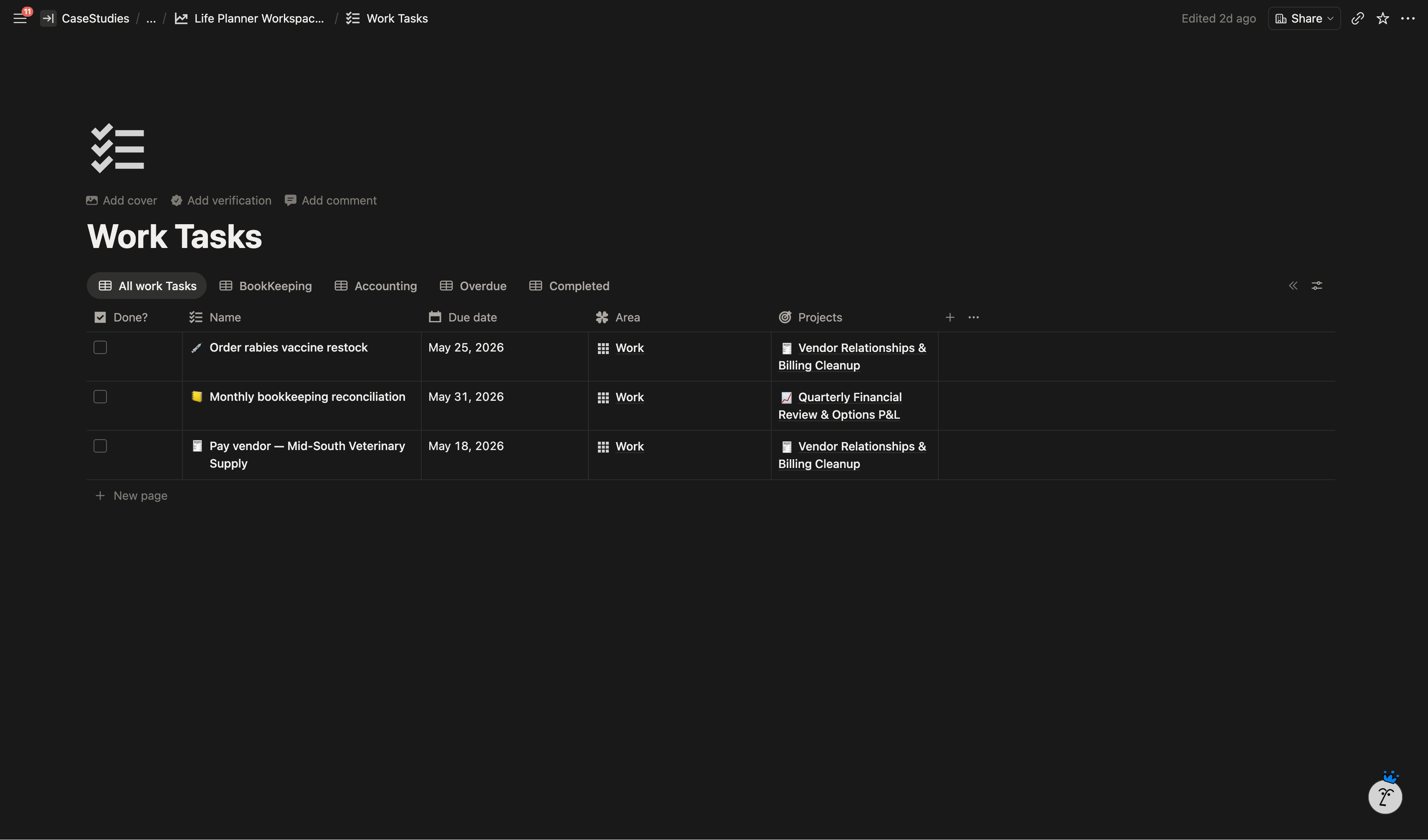
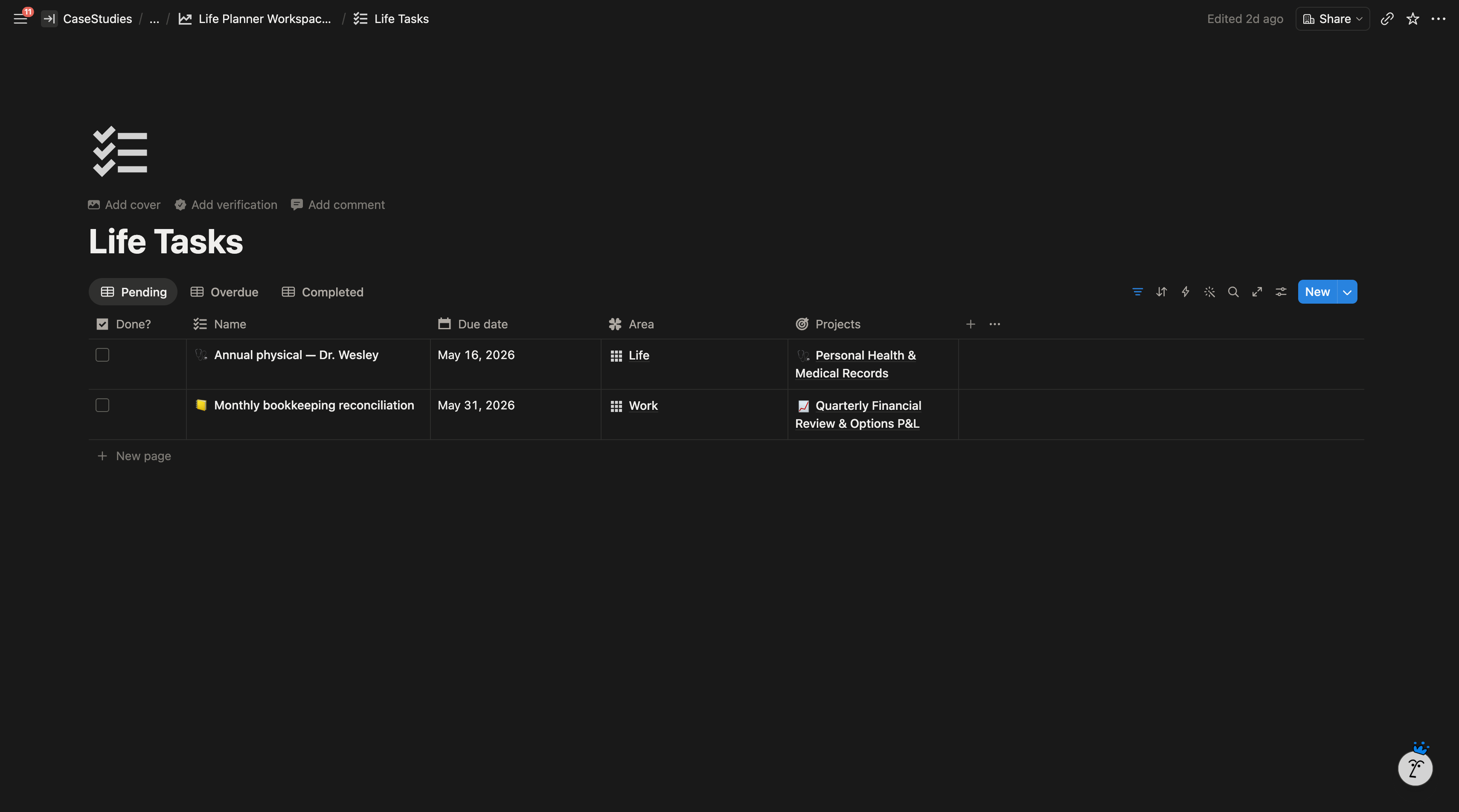
One Notion workspace built on a PARA backbone (Projects, Areas, Resources, Tasks) so every life area runs off the same shared databases. A task added anywhere in the system, whether it’s a vendor bill for the clinic, a music lesson, a rental property repair, or a class assignment, lands on one master calendar and one Today view.
What I Built
Core Databases
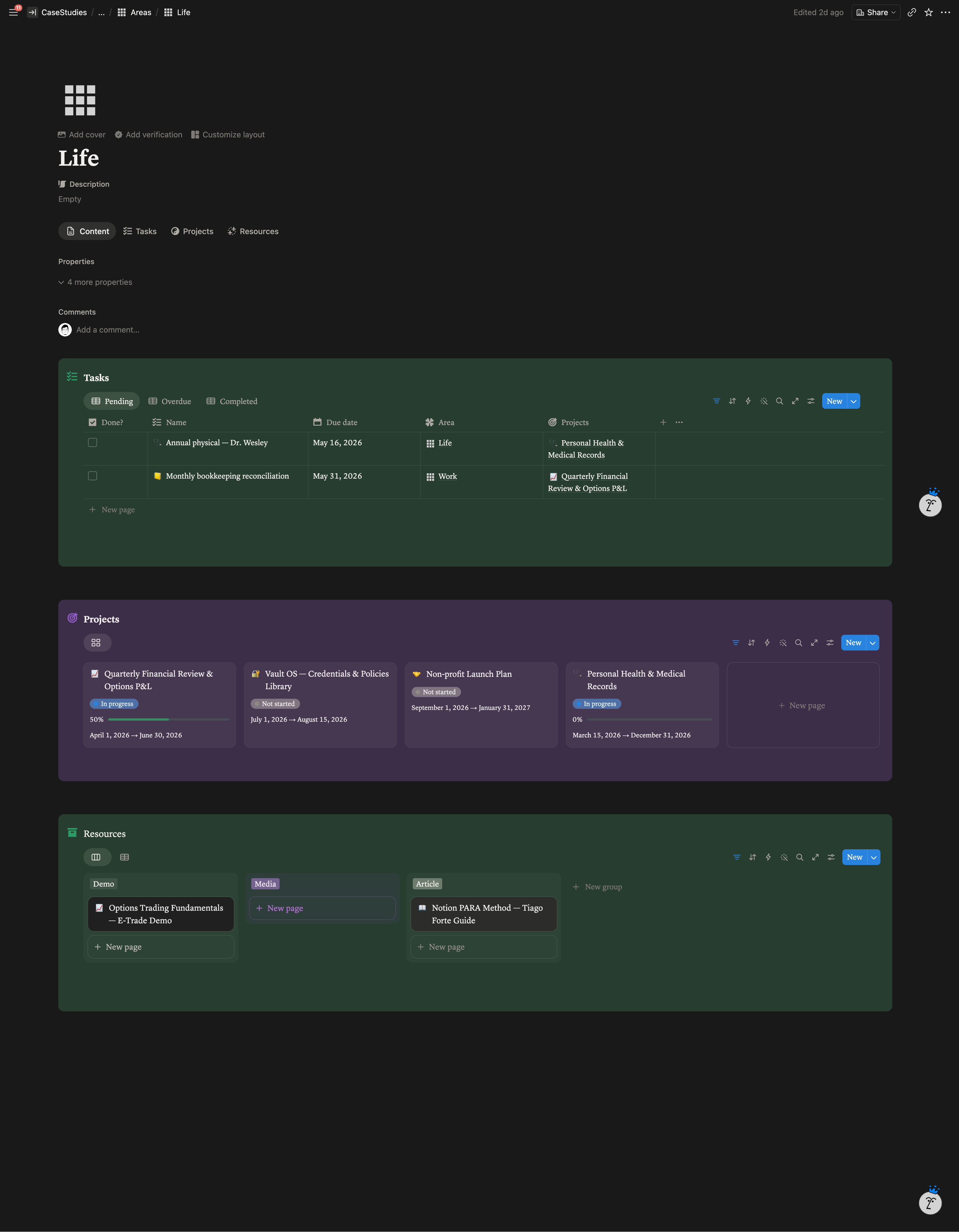
PARA sits at the centre. Areas holds the five life pillars (Life, Work, Property, Music, Continued Education). Projects rolls up task completion into a live progress percentage. Tasks is a single database with typed templates so a medical appointment, a vendor bill, and a student lesson can all live in the same place without losing their context. Resources holds reference material linked back to Areas and Projects.
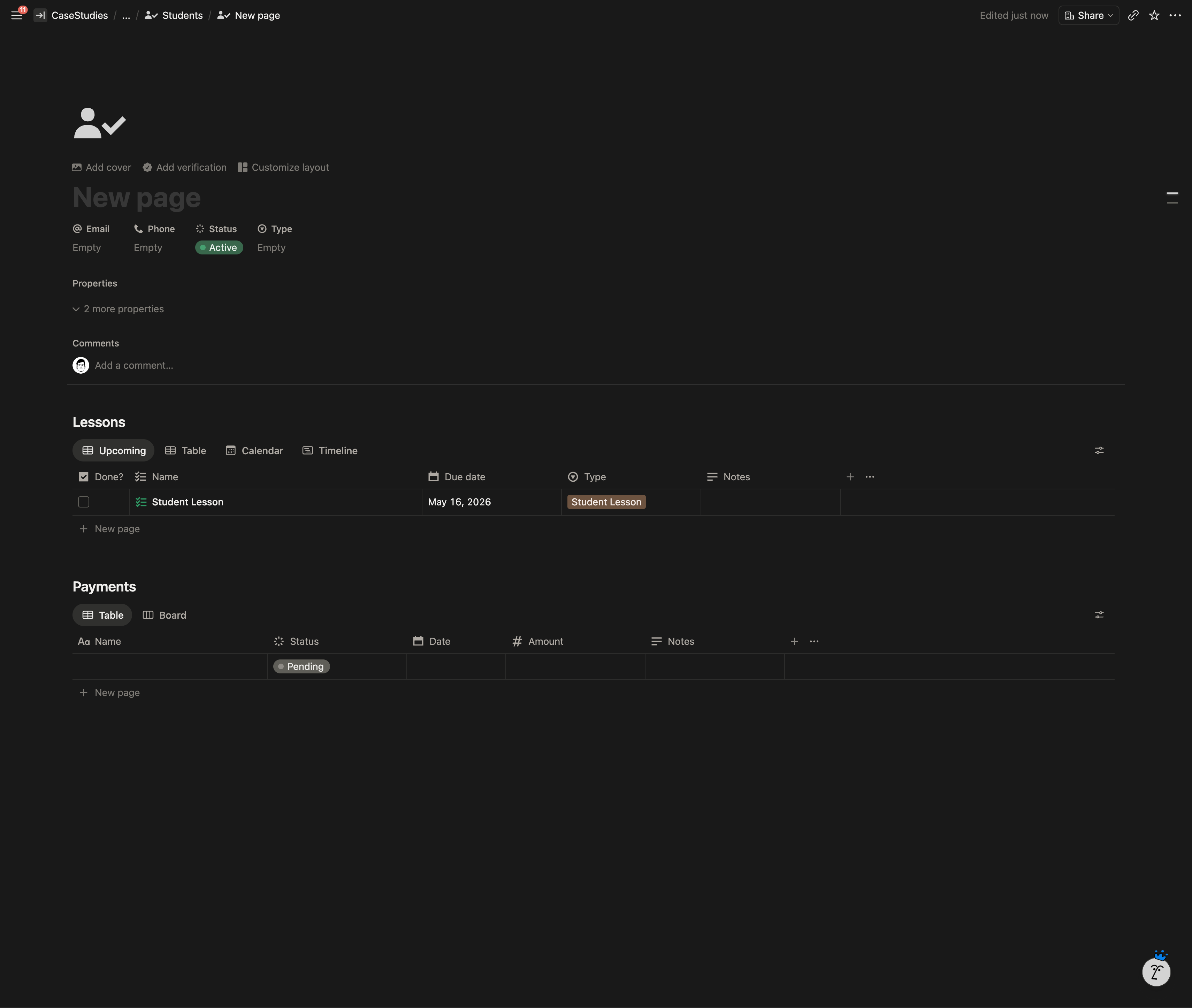
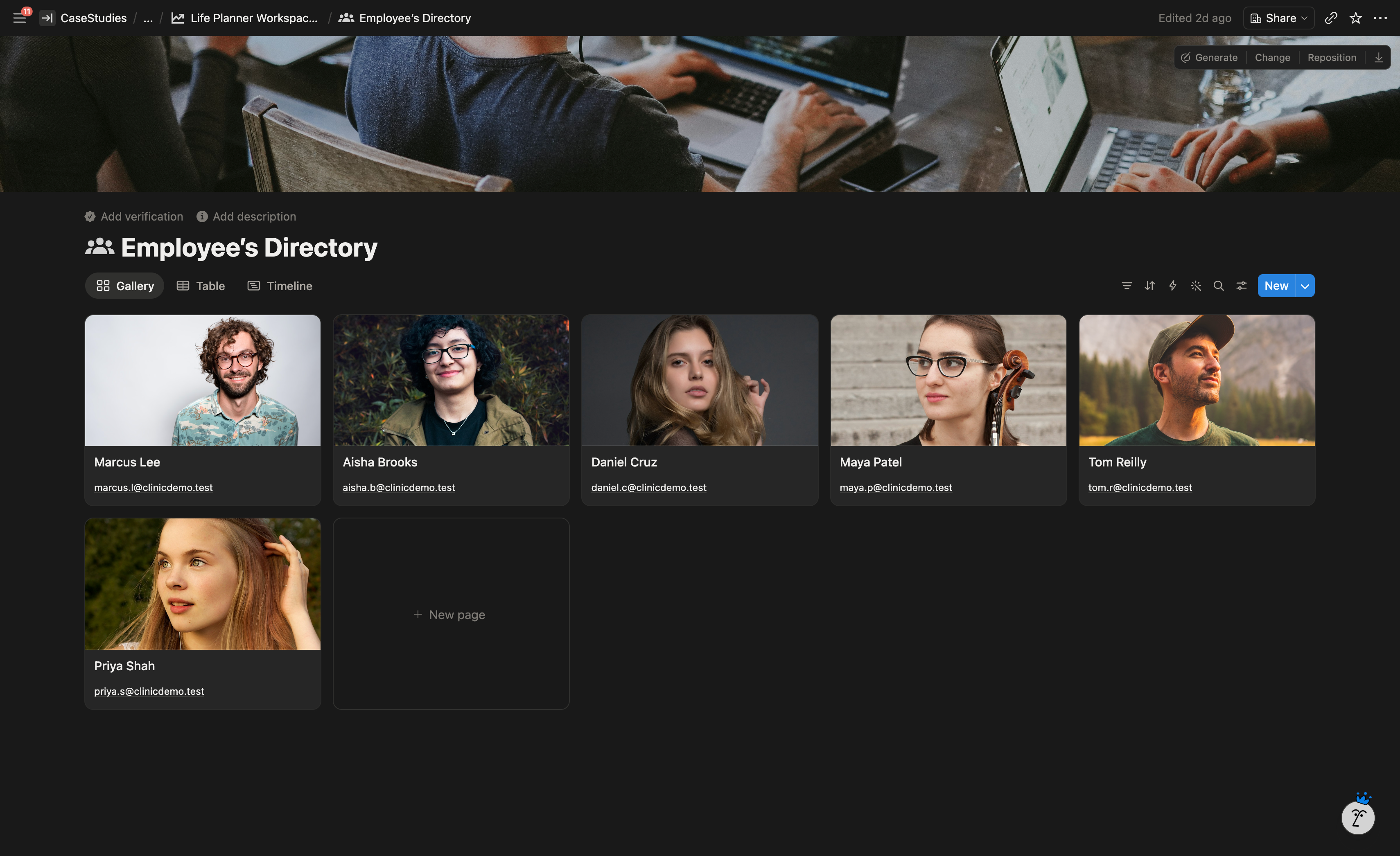
Around PARA, each life area gets its own supporting databases: Medical History tied to a People database, a Daily Journal, Students and Payments for the music studio, Classes and Class Notes for continued education, Attendance and Employee Directory for the vet clinic, Vendors, and Rental Property records.
Pages & Views
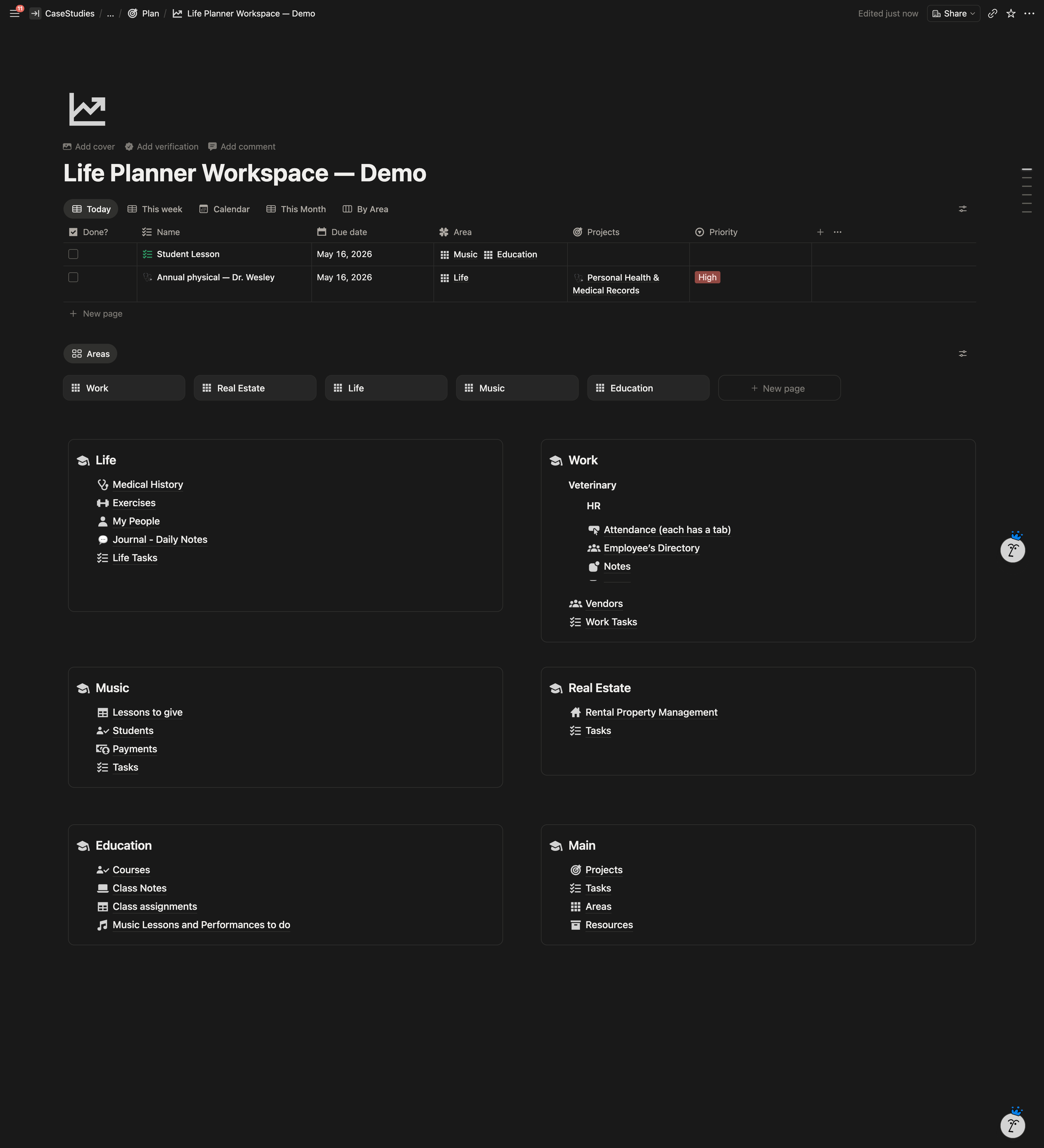
The home dashboard is a two column layout that mirrors how he reads his day. The inline Tasks database sits at the top with Today, This Week, This Month, Calendar, and By Area views. Below that, each life area has its own callout linking into its sub-pages.
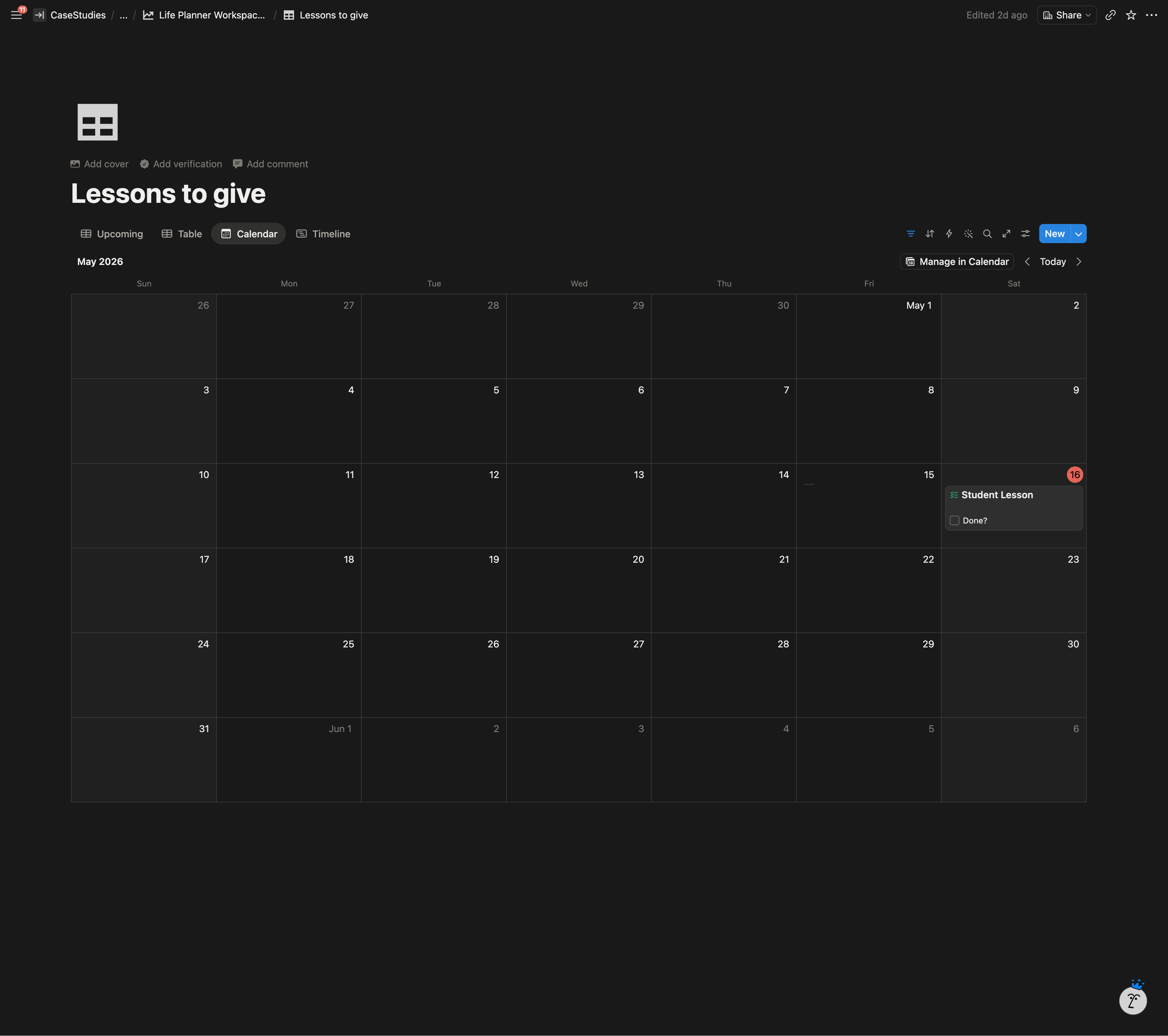
The master calendar is a view on the Tasks database itself, not a separate calendar database. That’s what makes one Today view possible across five life areas.
Templates
Nine task templates so a new task auto-fills the right fields depending on what it is: Assignment, Music Lesson, Performance, Student Lesson, Property Related, Accounting, Bookkeeping, Vendor Billing, Medical Appointment.
Seven weekday templates for the Daily Journal, each pre-loaded with the properties he actually uses (verses read, miles run, day score, people seen, tenant issues, clinic open checkbox).
Automations
Recurring tasks set up using Notion’s repeat templates for things like writing paychecks every Friday and monthly billing cycles.
Highlighted Features
- One master calendar across five life areas. Vet tasks, music lessons, rental work, class assignments, and personal tasks all on the same grid.
- Medical History tied to People. A medical appointment for him, his wife, or his mother-in-law chains into that person’s medical record.
- Daily Journal with people tagging. Around 40 named people pre-seeded so logging who he saw that day is one tap.
- Project progress rollups. A project’s completion percentage updates itself as tasks get ticked.
- Vault OS. Locked-down section for credentials, insurance policies, contracts, and vendor agreements.
System Architecture
The Result
Five life areas run from one workspace instead of four stitched templates. Every task, from a clinic vendor bill to a rental property repair to a music lesson, shows up on the same Today view. The daily journal he’d built up over months was preserved and now sits inside the same system as everything else. He manages the workspace on his own and has been using it daily since handover.
Client Feedback
“Of all my fiverr experiences…. this was the best!”