The Client
A private US medical practice. The team handles incoming patient inquiries and converts them into paying patients through phone and email follow-up. They had plans to grow the sales side and needed a system to support it.
The Problem
Patient leads were tracked manually with no shared workflow. Sales staff didn’t know which leads were new, which needed follow-up, and which had already been called. Leadership had no visibility into how many calls were being made, who was converting, or where leads were dropping off.
They’d looked at traditional CRMs. The full ones were too complex for the team’s comfort level, and the price didn’t make sense for a workflow this focused.
The Solution
One Notion workspace that handles the whole lead pipeline: capturing new leads, logging every call and email, moving leads through stages, and showing leadership the numbers. Sales staff see only what they need to act on. Leadership sees the full picture. Each salesperson has their own dashboard with their leads and their stats.
What I Built
Core Databases
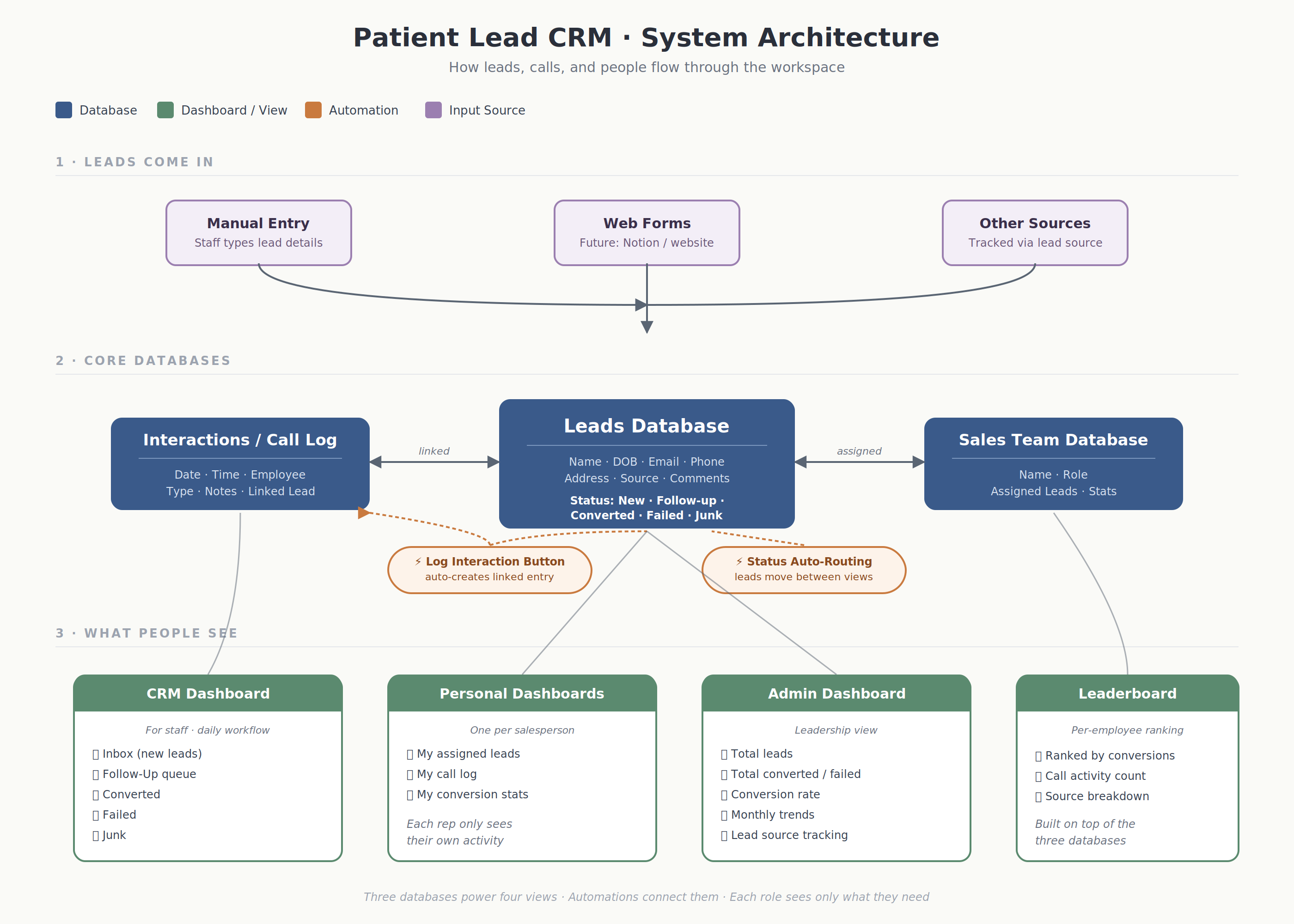
Leads Database. Central record for every patient lead. Stores name, DOB, email, phone, address, comments, lead source, creation date, and status (New Lead, Needs Follow-up, Converted, Failed, Junk). Each lead opens to its own page.
Interactions Database. Every touchpoint with a lead lives here. Date, time, and employee are captured automatically. Interaction types cover Spoke to Patient, Left Voicemail, Emailed, and a few others. A “Log Interaction” button on each lead page creates a linked entry without the user having to navigate anywhere.
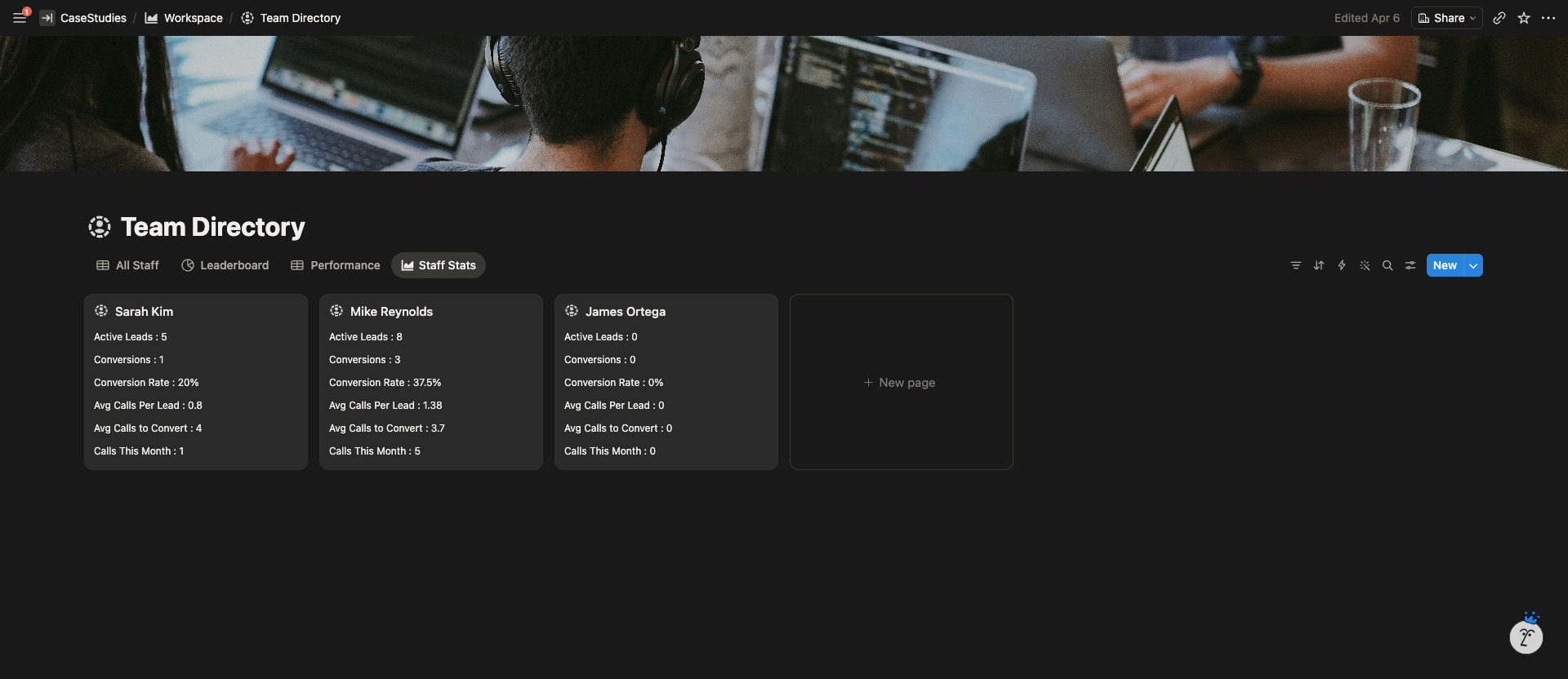
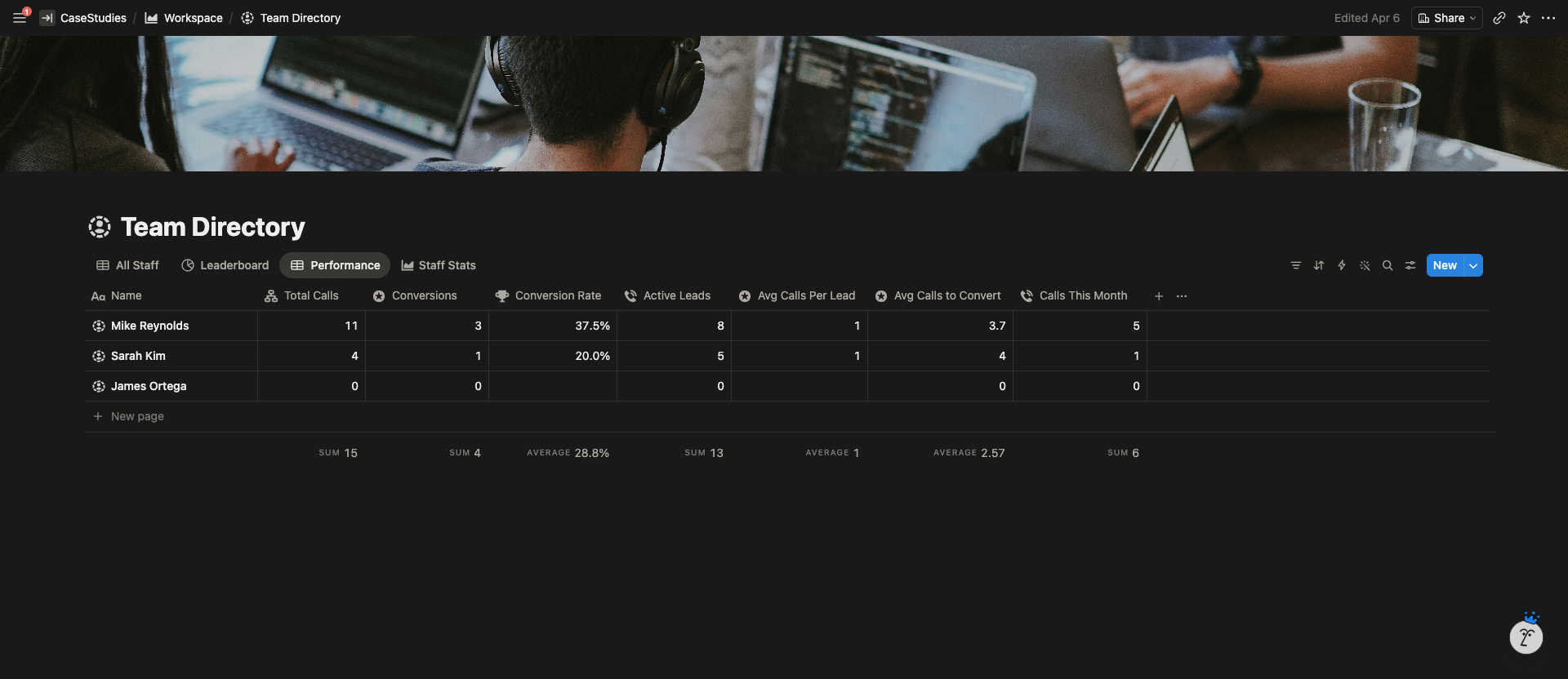
Sales Team Database. One record per team member. Connects to that person’s assigned leads, call activity, and conversion numbers.
Dashboards & Views
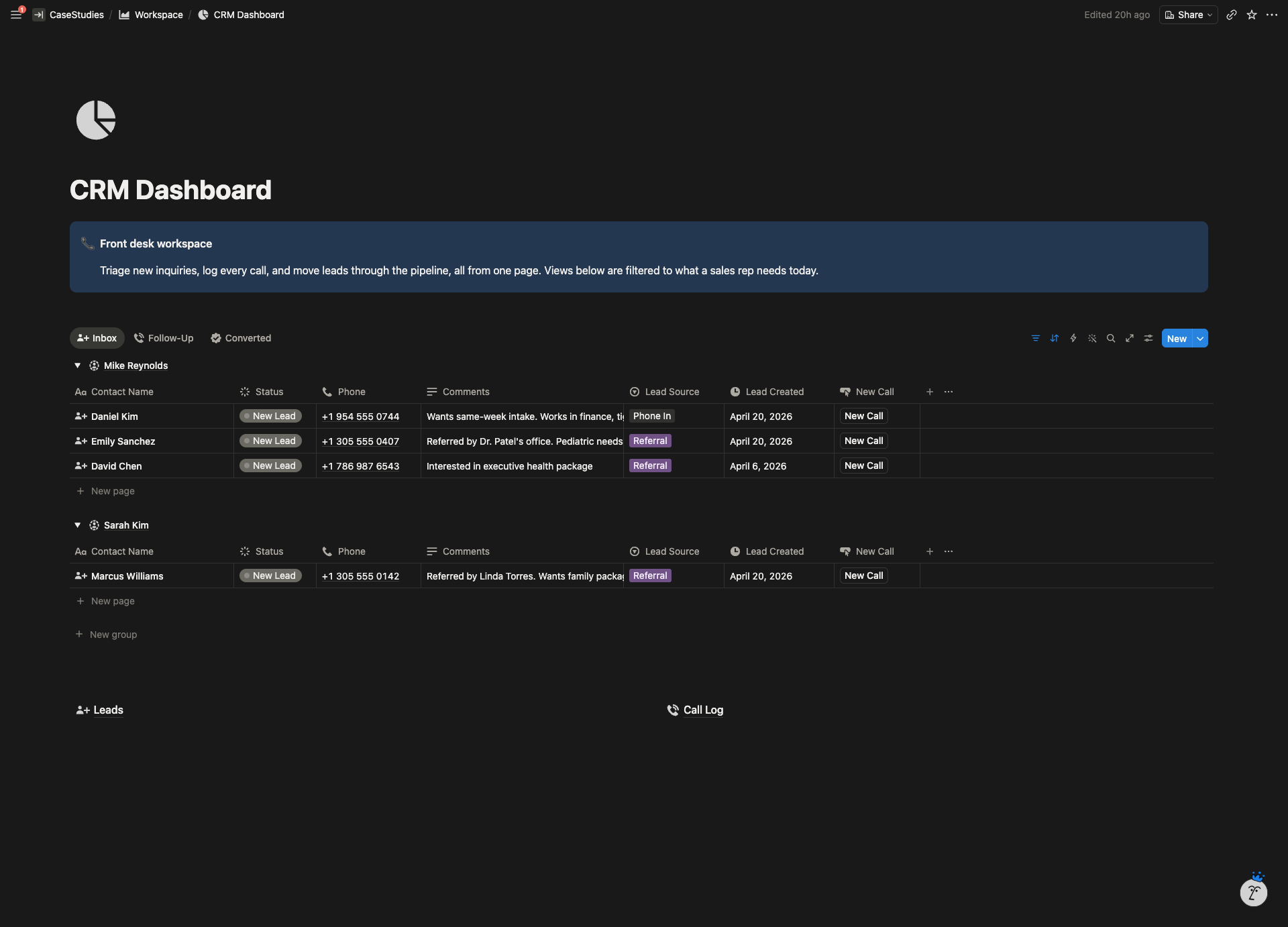
CRM Dashboard (staff view). Filtered views for Inbox, Follow-Up, Converted, Failed, and Junk. Staff open it and see only the leads that need action.
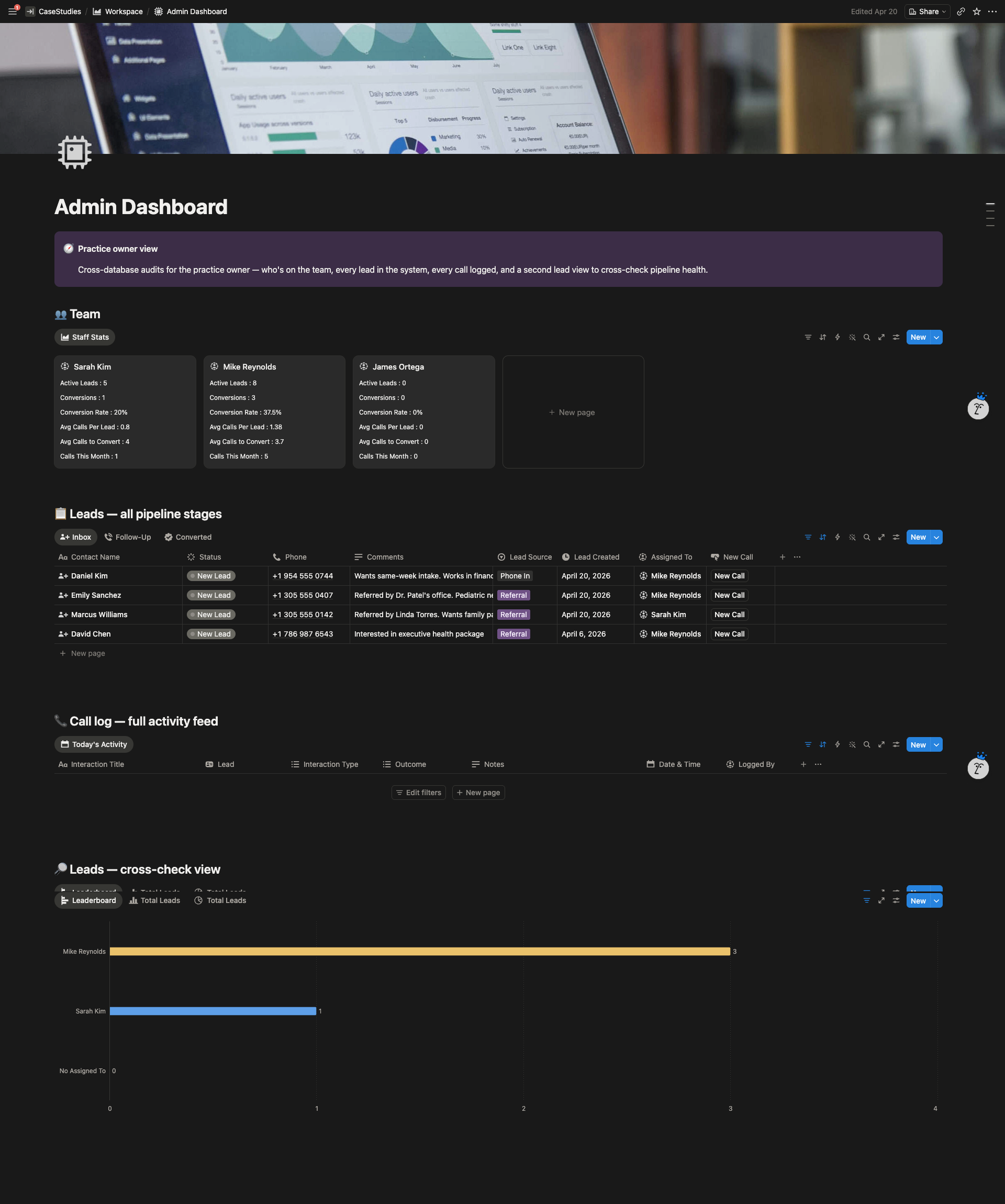
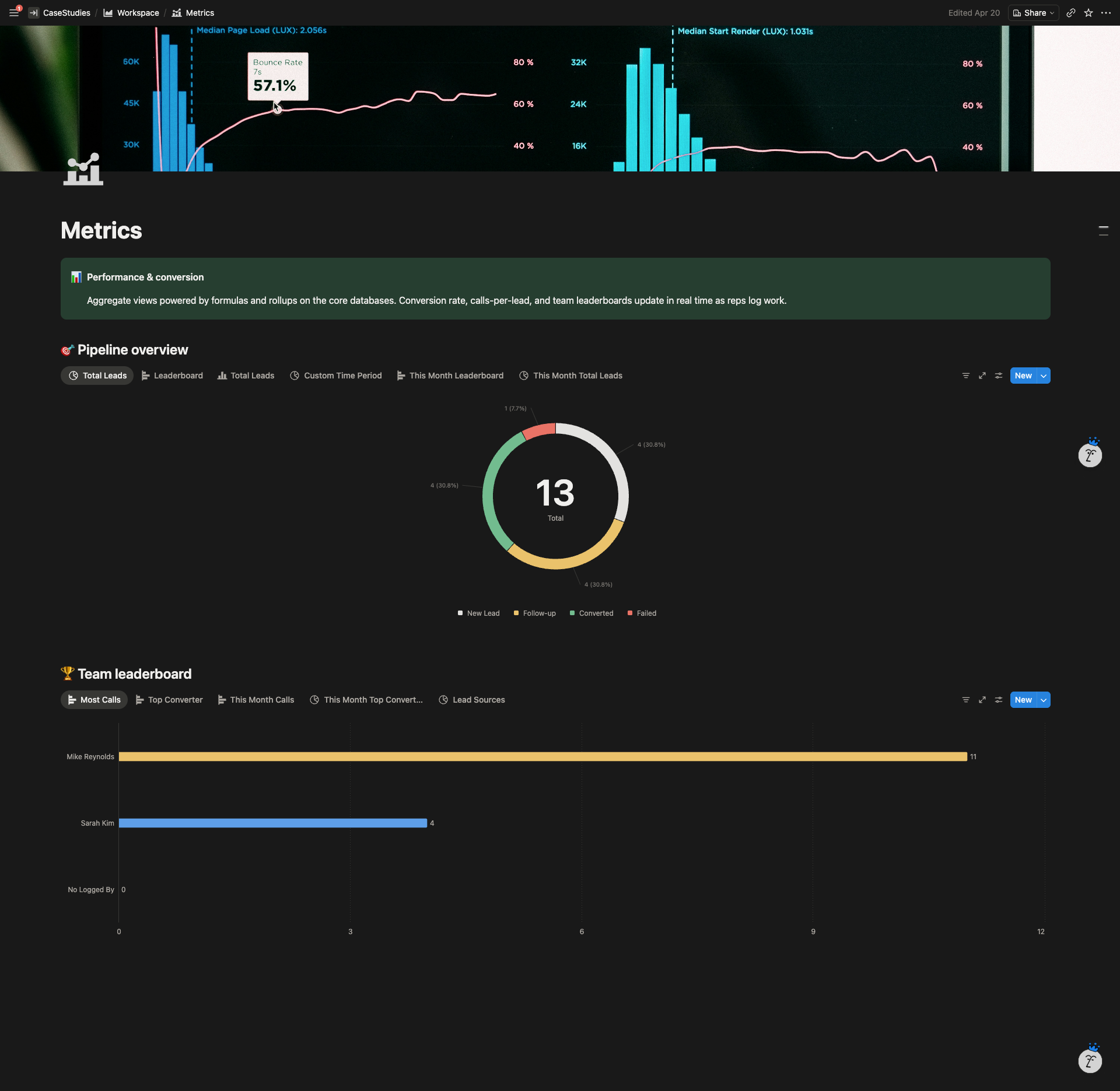
Admin Dashboard. Leadership view showing total leads, total converted, conversion rate, monthly trends, and lead source breakdown.
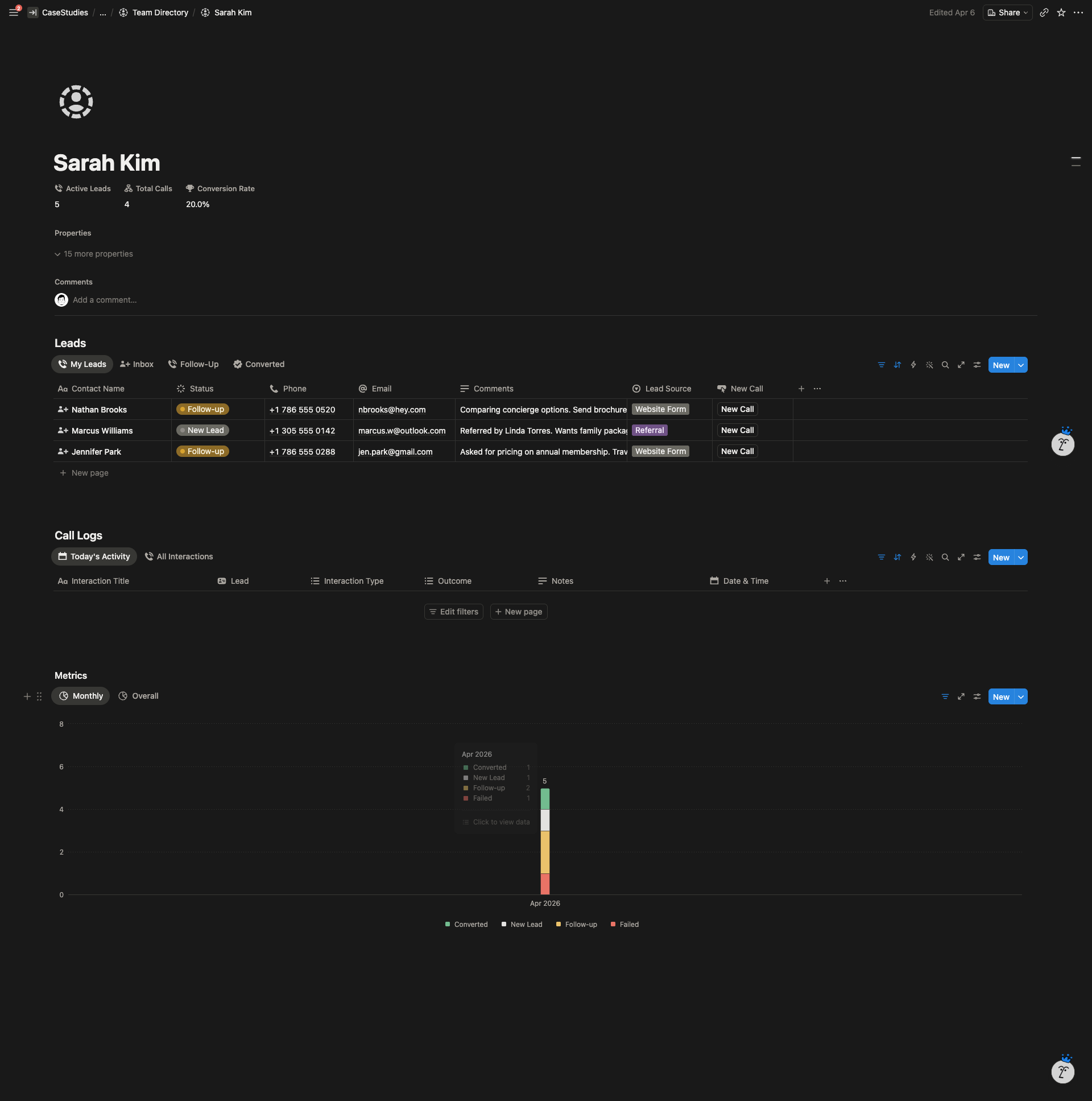
Personal Dashboards. Each salesperson sees their own leads, their call log, and their metrics. No noise from other people’s pipelines.
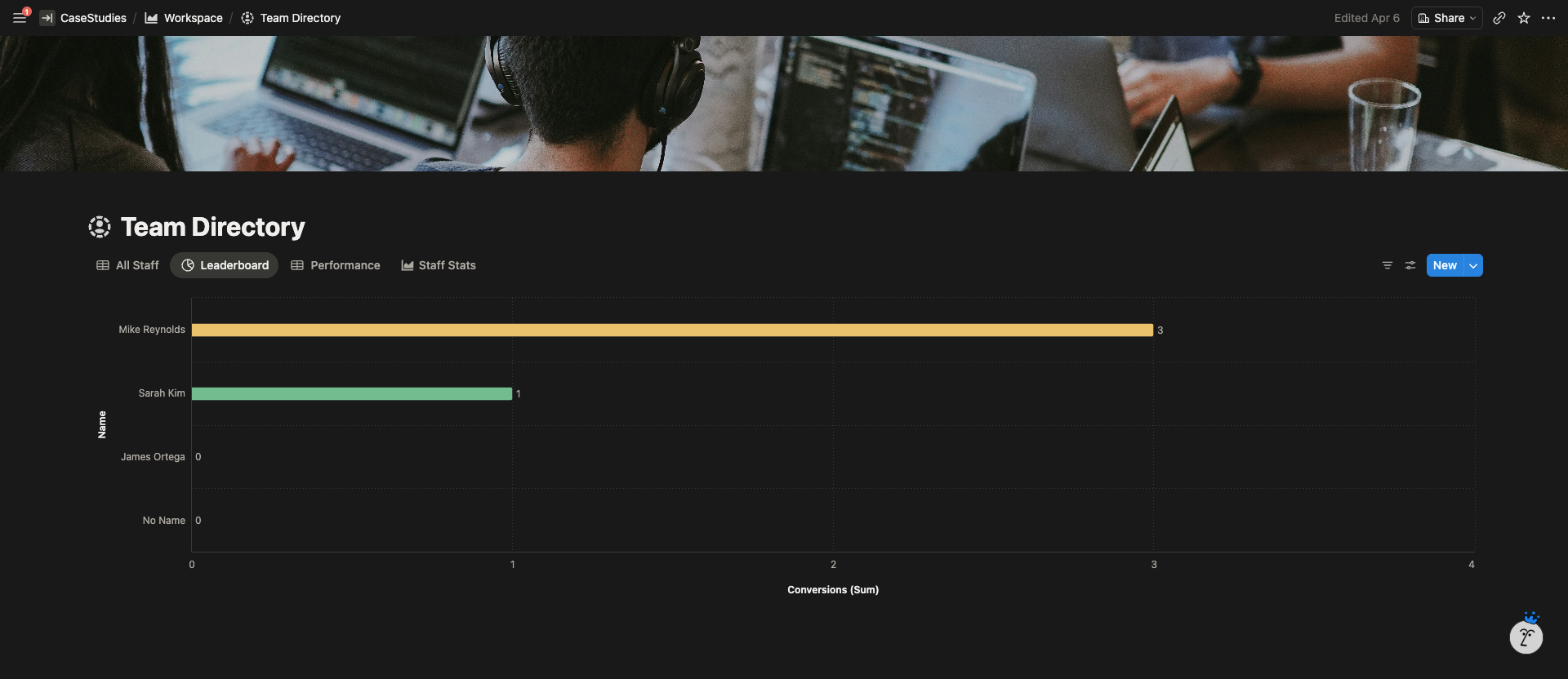
Leaderboard. Ranks the team by conversions and call activity. Built as a view on top of the existing databases, not a separate tracker.
Automations
The “Log Interaction” button on each lead page creates a new entry in the Interactions database, links it back to the lead, stamps the date and time, and captures who logged it. The user just picks the interaction type and types notes.
Status changes route leads automatically. Mark a lead as Left Voicemail and it shows up in the Follow-Up queue without anyone having to move it.
Metric calculations run on hidden formula columns inside the Leads database, so the dashboards stay clean.
The build was set up so a web form could be plugged in later to capture leads directly from the website or a Notion form.
System Architecture
The Result
The team runs the entire lead pipeline from one workspace. Sales staff open Notion in the morning and see exactly which leads to call. Leadership can pull up the dashboard and see conversion rate, monthly trends, and who’s converting without asking anyone.
The client manages the system on their own now. New pipeline stages, new interaction types, edits to views, they handle it without needing to come back.