
The Client
A solo personal trainer running three service lines under one business: in-person private training, online remote coaching, and small group sessions. Working as a one-person operation, handling everything from program design and session delivery to client records, payments, and business operations.
The Problem
Three service types meant three different ways of tracking clients, and nothing connected. Workouts lived in one place, client info in another, session counts in a third. Every new client meant rebuilding the same program structure from scratch. Business operations like invoices, contracts, maintenance schedules, content ideas, and goals were scattered across tools or not tracked at all.
The business needed one system that could hold both sides: the internal operations of running the business and the external experience each client sees.
What I Built
A two-sided Notion workspace split cleanly into Internal (business operations) and External (client-facing portals).
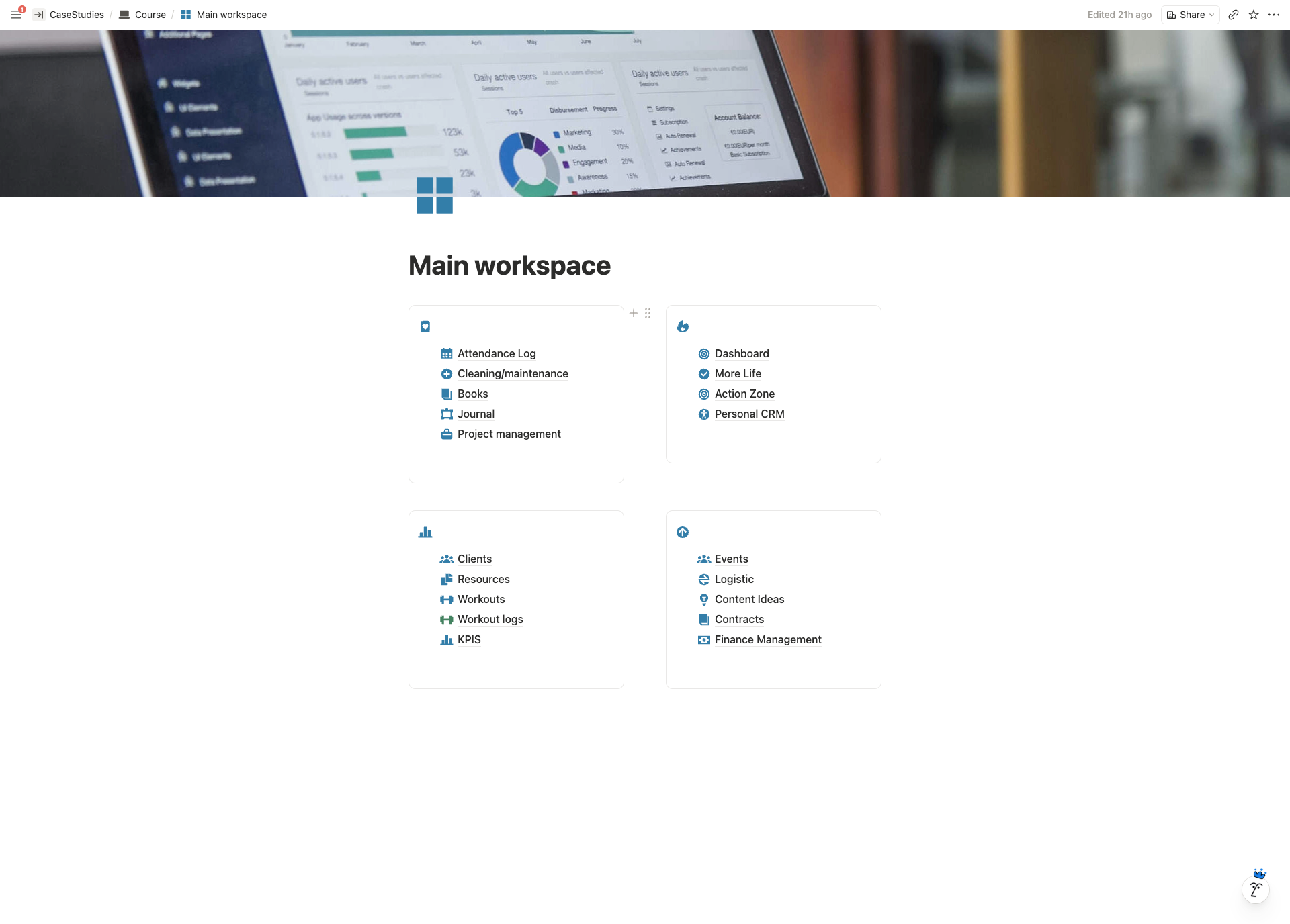
Internal side, Main Workspace
A central Dashboard pulling live data from every part of the business: upcoming projects, today’s tasks, active clients, key results and objectives, maintenance schedule, content ideas, contracts, and events. Opens to exactly what needs attention today.
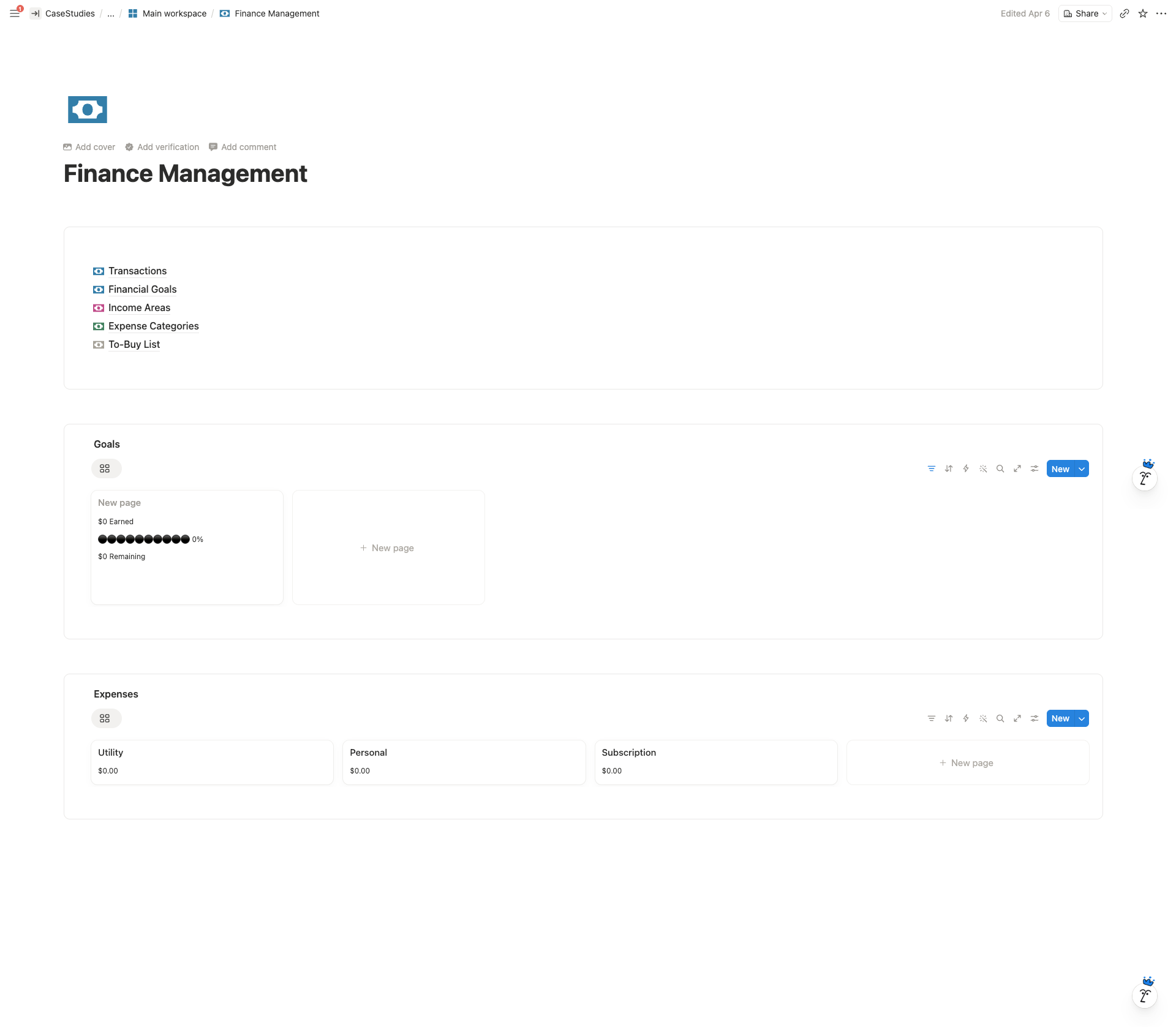
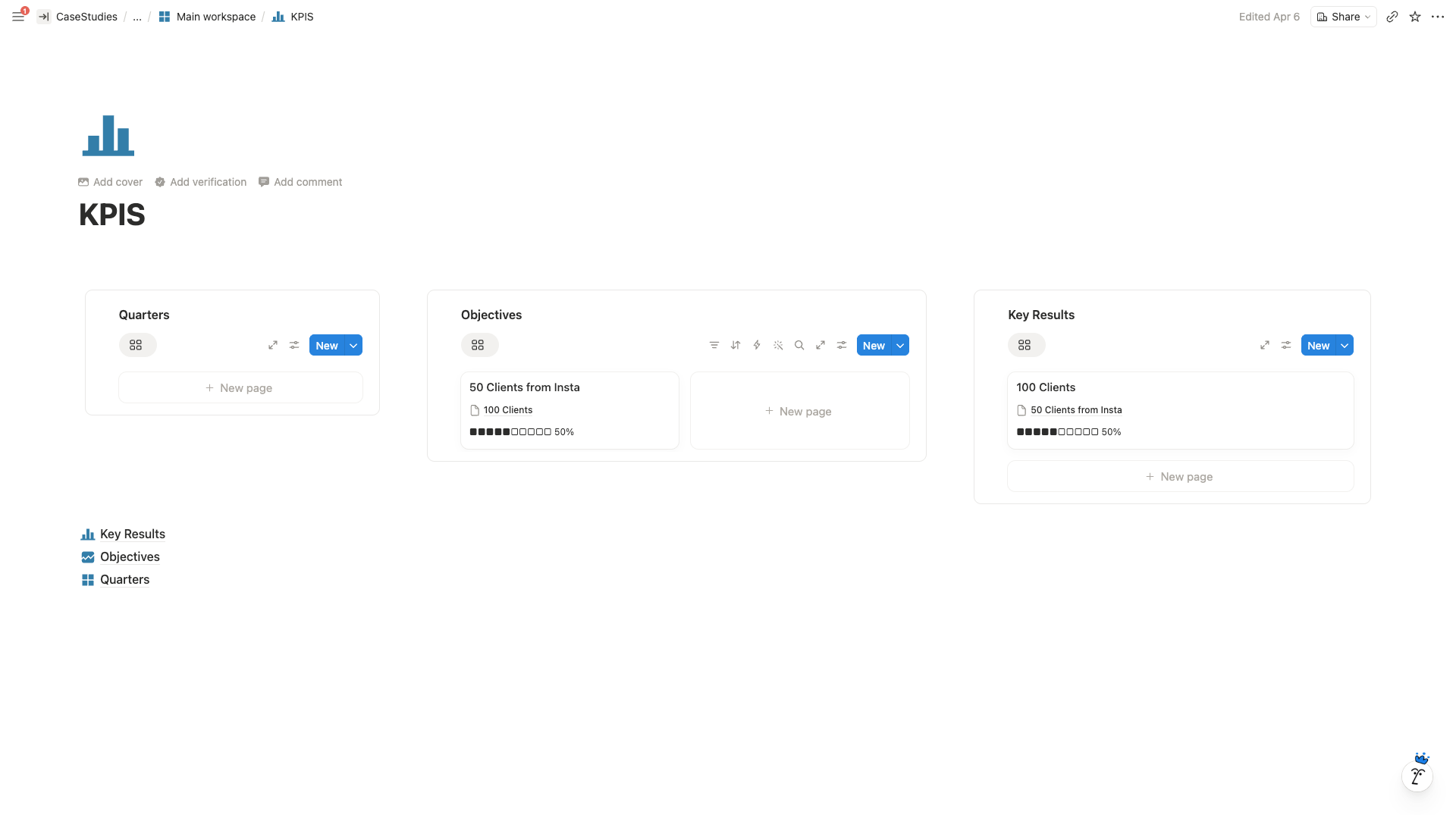
The internal side connects 10+ databases: Workouts library, Workout Logs, Clients CRM, Finance Management, Contracts, Project Management, Events, Logistics, Cleaning & Maintenance, Content Ideas, and KPIs. Relations across databases mean updating one record reflects everywhere it’s relevant.
External side, Client Portals
Each client gets a private portal with:
- Bio card (contact, location, notes)
- Attendance Tracker / Session Purchase Log (supports 4, 8, or 12 session packages)
- Document Repository (signed waivers, doctor’s info, scanned documents, progress images/video)
- Resources block for embedded files
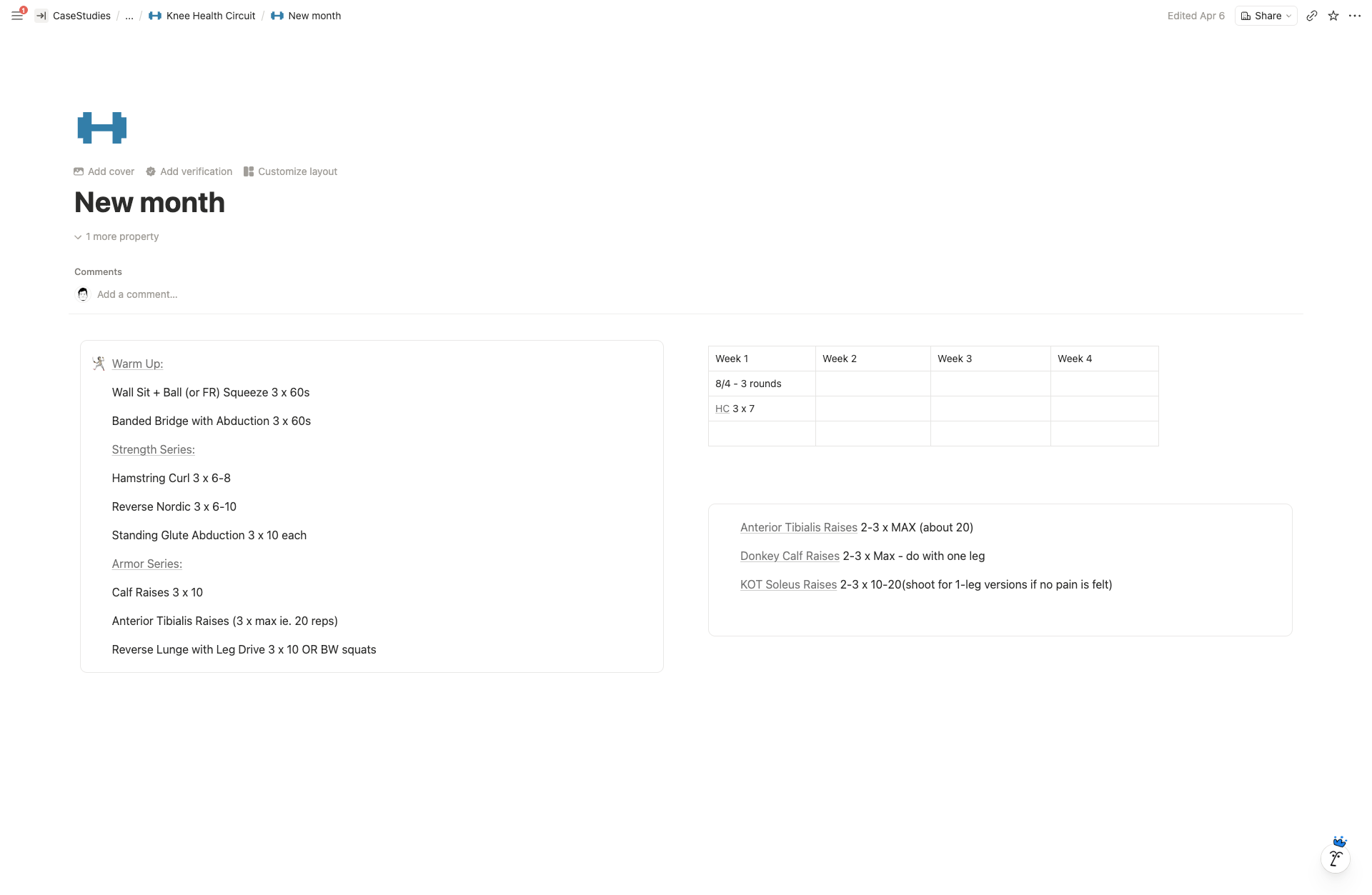
- Personalised Workout Log grouped by Warm-up, Workout, Cooldown, with week-by-week tracking and notes
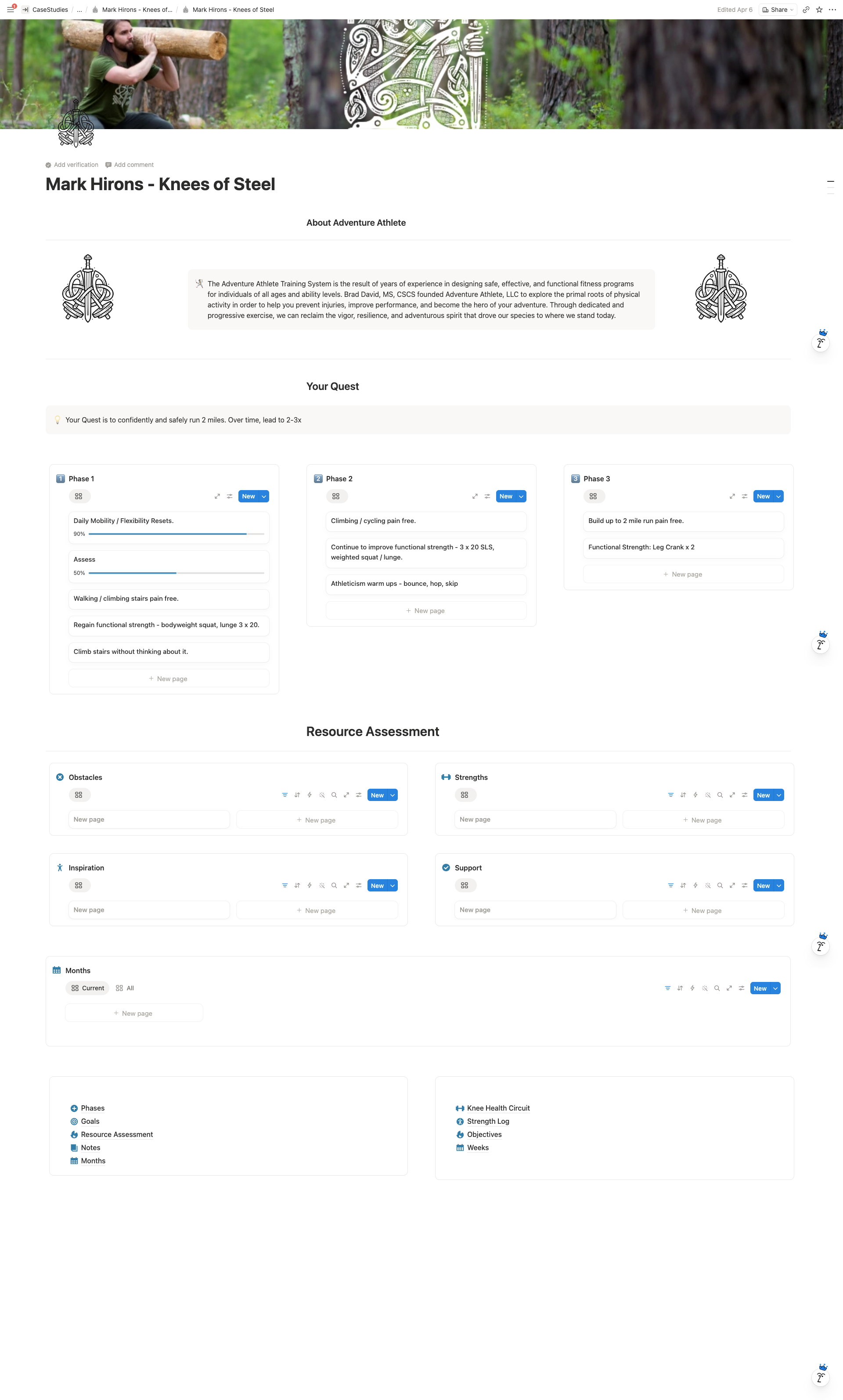
The Quest, reusable program template
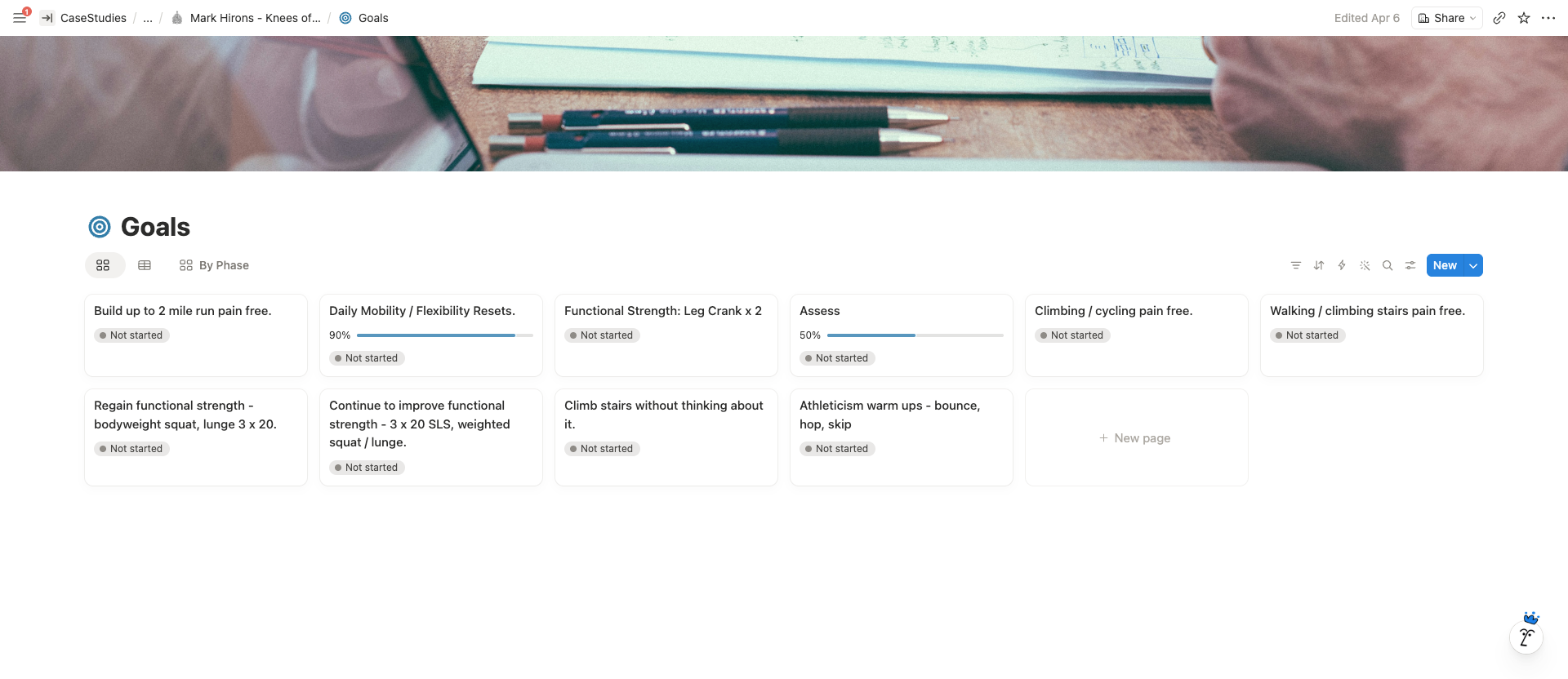
A structured program system inside Notion that the trainer can duplicate for each client with one click. Each Quest captures the full training arc: the goal, phases, objectives, monthly plans, weekly goals, strength logs, and a resource assessment covering obstacles, strengths, inspiration, and support.
Every client’s Quest lives in the same database structure, which means the trainer can view all clients’ progress side by side or zoom into one.
Action Zone
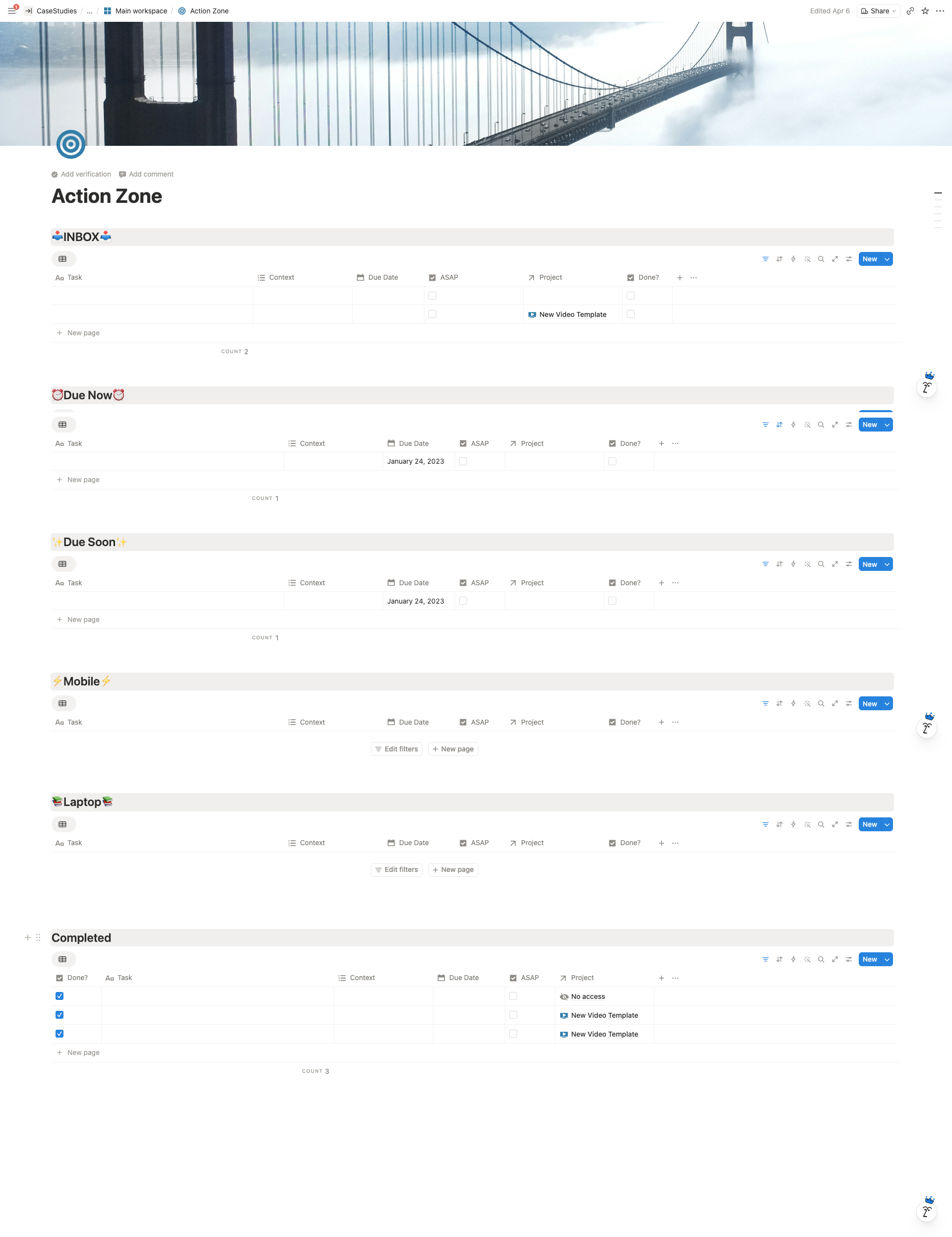
A GTD-style task triage centre with contextual views: Inbox, Due Now, Due Soon, Mobile, Laptop, Completed. Tasks flow in from projects, client work, and content ideas, and sort themselves into the right view based on context and due date.
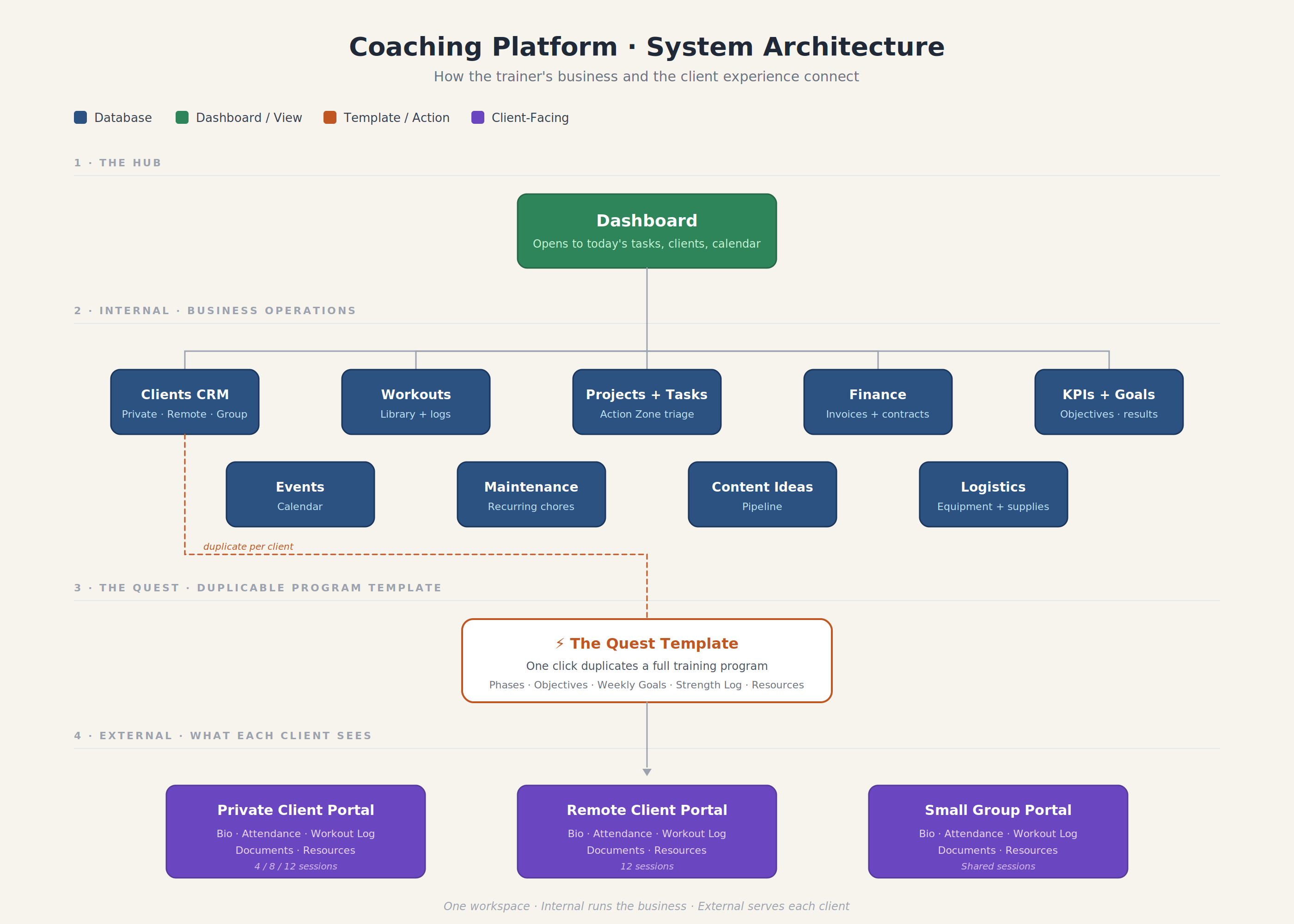
System Architecture
Highlighted Features
- Dashboard with live pull of everything needing attention today
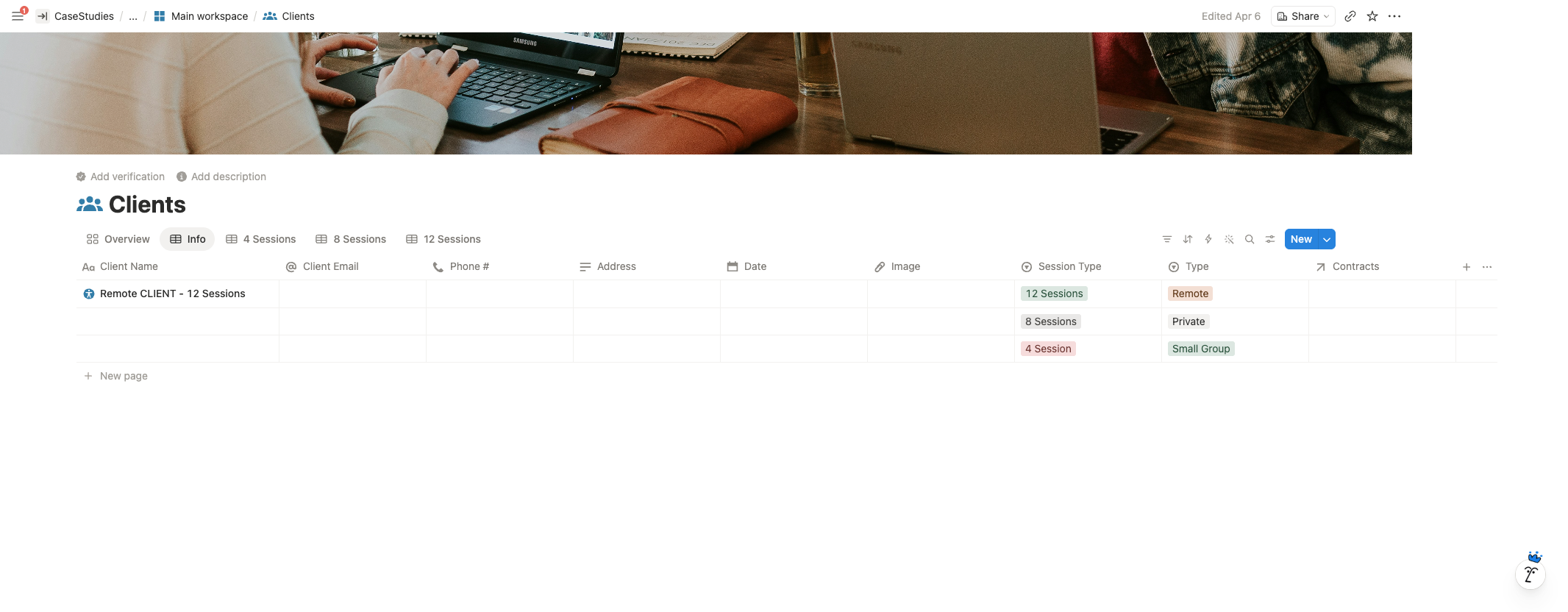
- Clients CRM with three segments (Private, Remote, Small Group) and multiple session-length views (4, 8, 12 sessions)
- The Quest template as a duplicable program structure for every new client
- Client portals with attendance tracking, document repository, and workout logs
- Workout Log grouped by Warm-up / Workout / Cooldown with week-by-week notes
- Finance Management linked to clients and contracts
- Maintenance automation with recurring dates for cleaning and equipment checks
- KPIs + Objectives + Key Results tied to measurable goals
- Action Zone for contextual task triage across the whole business
The Result
One workspace that holds the entire business. Onboarding a new client is now a template duplication, not a rebuild. Clients have a dedicated space they can log into for their program, attendance, and documents. The trainer can run the business from the Dashboard rather than juggling tabs.
Client Feedback
“Isuru was communicative and made sure I was satisfied with the finished project.”