The Client
An entrepreneur running multiple ventures who plans his entire life, business and personal, using the Rapid Planning Method, a goal-setting framework from Tony Robbins. He wanted Notion to hold the full methodology.
The Problem
He was running RPM across nine life and business categories (5 personal, 4 professional), with yearly goals breaking into quarterly, then monthly, then weekly action items. Most Notion goal templates couldn’t model what he needed for two reasons.
First, they separate goals from tasks into different databases. RPM treats every action item as a goal in waiting, so splitting them across databases breaks the methodology the moment you try to promote a task into something bigger.
Second, they hard code the time horizons. Yearly, quarterly, monthly, and weekly each get their own database, which means four parallel schemas, four sets of relations, and four versions of every progress formula to keep in sync.
He also needed progress to flow automatically. Marking a weekly action item complete should ripple up through monthly, quarterly, and yearly progress without him touching anything. And he needed to view the same data sliced by time horizon, by life category, or by project.
The Solution
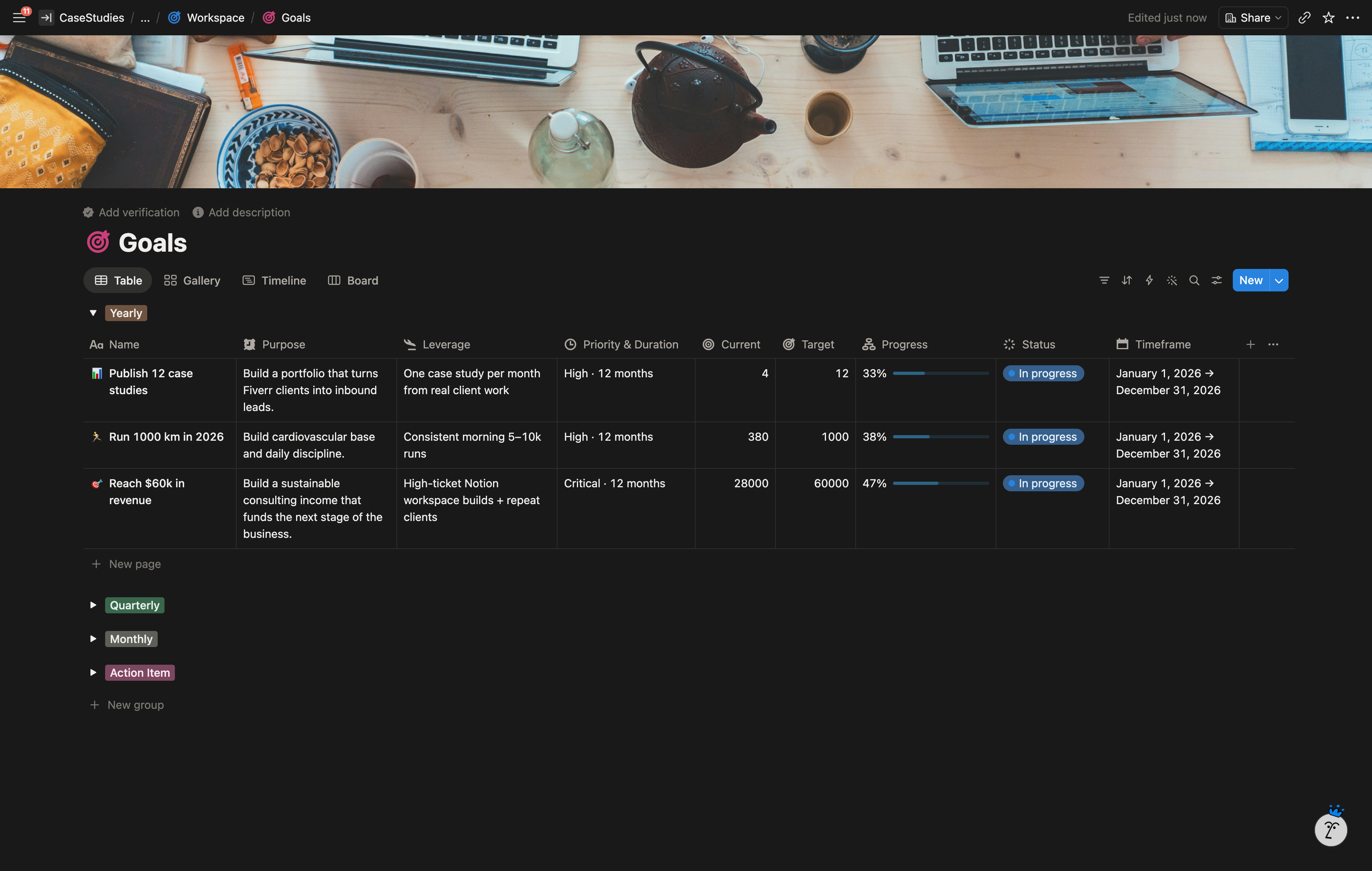
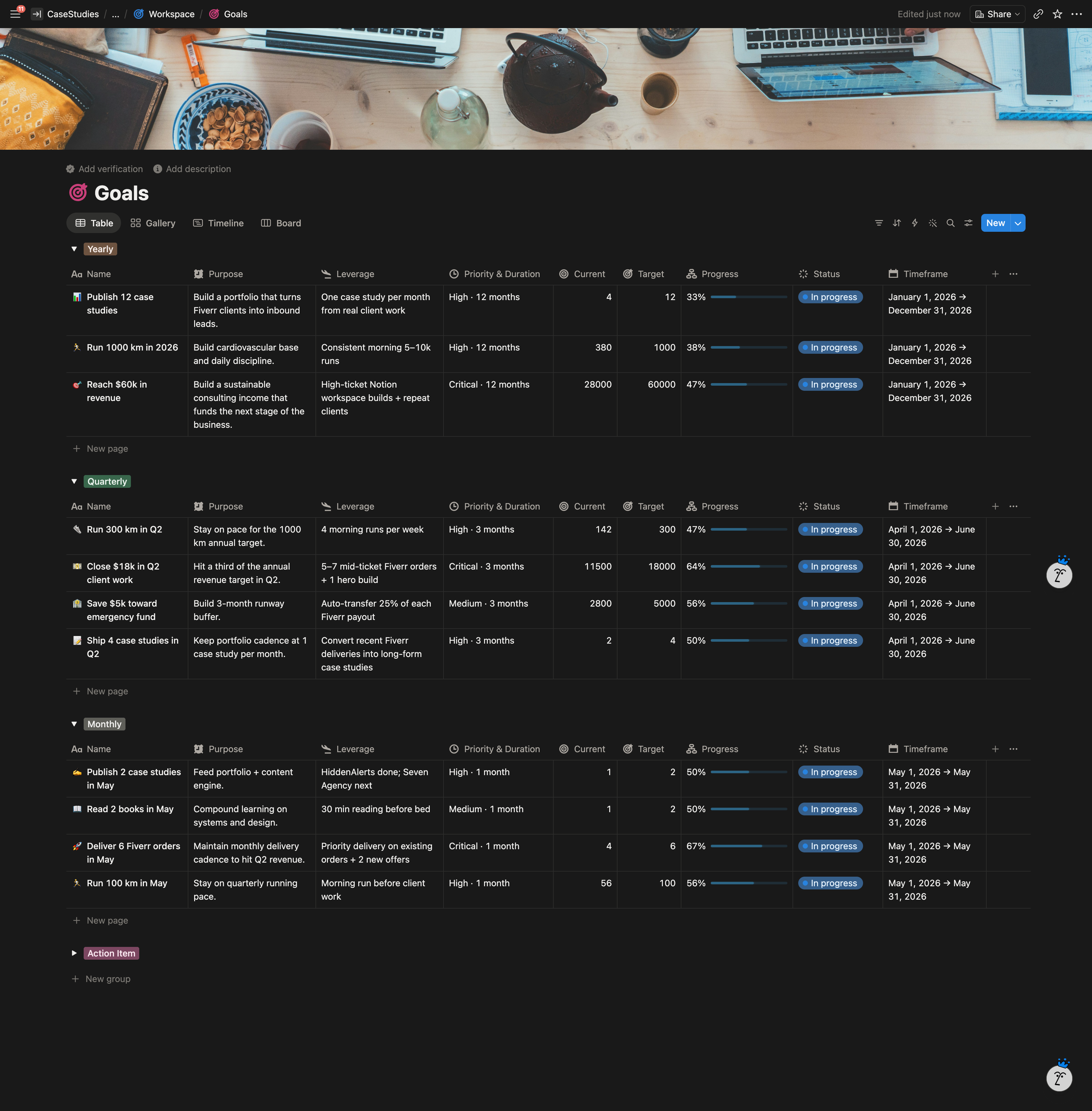
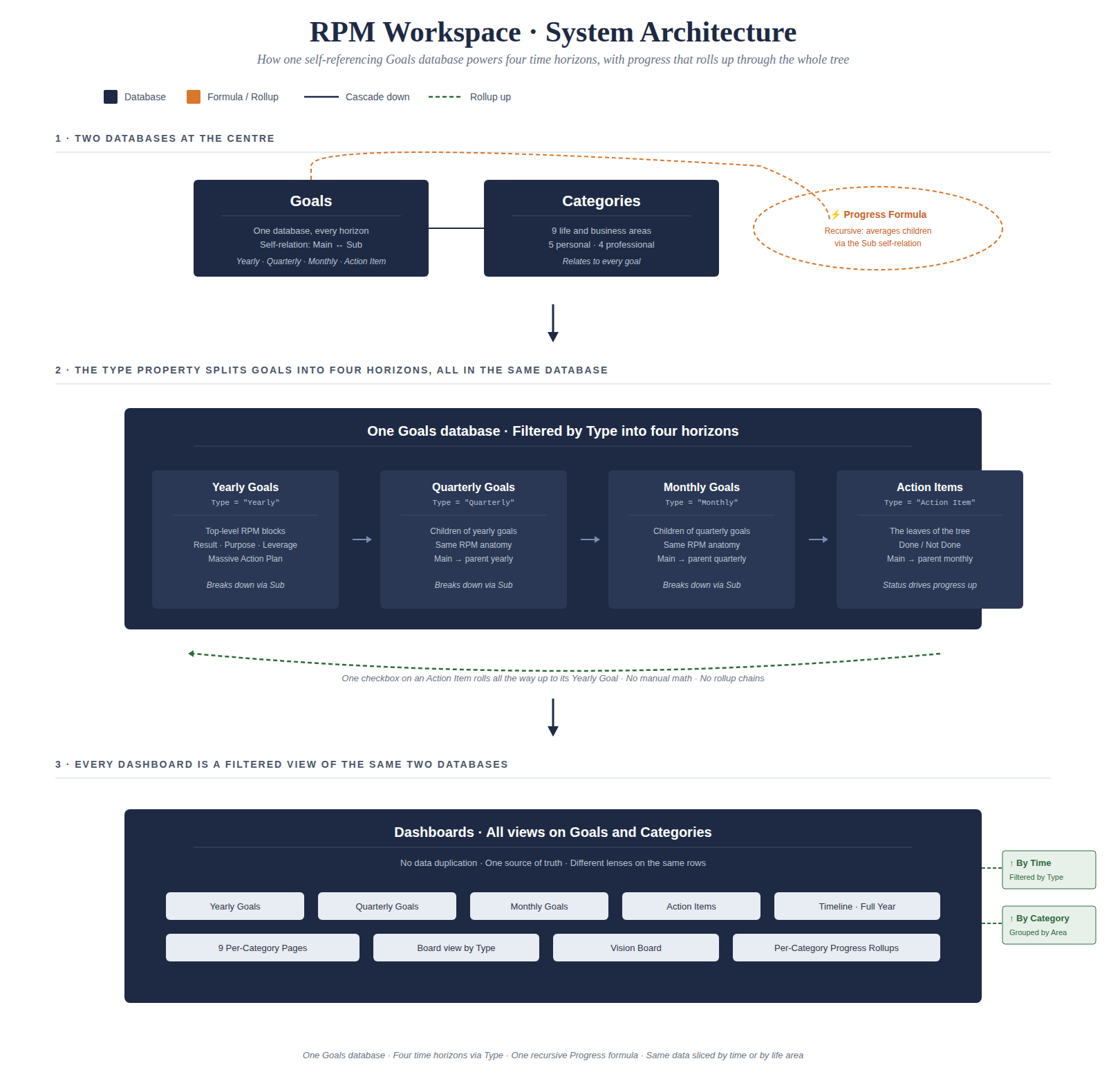
One self-referencing Goals database where every goal at every level lives as a single row. A Type property (Yearly, Quarterly, Monthly, Action Item) tells the system what horizon a row belongs to. A self-relation lets any row point to a parent goal and list its child goals. A single recursive formula calculates progress by averaging child progress up the chain.
That structure mirrors how RPM actually works. A yearly goal, a monthly goal, and a weekly action item are the same kind of object with the same anatomy (Result, Purpose, Leverage, Massive Action Plan). The database treats them that way.
A second small database holds the nine life and business categories, with a rollup showing live progress per category.
Everything else in the workspace (the dashboards, the per category pages, the timeline view) is a filtered view of those two databases.
What I Built
Core Databases
Goals database. One database, every goal lives here regardless of horizon. Key properties: Name (the Result), Type (Yearly / Quarterly / Monthly / Action Item), Purpose, Leverage, Priority, Timeframe (date range), Status, Current and Target (for numeric goals), Main (self relation to the parent goal), Sub (self relation showing child goals), Category (relation to the Categories database), and a Progress formula.
Categories database. Nine fixed rows for the life and business areas. Each category rolls up the progress of every goal tagged to it, giving a live “how am I doing in this area of my life” number.
The Progress Formula
A single formula on every row that handles three cases:
- If the row has a numeric target (like “$50,000 in sales”), progress is Current divided by Target.
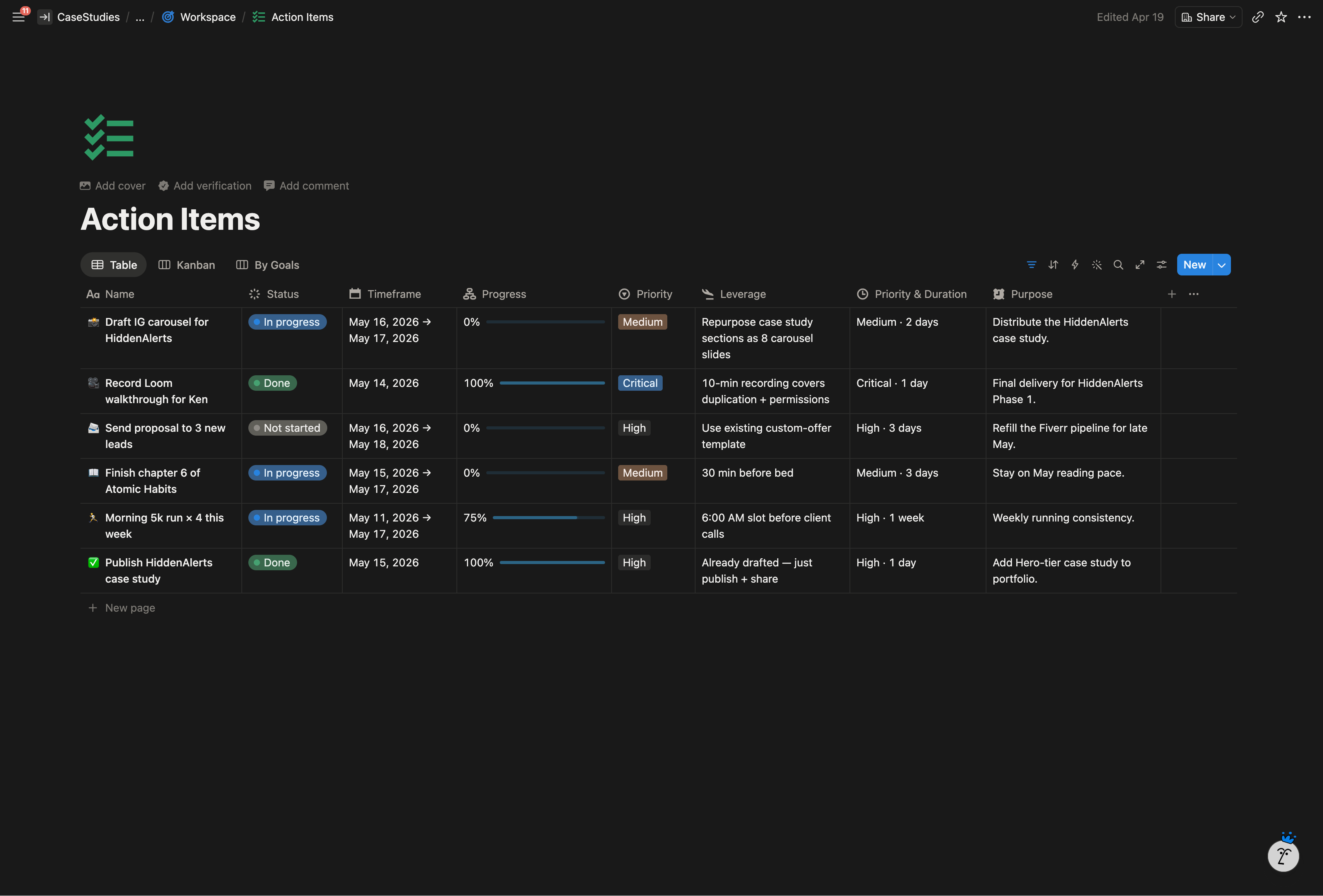
- If the row is an Action Item, progress is 1 when Status is Done, 0 otherwise.
- For everything else (Yearly, Quarterly, Monthly goals), progress is the average of its children’s progress, pulled through the Sub self relation.
Because Sub points back into the same database, the formula walks the entire tree on its own. One checkbox on a weekly action item updates the monthly average, which updates the quarterly average, which updates the yearly progress bar, which updates the category dashboard. No rollup chains, no manual sync.
Dashboards & Views
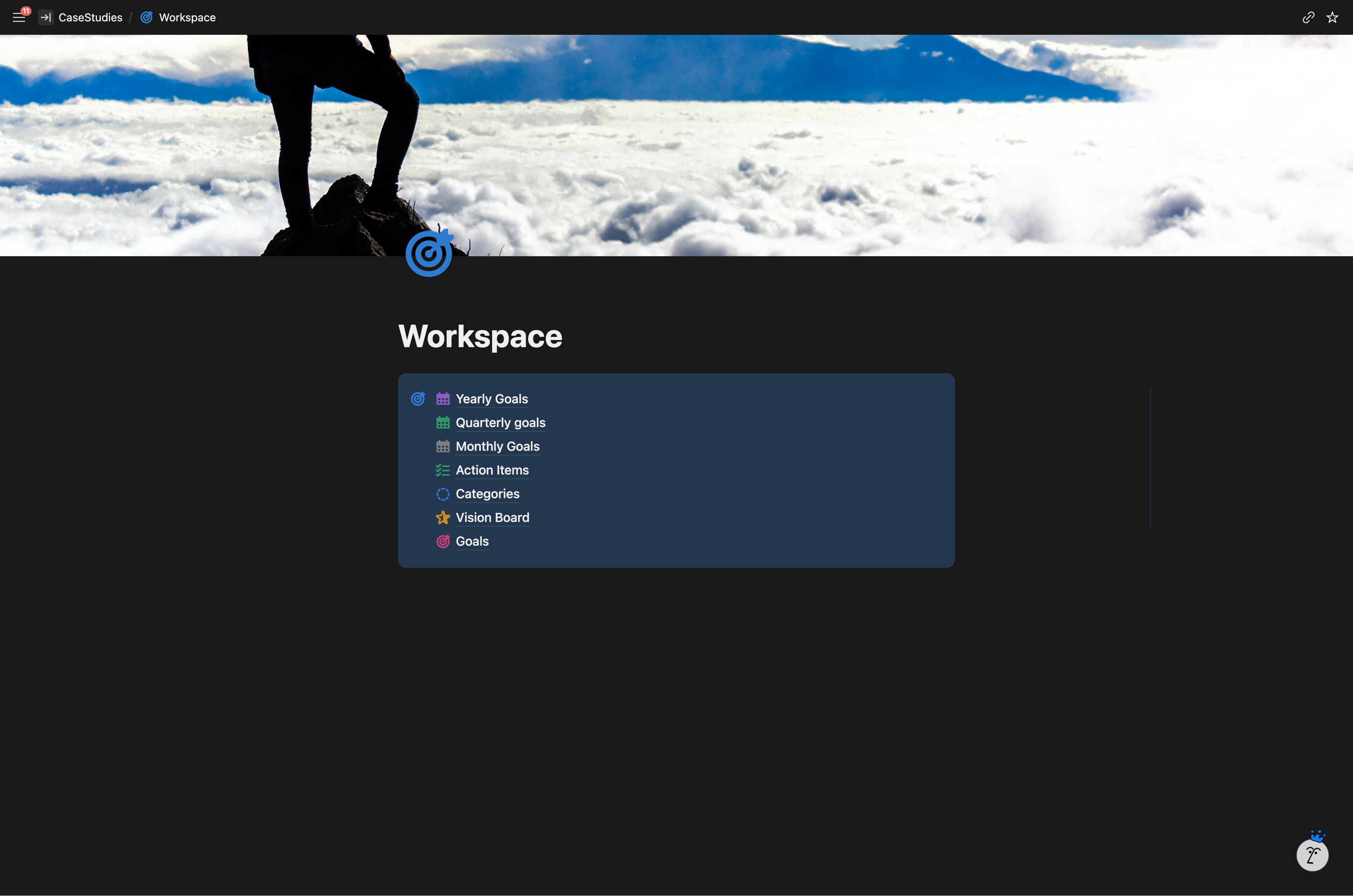
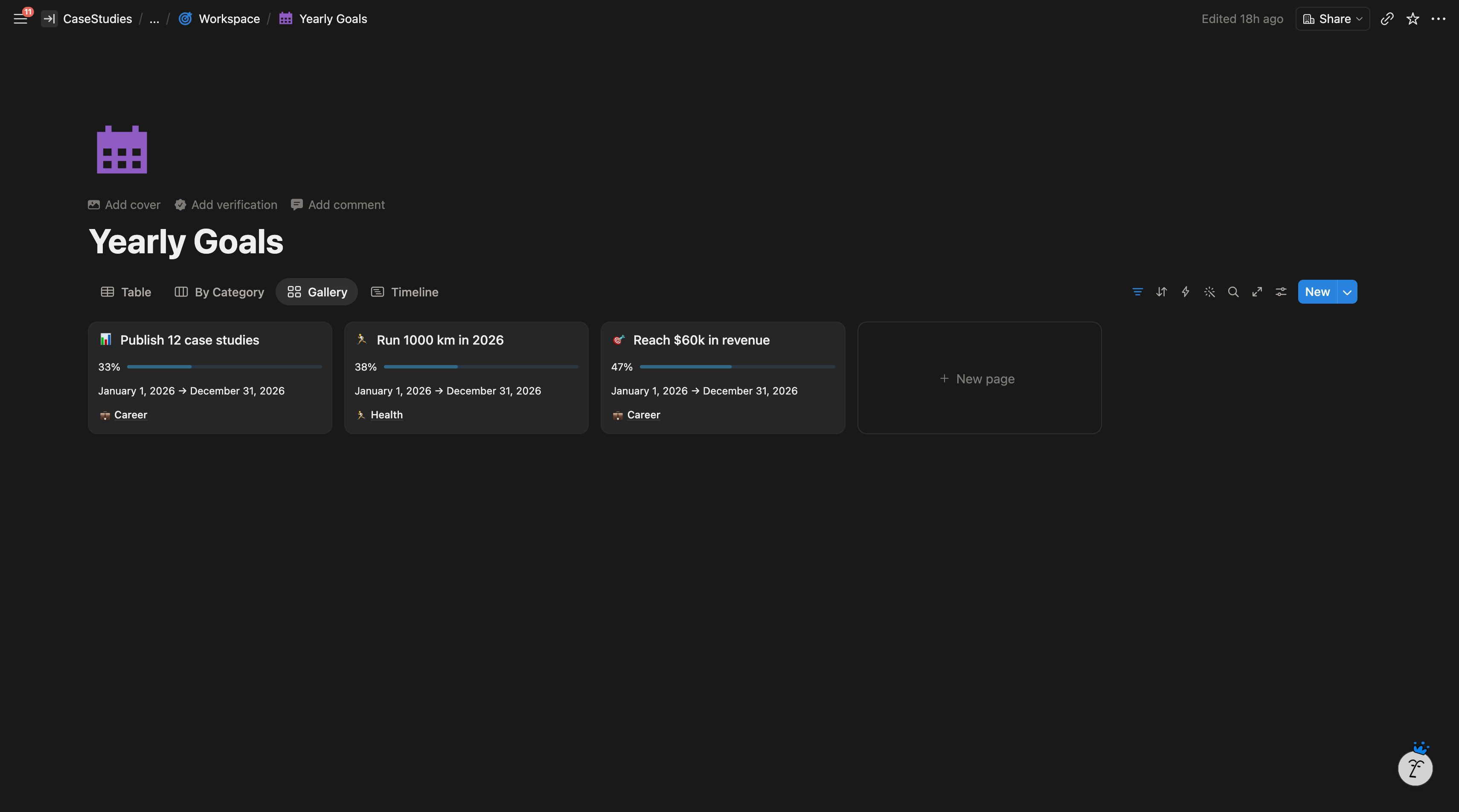
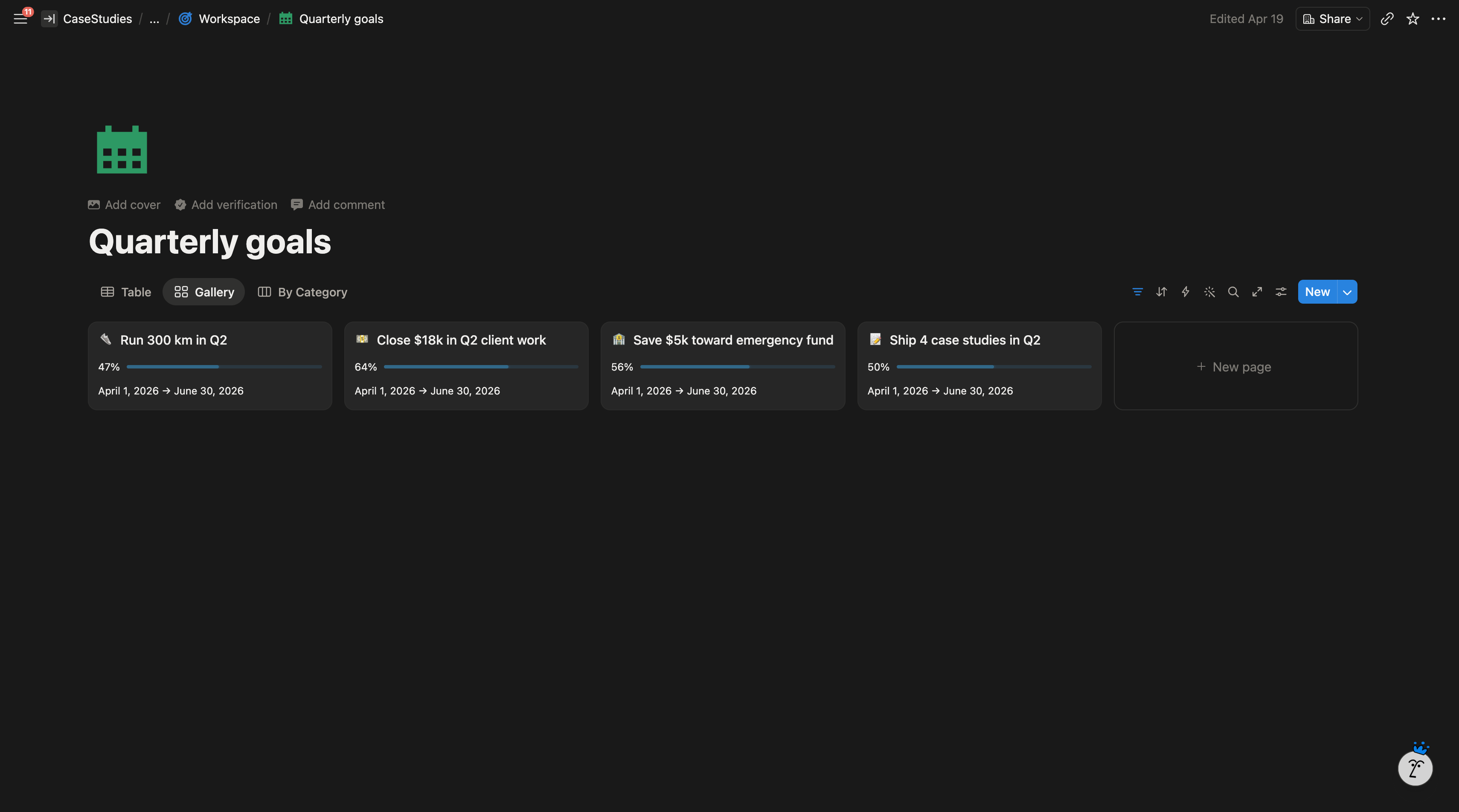
Time horizon dashboards. Four pages, each a filtered view of the Goals database by Type. Yearly Goals, Quarterly Goals, Monthly Goals, and Action Items. Each one is the page he opens for that review ritual.
Per category dashboards. Nine pages, one per life or business area. Each surfaces the yearly goals in that category, the breakdown underneath, and a rolled up category progress number at the top.
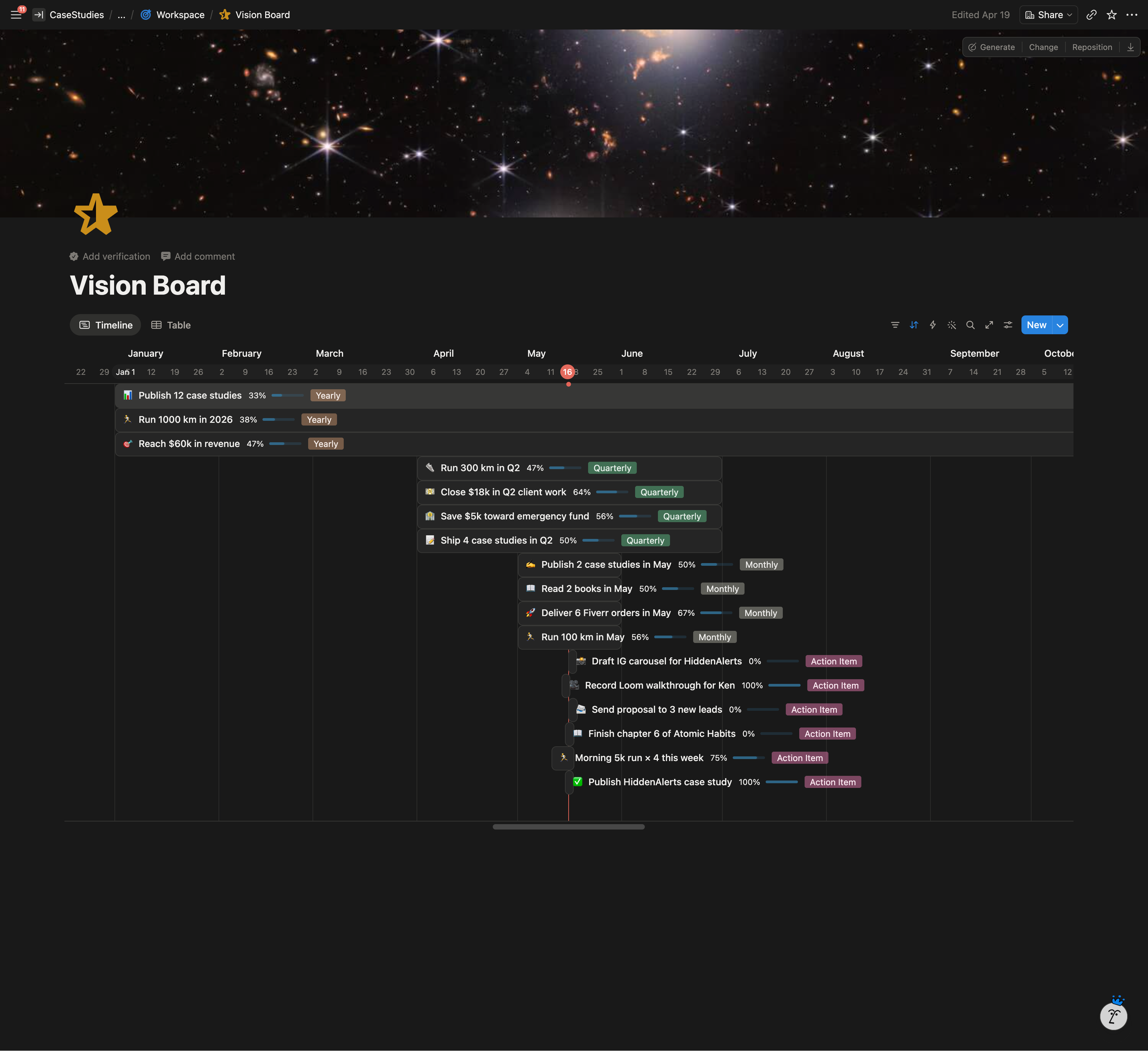
Timeline view. All goals laid out on a single calendar across the year, color coded by category, driven by the Timeframe date range.
Board view by Type. The RPM pyramid laid out visually, Yearly through Action Items.
Vision Board. A gallery view for the aspirational rows he wants to see.
Templates
Four page templates inside the Goals database, one per Type. Each one pre fills the right Type, puts Purpose and Leverage blocks where they belong, and leaves space to add child goals via the Sub relation. The client never has to think about structure when creating a new goal. He hits a template and the RPM block arrives ready to fill in.
Highlighted Features
Unlimited recursive depth. A yearly goal can break into quarterly goals, those into monthly goals, those into action items, and if a project needs another layer below that, the same structure handles it. No schema change required.
Numeric and binary goals in the same database. A goal like “$50,000 in revenue” tracks against a target number. An action item tracks as done or not done. A parent goal averages whatever its children produce. One formula, three behaviors.
Projects emerge from the hierarchy. The client initially asked for a separate Projects database. In the final build, a project is just a parent goal with multiple Sub children. The structure already does what a separate Projects database would have done, without the duplication.
Multi axis navigation. When he’s thinking about time, he opens a horizon dashboard. When he’s thinking about meaning, he opens a category page. Same data, different lens.
System Architecture
The Result
The client now runs all his planning from one workspace. Yearly intentions, quarterly planning, monthly focus, and weekly execution all live in the same database and roll up to the same progress numbers.
Progress updates on their own. He marks a weekly action item complete and the monthly, quarterly, and yearly numbers update in real time. The category dashboard moves with it. He stopped doing percentage math by hand and stopped guessing whether he was on track.
He navigates by time or by life area without switching tools. The yearly review, the quarterly review, the weekly planning session, and the daily task list are all views of the same underlying data.
The system scales with him. Next year he can decompose a yearly goal one level deeper without changing the schema. Just add another layer of Sub rows.