
Client
A staffing agency in Europe that matches personal assistants with business clients. The business runs two parallel pipelines: business clients on one side (small business owners, executives, founders looking for ongoing PA support), and a roster of PAs on the other (actively recruited, screened, and kept ready for placement). The agency makes its money on the match.
The Problem
Three different processes were running inside the same small team, all from memory and spreadsheets:
- A client sales pipeline with its own stages, owners, and follow-ups
- A PA recruitment pipeline with screening and interviews
- The matching process itself, which kicked off a fresh set of tasks the moment a PA was paired with a client
Each had its own SOP. The team was holding it all in their heads, and small things slipped: a PA wouldn’t get their follow-up, a client wouldn’t get their check-in, an onboarding step would quietly never happen.
They wanted one central system where the SOPs lived inside the workflow, not in a Google Doc nobody opened.
What I Built
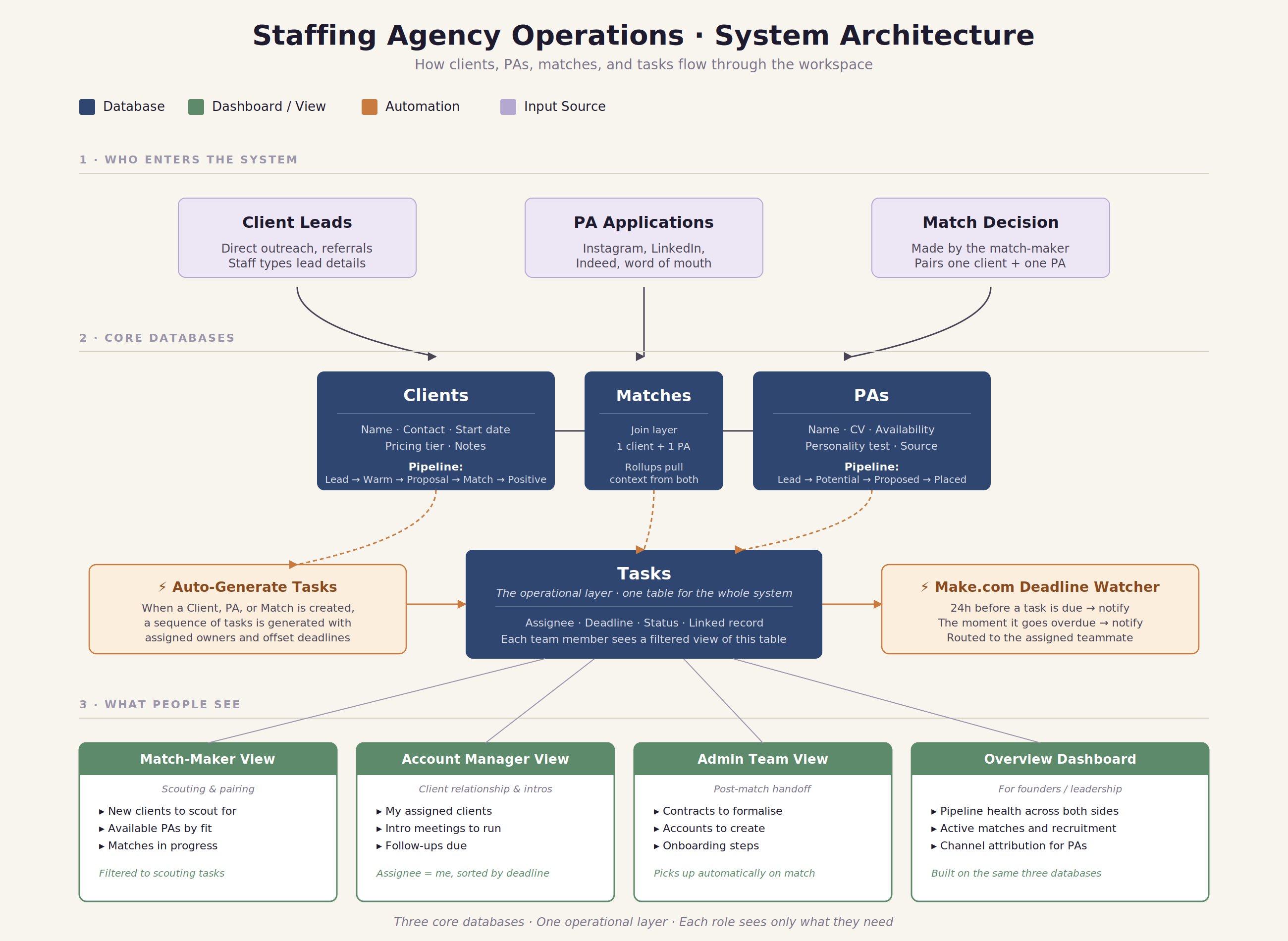
A single workspace running on six connected databases. Clients, PAs, and Matches form the core. Tasks sits underneath as the operational layer. Meetings and a Resources knowledge base sit alongside.
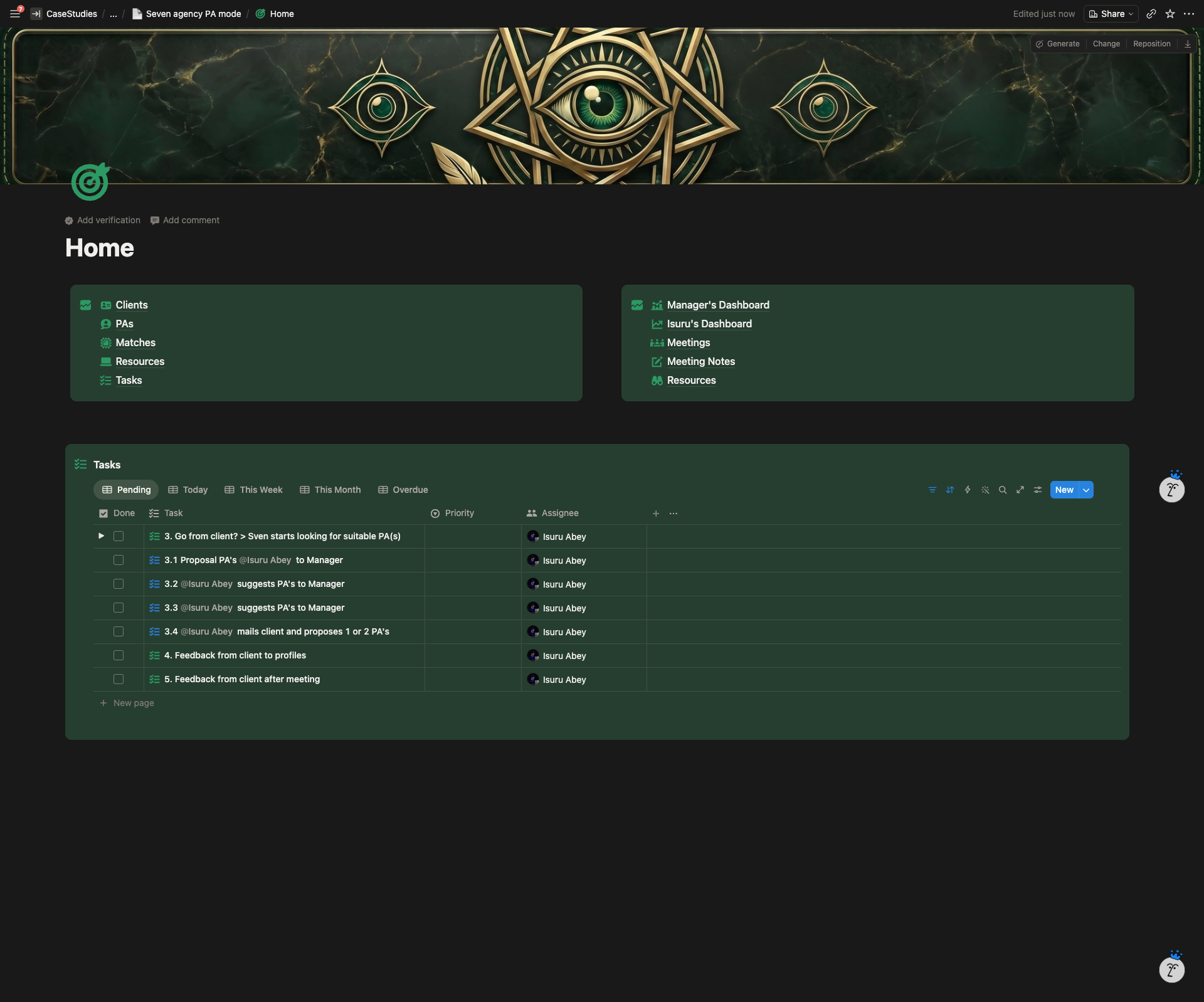
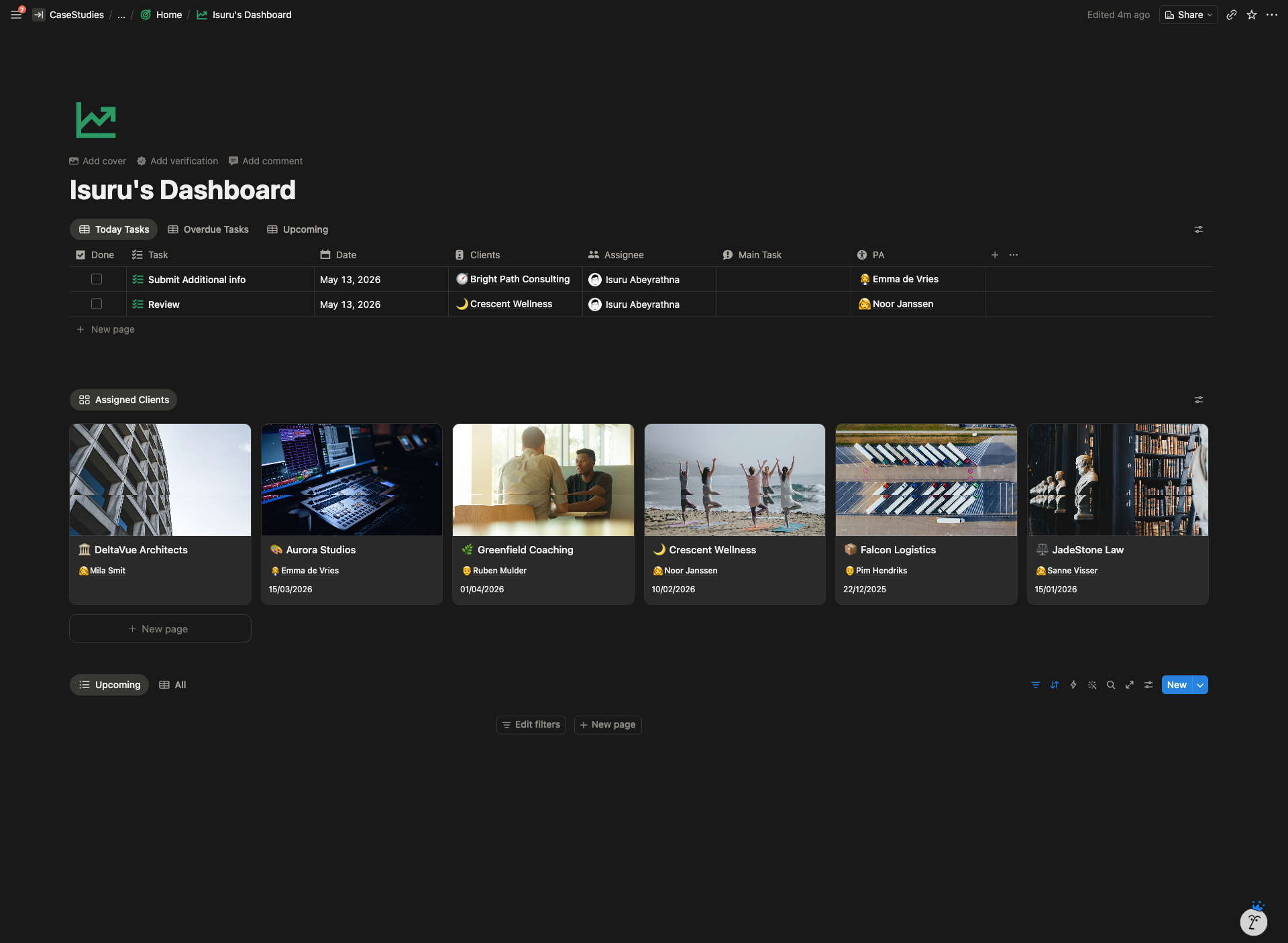
The main architectural decision: every task in the system lives in one Tasks database, not split across role-based lists. Each team member’s dashboard is a filtered view of that same table. Same source of truth, personal surface per role.
On top of the structure, two layers of automation do the operational work:
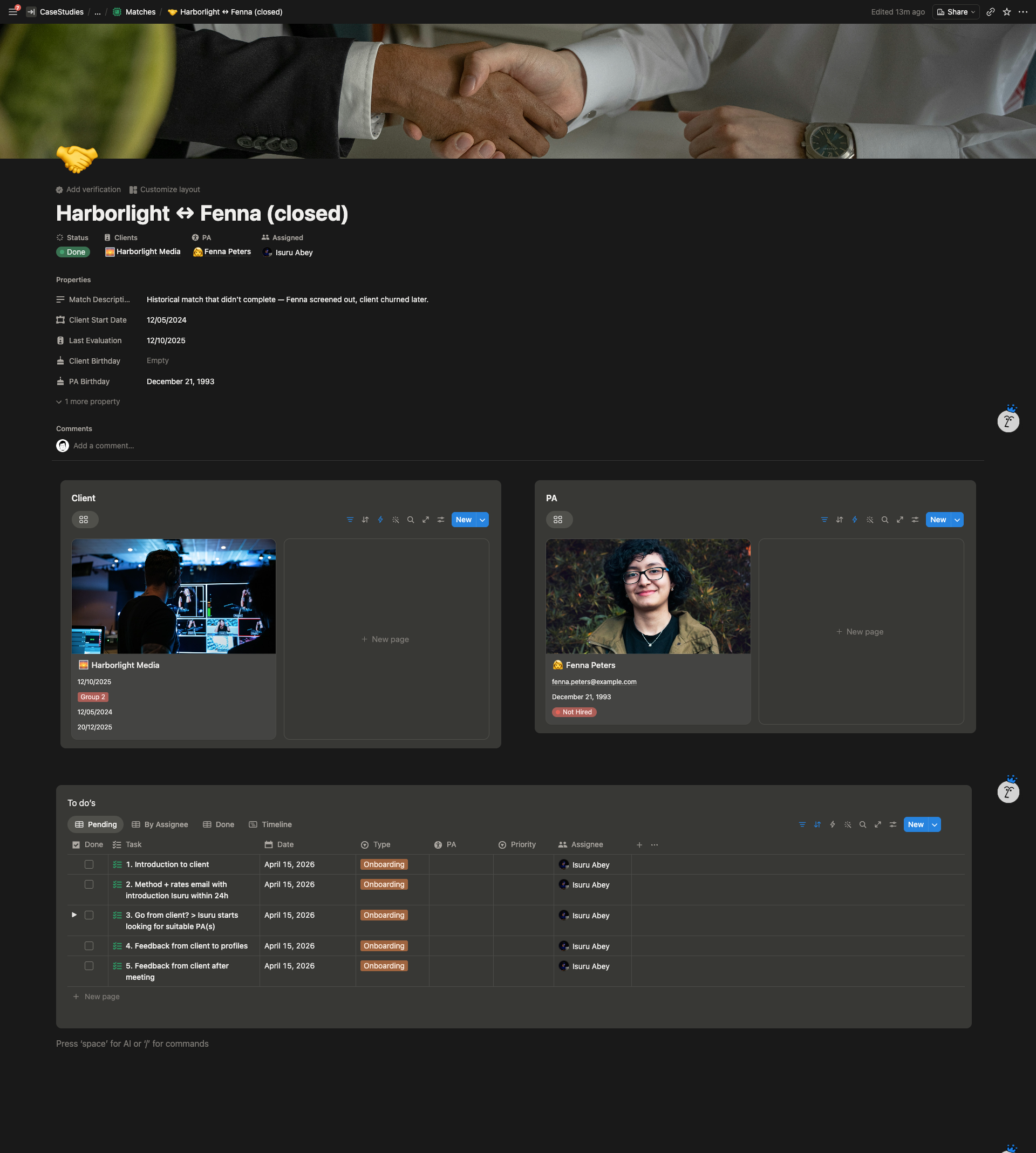
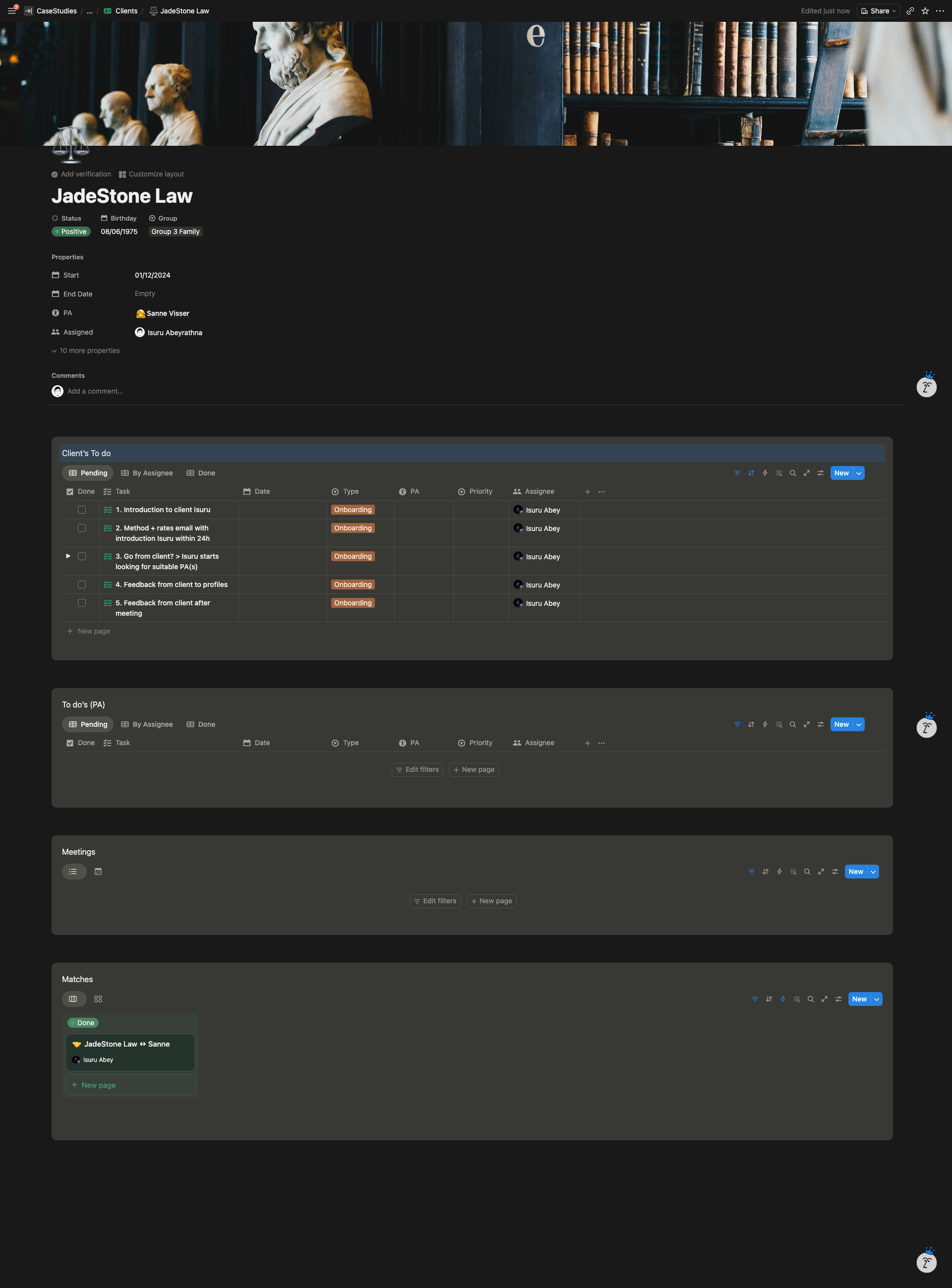
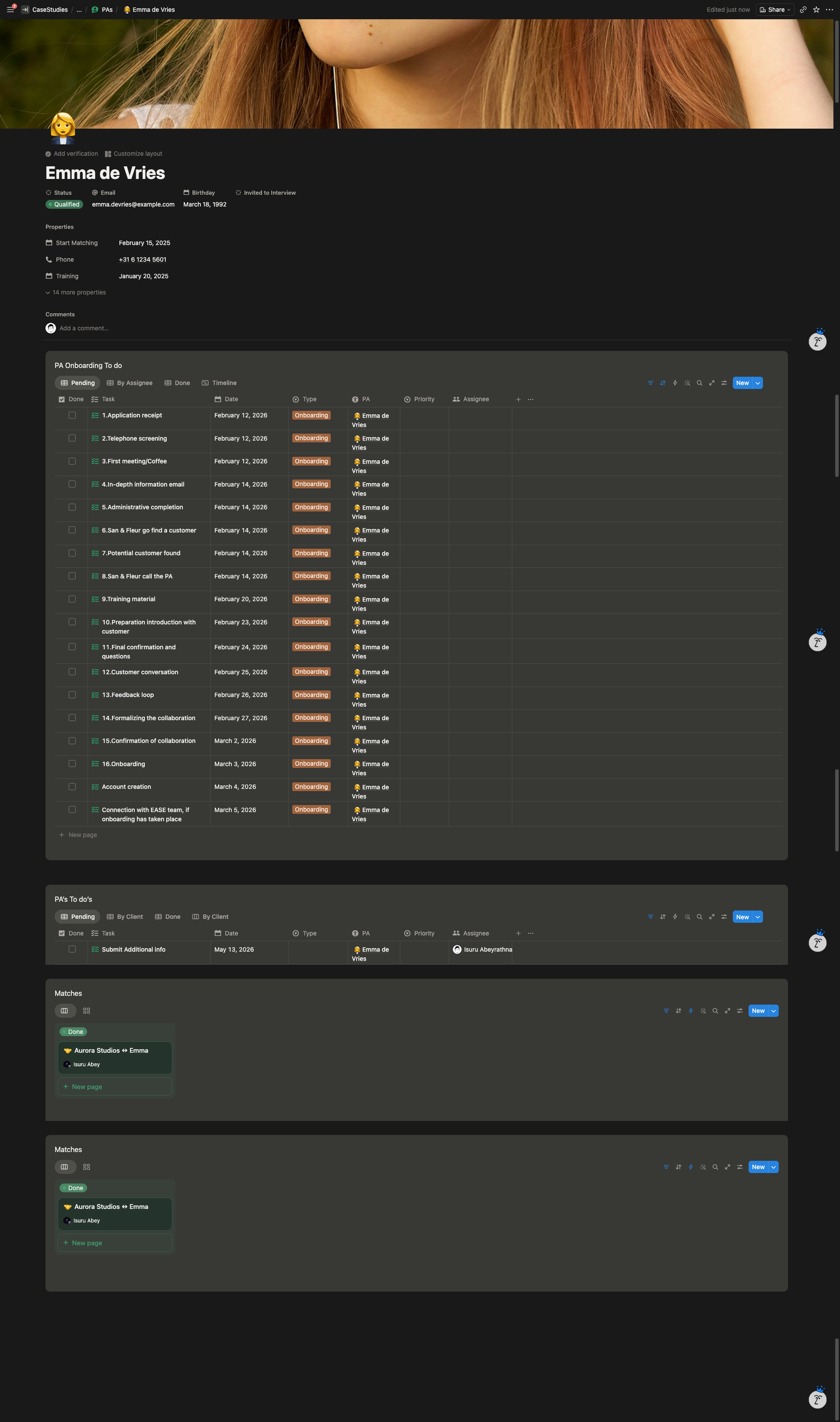
- When a new client, PA, or match is created, a sequence of tasks is generated automatically. Each task arrives with a pre-assigned owner and a deadline calculated from the date the trigger record was created.
- A Make.com scenario sends a notification 24 hours before each task is due, and another the moment it goes overdue.
System Architecture
Main Features
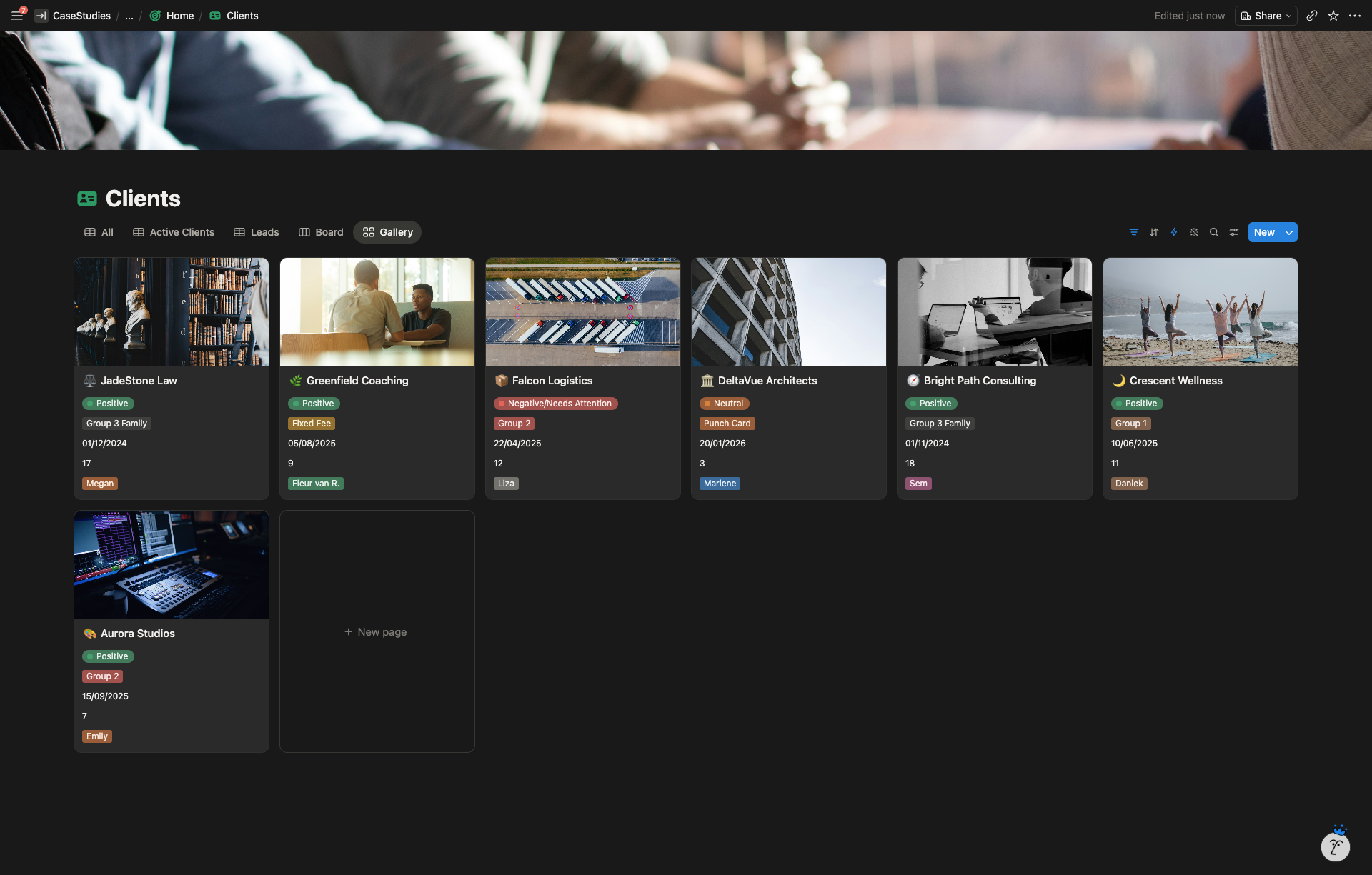
Six-database core architecture Clients, PAs, Matches, Tasks, Meetings, plus a Resources library. Each one has a single job. Relations tie them together so the same information isn’t entered twice.
Client sales pipeline Lead, Warm Lead, Proposal, Match with to-dos, then Positive, Negative, or Gone. Each stage carries different owners and different next steps.
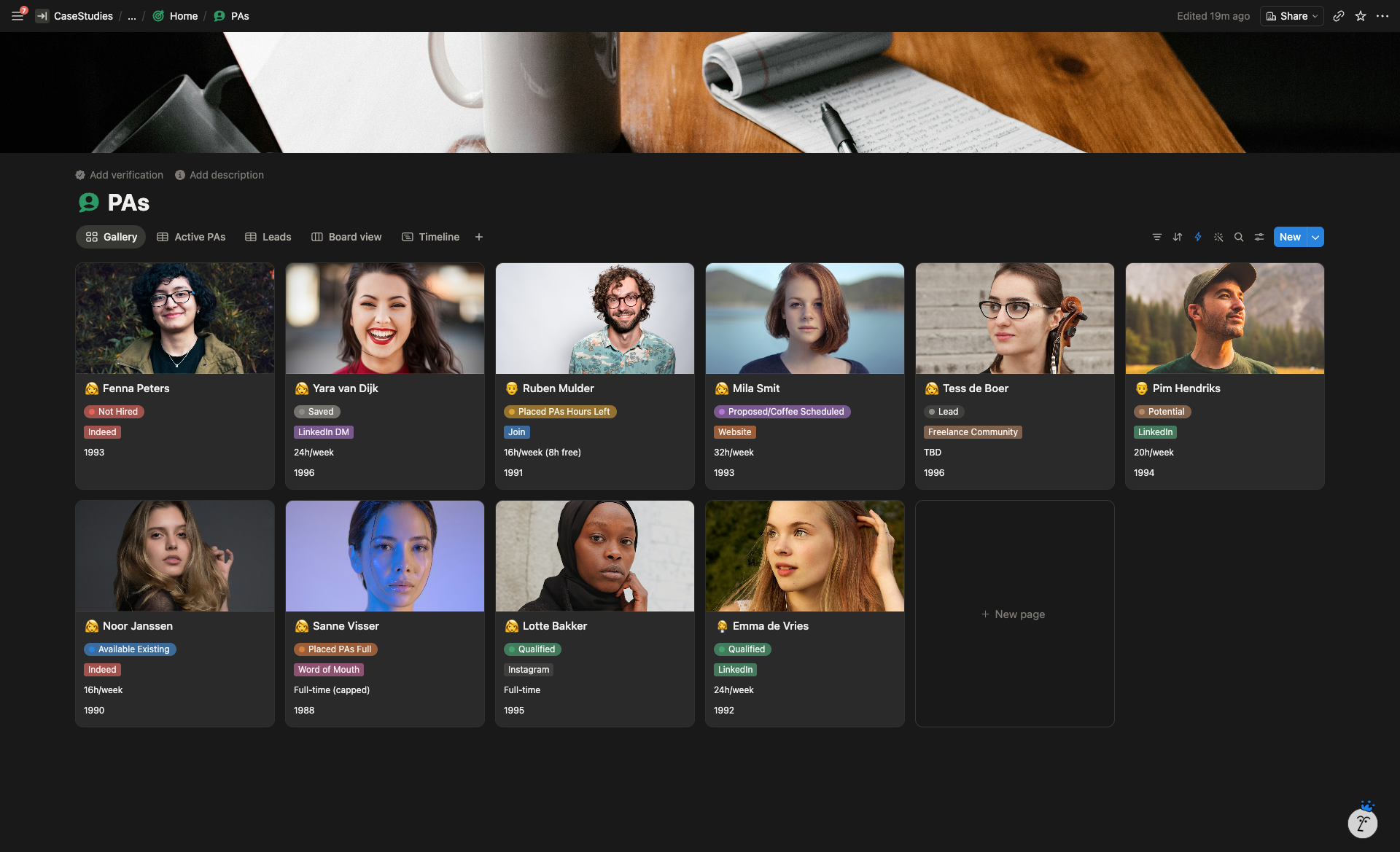
PA recruitment pipeline Lead, Potential, Proposed or Coffee Scheduled, Placed, Qualified. Tracks each PA through screening, interview, and readiness for matching.
Matches database as the join layer Each match links one client to one PA. Rollups pull in the relevant context from both sides, so the team sees the full relationship without clicking around.
Single Tasks database with role-filtered views Every task across every pipeline lives in one table. Each team member’s dashboard is a filtered view: assignee equals me, sorted by deadline. Reassigning a task doesn’t require moving it anywhere.
Automatic task generation on every trigger When a new client, PA, or match is created, the right sequence of tasks spawns automatically. Each task arrives with a pre-assigned owner and a deadline offset from the date the record was created.
Recruitment-channel attribution Each PA is tagged with where they came from (Instagram, LinkedIn, Indeed, word of mouth, and so on). Over time the agency can see which channels actually ship qualified PAs.
Make.com deadline notifications Two scenarios run on a schedule. One fires 24 hours before a task is due. The other fires the moment a task goes overdue. Notifications route to the assigned teammate.
Resources knowledge base Articles, videos, SOPs, podcasts, and training material in one searchable library.
The Result
The team operates from one place instead of three pipelines spread across different heads and tools. Account managers wake up to a populated task list. The match-maker doesn’t need to remember the next step. Admin handoffs land on the right person’s dashboard automatically.
Deadlines stopped slipping silently. The system reaches out when something is about to slip or already has.
When the team grows, they add a new filtered view. When an SOP changes, they update one template. The architecture absorbs growth instead of fighting it.
Client feedback
“Just exactly what we needed! Very happy with the result!”