
The Client
A project management professional creating Notion templates for the PM market. His customers are project managers who live inside spreadsheets, tracking teams of 5 to 50 people across overlapping projects. He already had two working Google Sheets, a planned vs actual hours tracker and a resource assignment matrix, and wanted both rebuilt in Notion as a single connected system he could sell as a template.
The Problem
The spreadsheets worked, but only one way. The utilization sheet showed a week at a time in a dense grid of P and A columns. The assignment matrix used checkboxes to mark which days a person was on which project. Together they held the data a PM needs, but separately they couldn’t answer basic questions without manual filtering: who’s free Thursday, what is John working on this month, is the team over-allocated next week.
Spreadsheets are great at holding numbers. They’re bad at showing those numbers from more than one angle.
The Solution
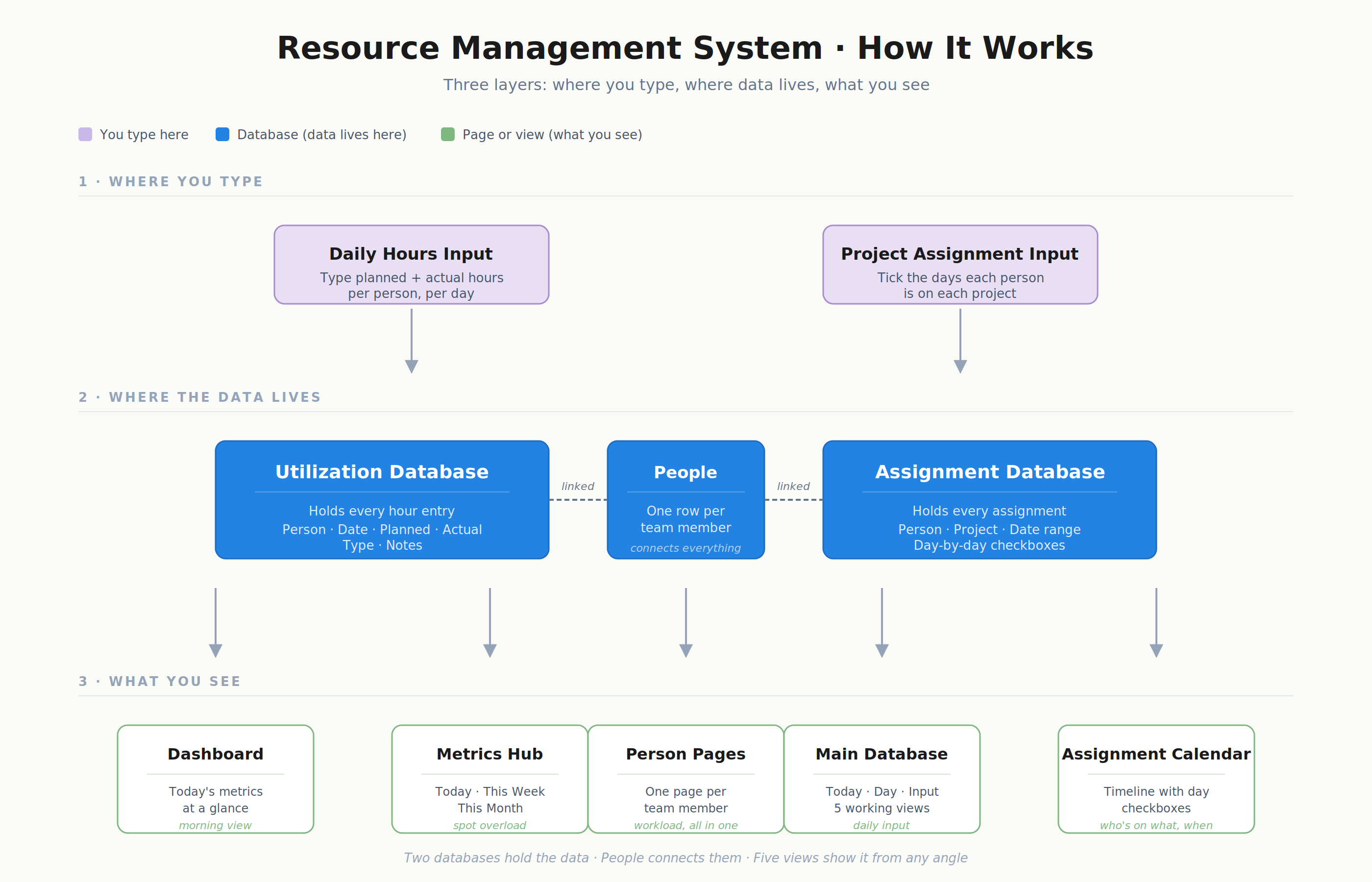
A connected Notion system with a central dashboard and four working areas. A main utilization database for daily hours, a metrics hub for time-window views, a per-person dashboard template, and a calendar-timeline resource assignment board. Input stays manual on purpose, but the same data shows up across five different views so the PM can answer workload questions without filtering anything.
What I Built
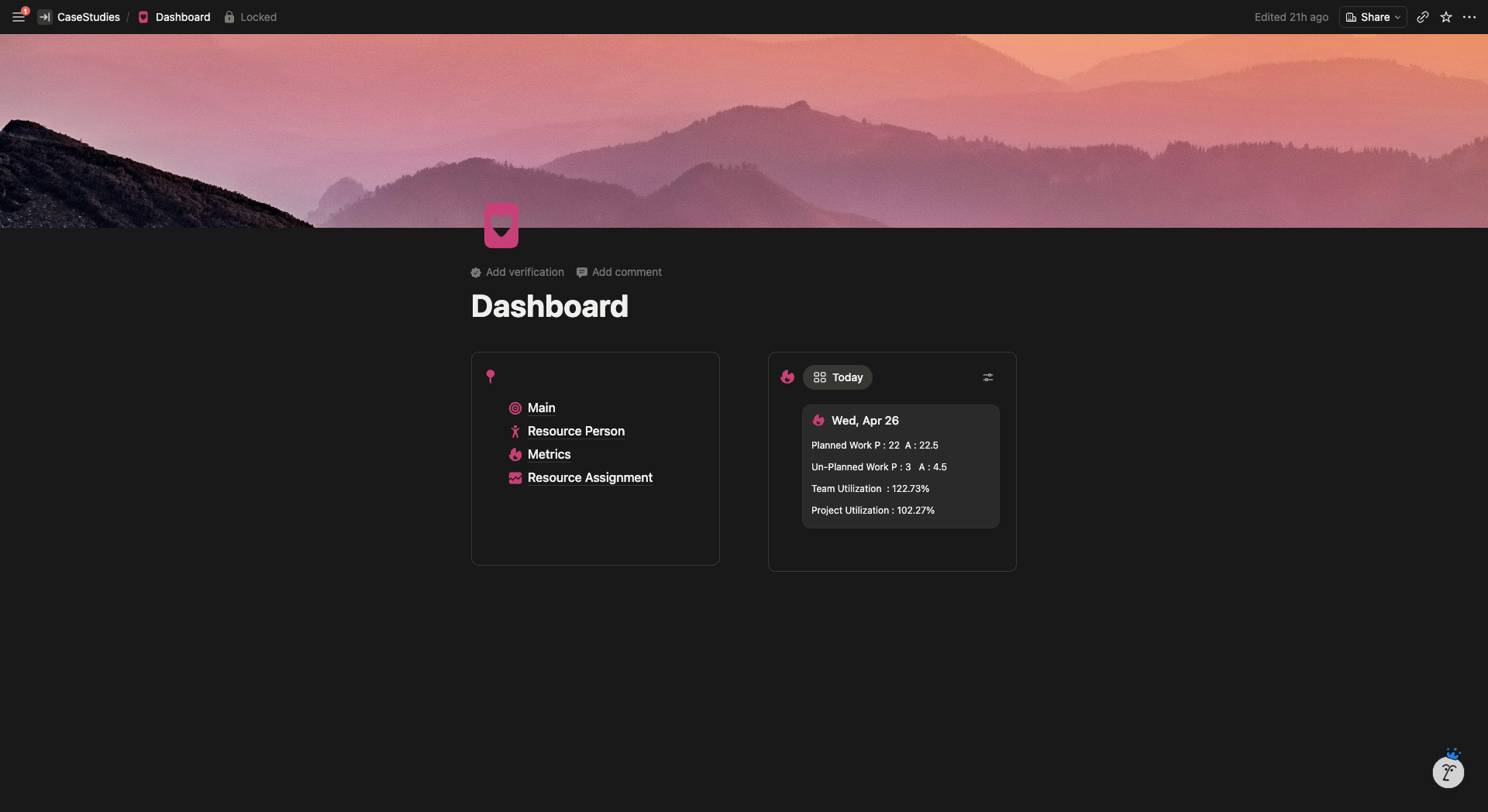
Central Dashboard
- Two panel layout. Quick navigation to every core database on the left, live metrics on the right.
- Today card shows planned vs actual hours, unplanned work, team utilization %, and project utilization % the moment the page loads.
- First thing the PM opens in the morning.
Main Utilization Database
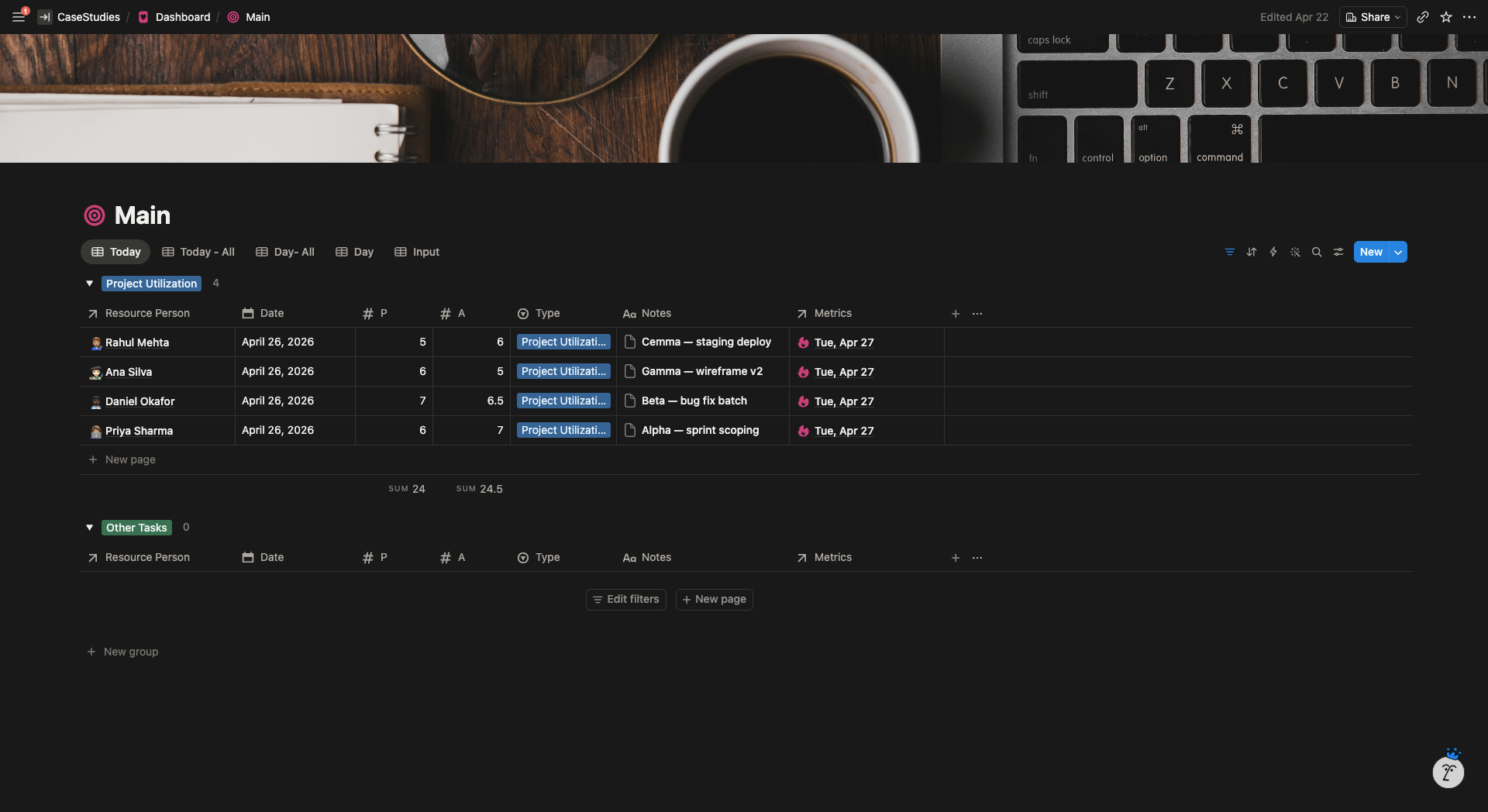
- Daily P (planned) and A (actual) hours per person, grouped by type (Project Utilization vs Other Tasks).
- Five views: Today, Today All, Day All, Day, and Input.
- Input view auto filters to today’s date so PMs don’t scroll for the right row.
- Notes field on every entry for context like project name, work type, or blockers.
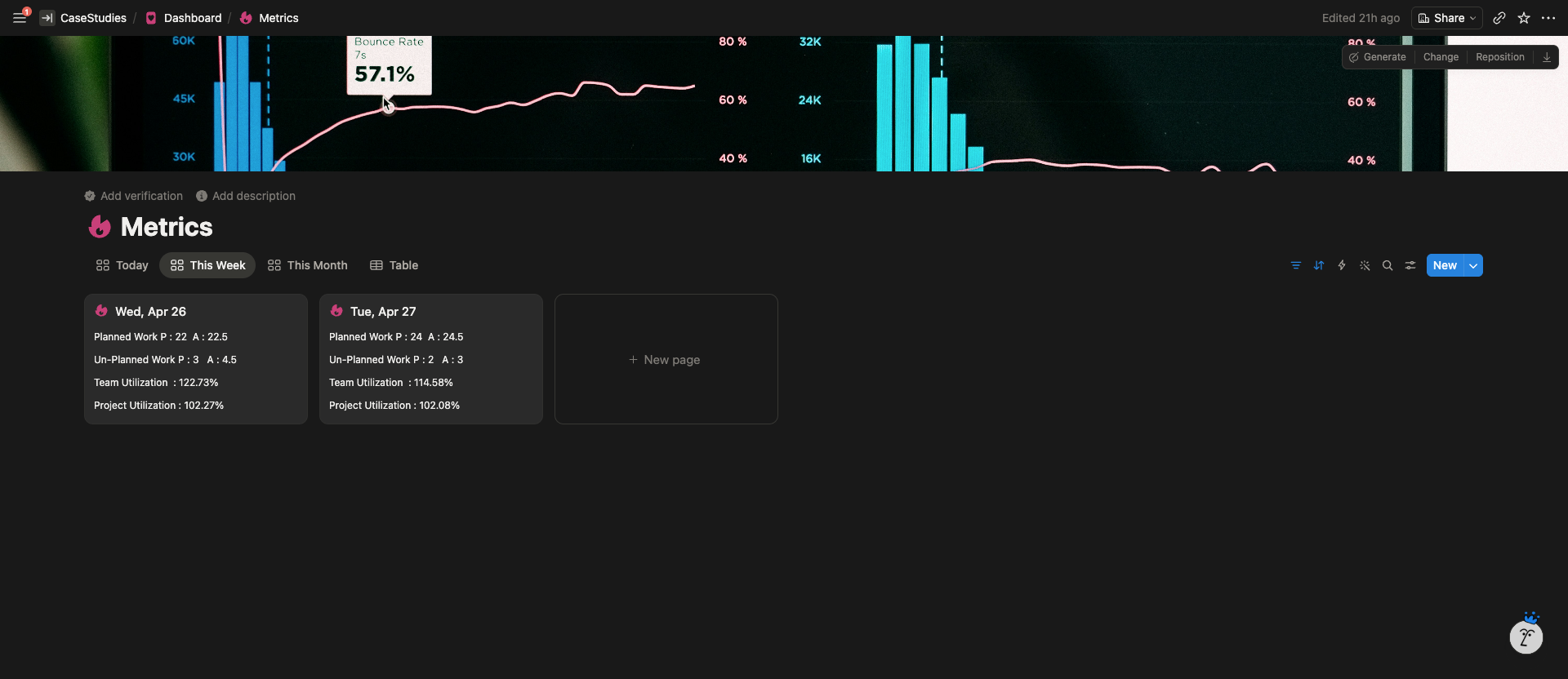
Metrics Hub
- Today, This Week, and This Month toggles on the same data.
- Per day breakdown cards showing planned, unplanned, team utilization, and project utilization.
- Any day above 100% shows the overallocation gap.
Resource Person Dashboard (Template)
- Reusable template page, one per team member.
- Auto pulls every utilization entry and assignment tied to that person.
- Single view of any individual’s workload across all projects.
- Adding a new team member doesn’t require rebuilding anything.
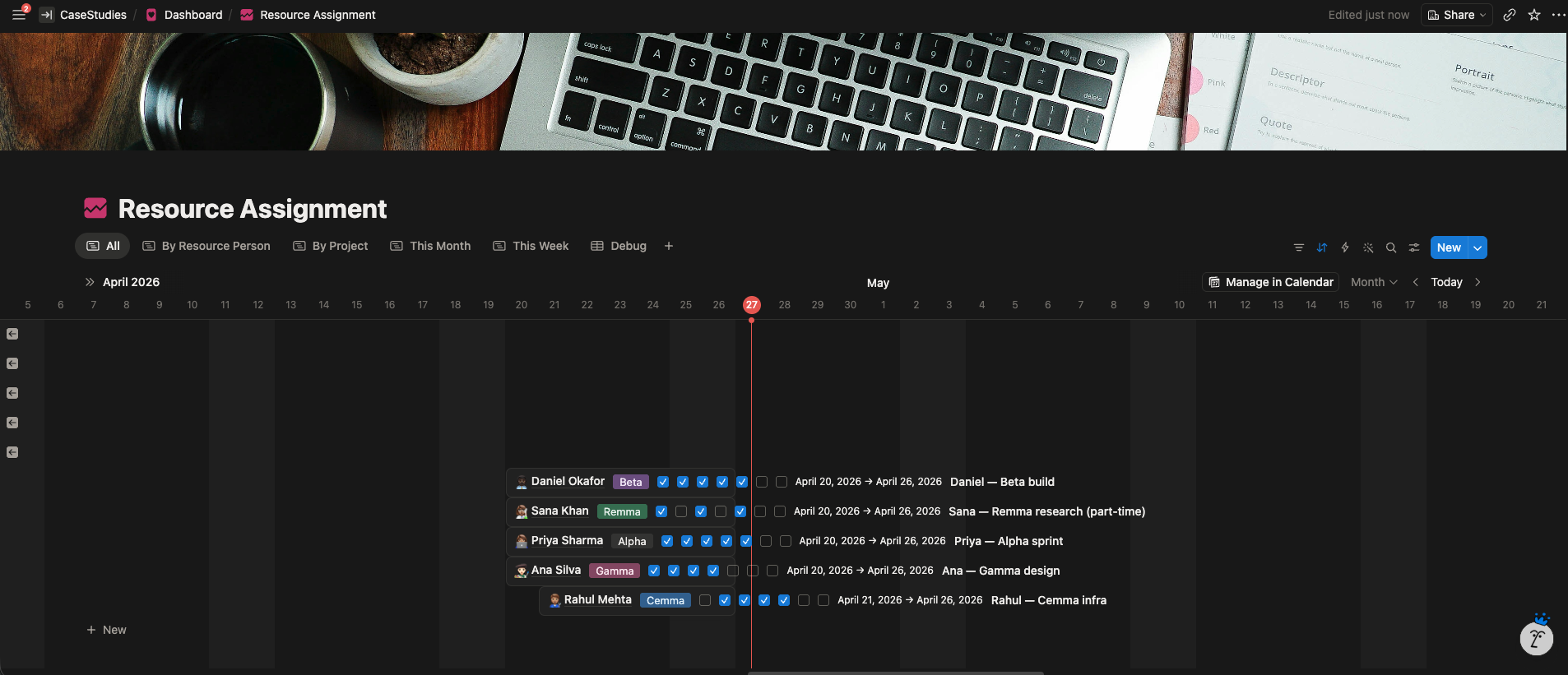
Resource Assignment (Calendar Timeline)
- Checkbox per day assignment entries placed on a live calendar timeline.
- Five views: All, By Resource Person, By Project, This Week, This Month.
- Multiple assignments per person supported, so Alpha, Beta, and Cemma can run in the same week.
- Timeline scrolls across months without copy pasting week blocks.
- Grouping collapses a 20 person team into a scannable layout.
Connected System
- No formulas to break, no references to drag across columns.
- Utilization, assignments, and people all link through the person record.
- Update a person once and everything downstream updates with it.
System Architecture
The Result
Client feedback
“Isuru understood my request for this Notion template. He was a great communicator, helped me get to the root of my request, and developed a fantastic template. I will use his services again for sure.”