
The Client
A tournament poker player building a Notion based study system to sell to other low stakes MTT players. The concept was solid: weekly study plans, session logging, progress tracking, and a 4 month roadmap for beginners who don’t know where to start. He had the content and the structure figured out. He needed it to actually look and work like a product.
The Challenge
The workspace looked like a first draft. Homepage was a plain white page with text links. Databases were raw tables with no visual hierarchy. No metrics, no automation, no sense of progression. A first time buyer would open it and have no idea what to do next, which spot to study first, or how to track whether they were actually improving.
The structure had gaps too. The decisions dropdown showed every sub module regardless of which area the user was studying, so someone working on ICM would still see preflop spots in their options. The beginner roadmap existed as static content, which meant either cluttering the workspace for advanced users or leaving beginners without a clear starting path.
The Solution
I rebuilt the study system around three connected databases so every session, decision, and weekly plan feeds into the same feedback loop. Added a metrics layer so users can see their progress visually instead of scrolling through notes. Built one click buttons that load a 4 month beginner roadmap on demand, keeping the workspace clean for advanced users. Then redesigned the whole thing with a dark theme and card based navigation so it feels like opening a product, not a Notion page.
What I Built
Core Databases
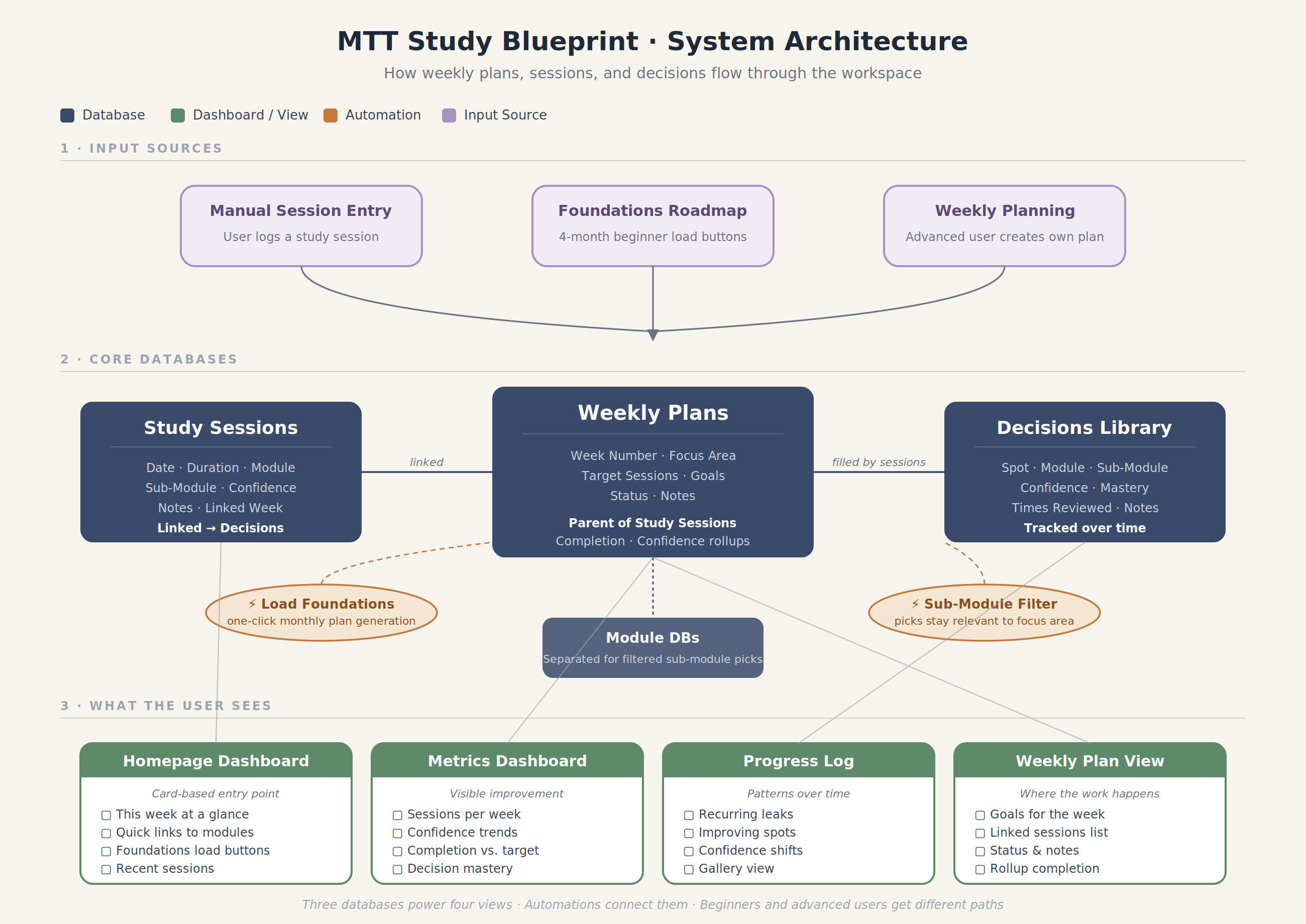
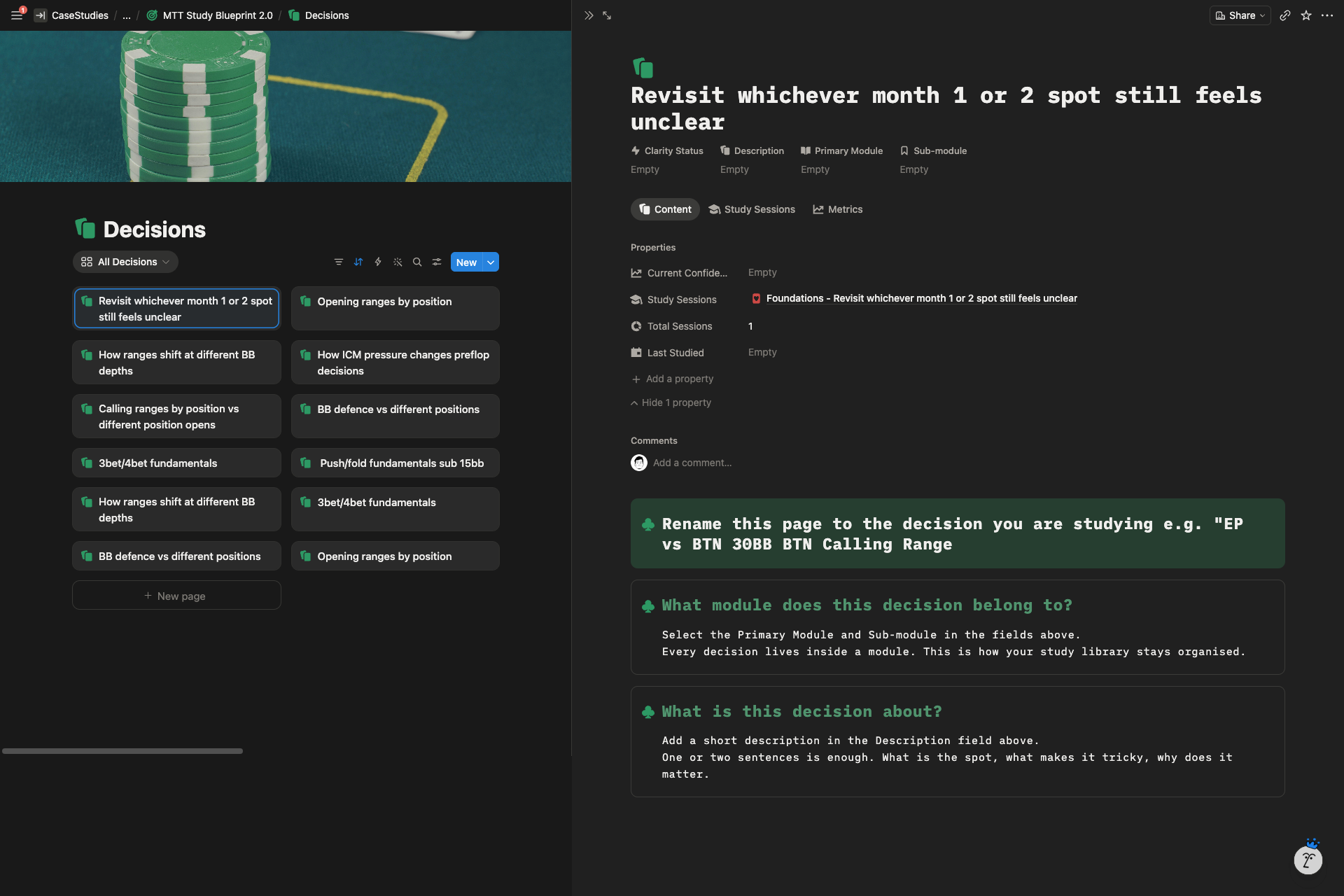
Three relational databases replaced the flat page structure: Weekly Plans, Study Sessions, and a Decisions Library. Every study session links back to its parent week. Every decision the user logs accumulates over time in the Decisions Library, so they can track confidence and mastery across specific poker spots instead of losing that data in scattered notes.
I also split the sub module structure into separate databases tied to each primary module. Now when a user picks ICM, they only see ICM sub modules. When they pick preflop, they only see preflop spots. Selections stay relevant to whatever they’re studying.
Dashboards & Views
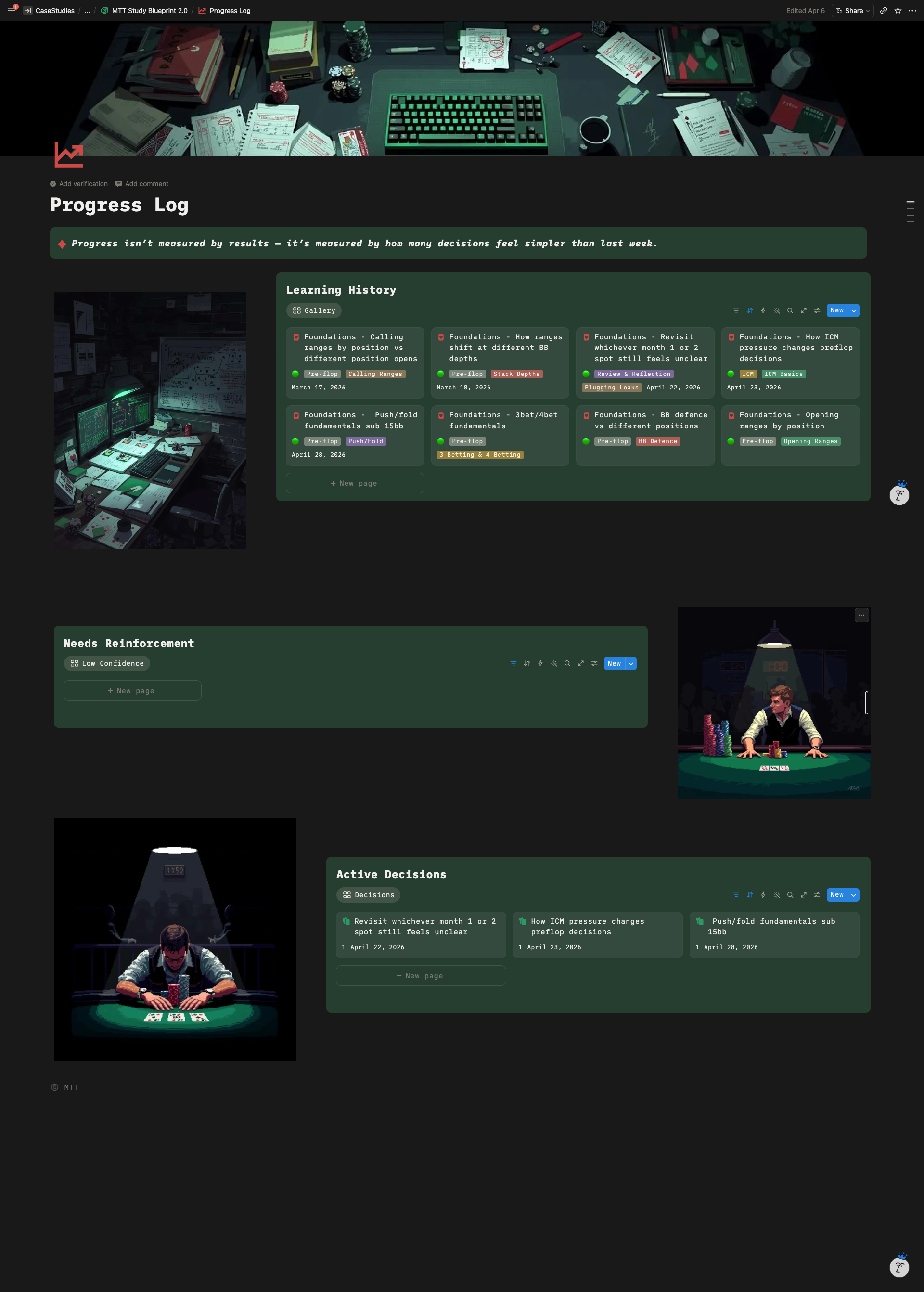
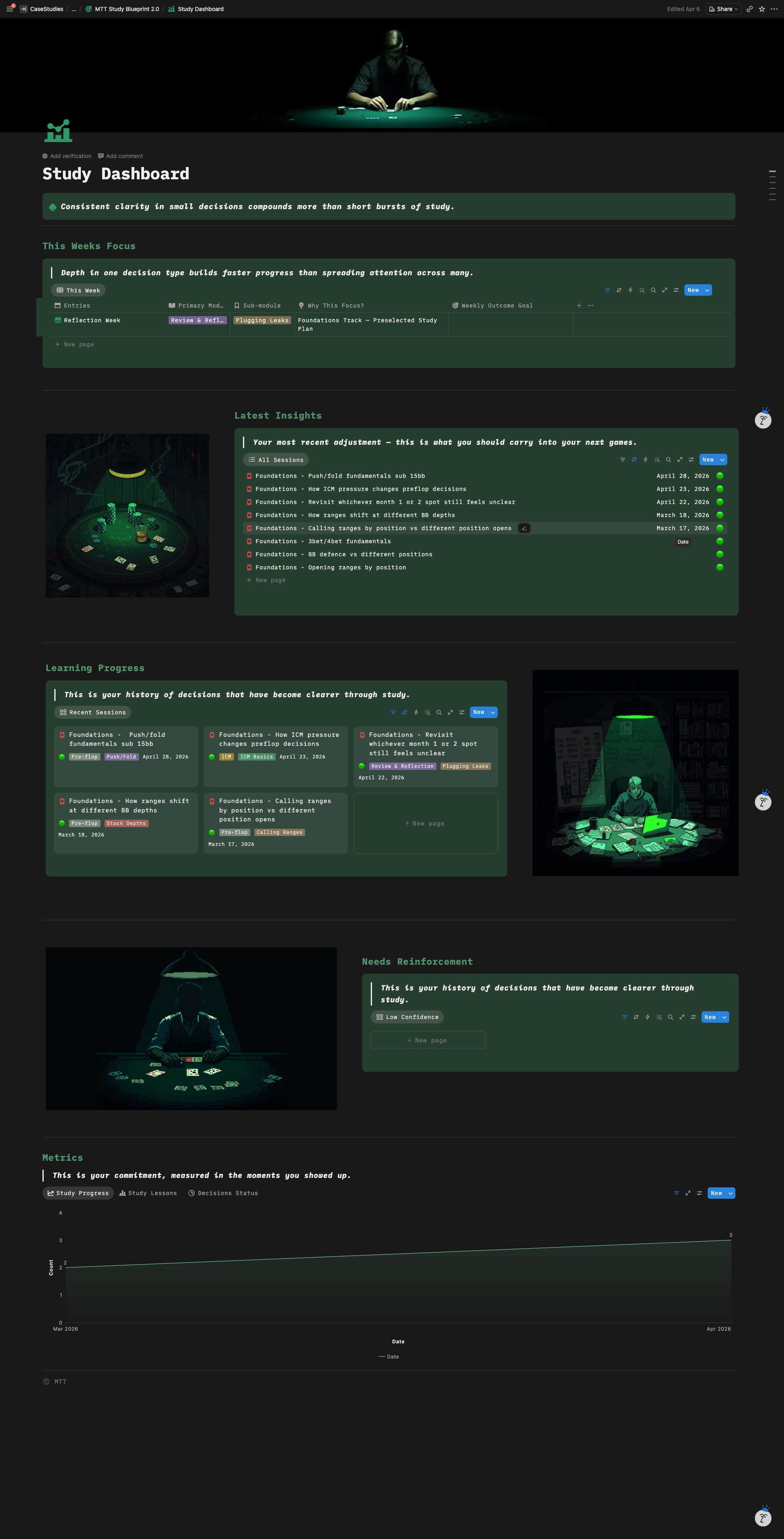
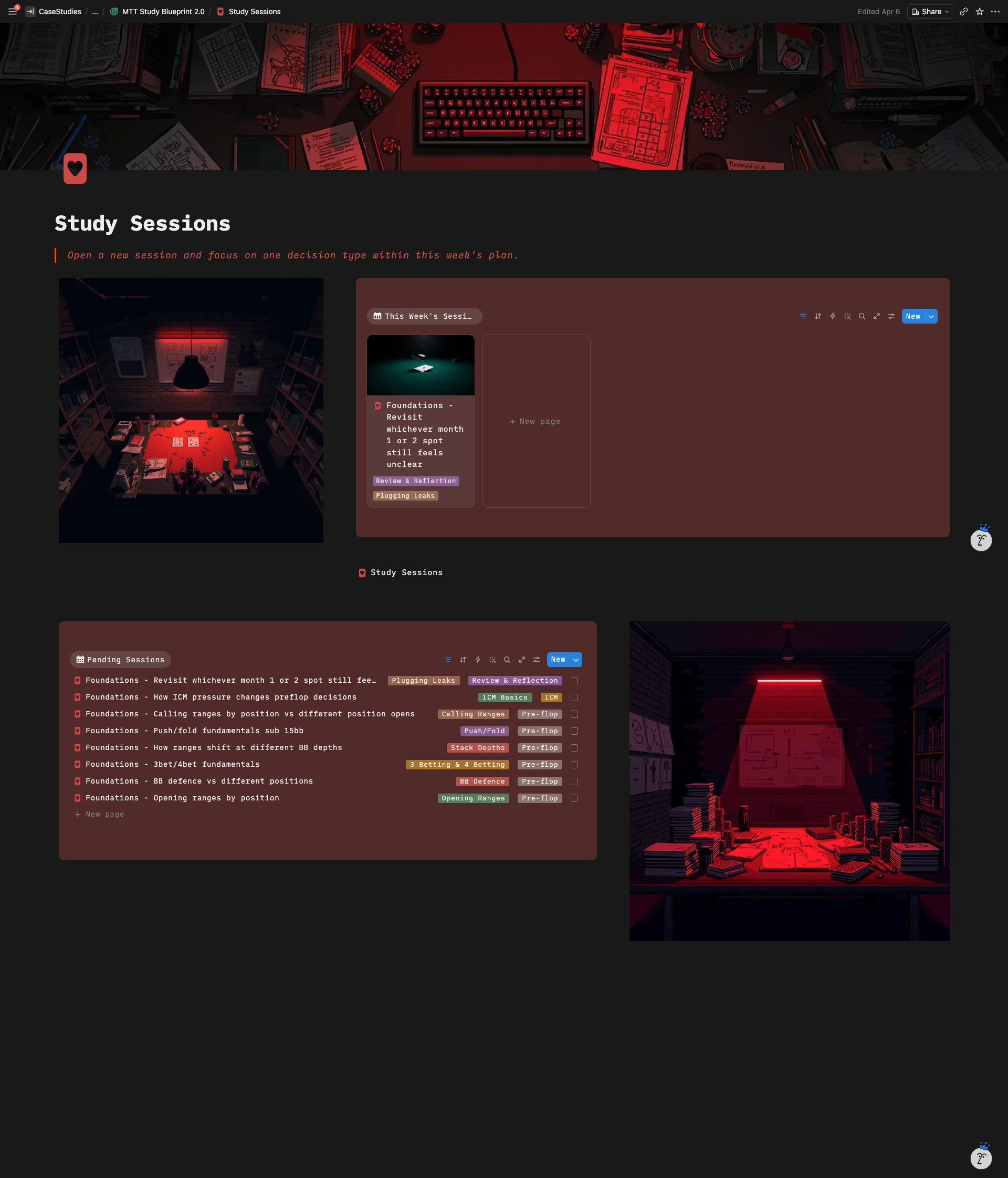
Built a metrics dashboard using Notion Charts tracking sessions completed per week, average confidence over time, completion vs target rates, and decision mastery status. Replaced table views with gallery views where it made sense, especially on the Progress Log so recurring leaks and confidence shifts surface visually instead of getting buried in rows.
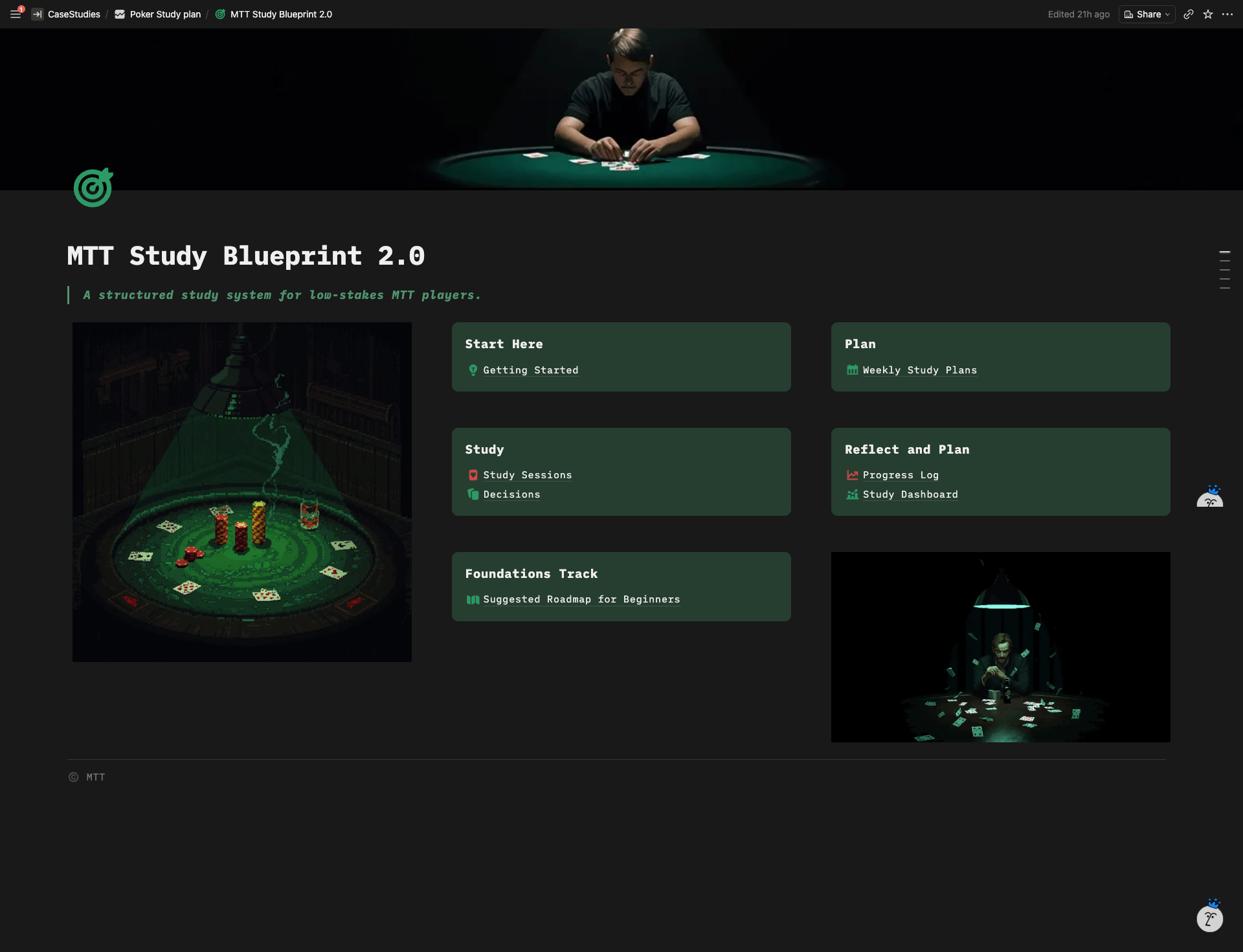
The homepage was rebuilt from scratch as a widget style dashboard with card based navigation, dark background, and AI generated poker pixel art used as visual anchors rather than decoration.
Automations
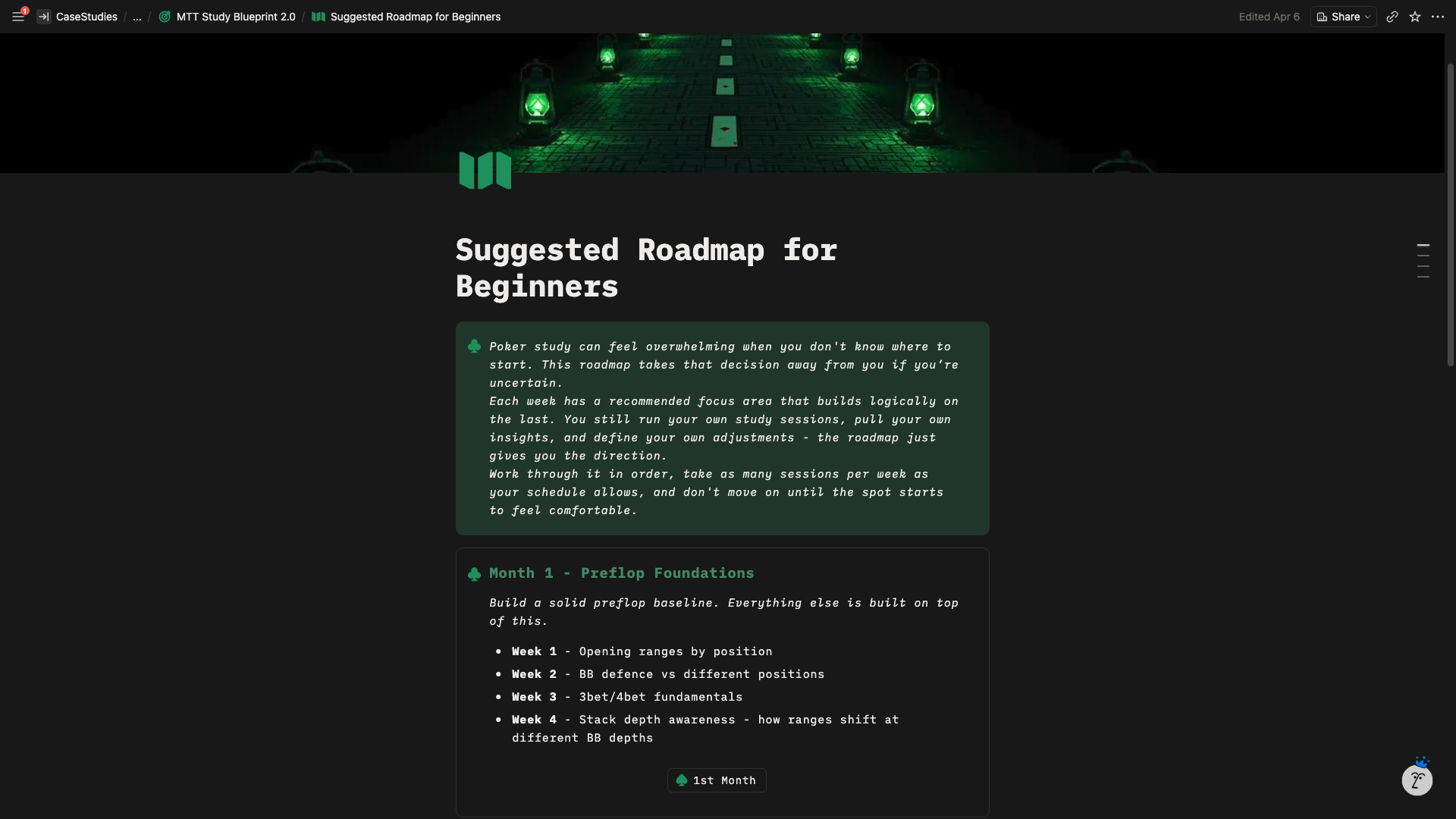
The client had a 4 month beginner roadmap but no clean way to deliver it. I built one click load buttons, one per month, that generate the pre filled weekly plan entries on demand. Beginners hit the button and get their starting path. Advanced users never see the roadmap because it only appears when triggered.
Onboarding Flow
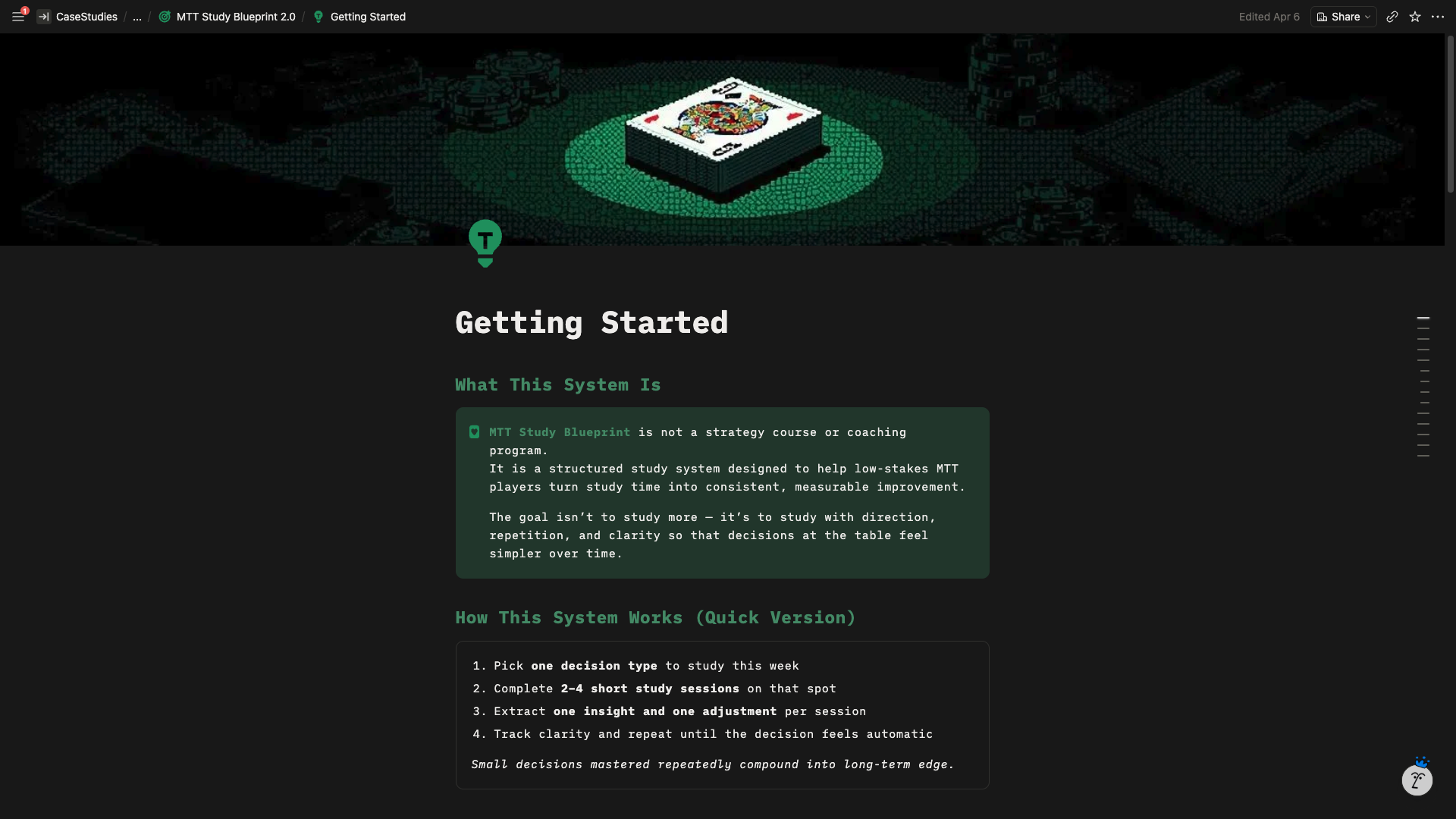
Structured the workspace so a first time user can open it and understand what to do next without reading a manual. Added contextual guidance inside templates and built a clear visual flow from onboarding to first study session to review.
Highlighted Features
- One click roadmap generators that keep the workspace clean for advanced users while giving beginners a guided 4 month path
- Decisions Library that turns scattered session notes into long term mastery tracking across specific poker spots
- Metrics dashboard showing confidence trends and completion rates without the user having to dig through pages
- Module aware sub module filtering so users only see options relevant to their current focus area
System Architecture
The Result
A first time buyer opens the workspace and knows where to go. The homepage reads like a product dashboard, not a Notion page with links. Beginners get a guided 4 month path through one button click. Advanced users skip the roadmap entirely and go straight to their own study loop.
Every study session feeds into the metrics layer, so users see their progress visually instead of trying to remember what they worked on three weeks ago. The Decisions Library turns isolated notes into a long term record of which spots they’ve mastered and which still need work.
The product now communicates its value on first open, which is what the client needed before he could sell it.
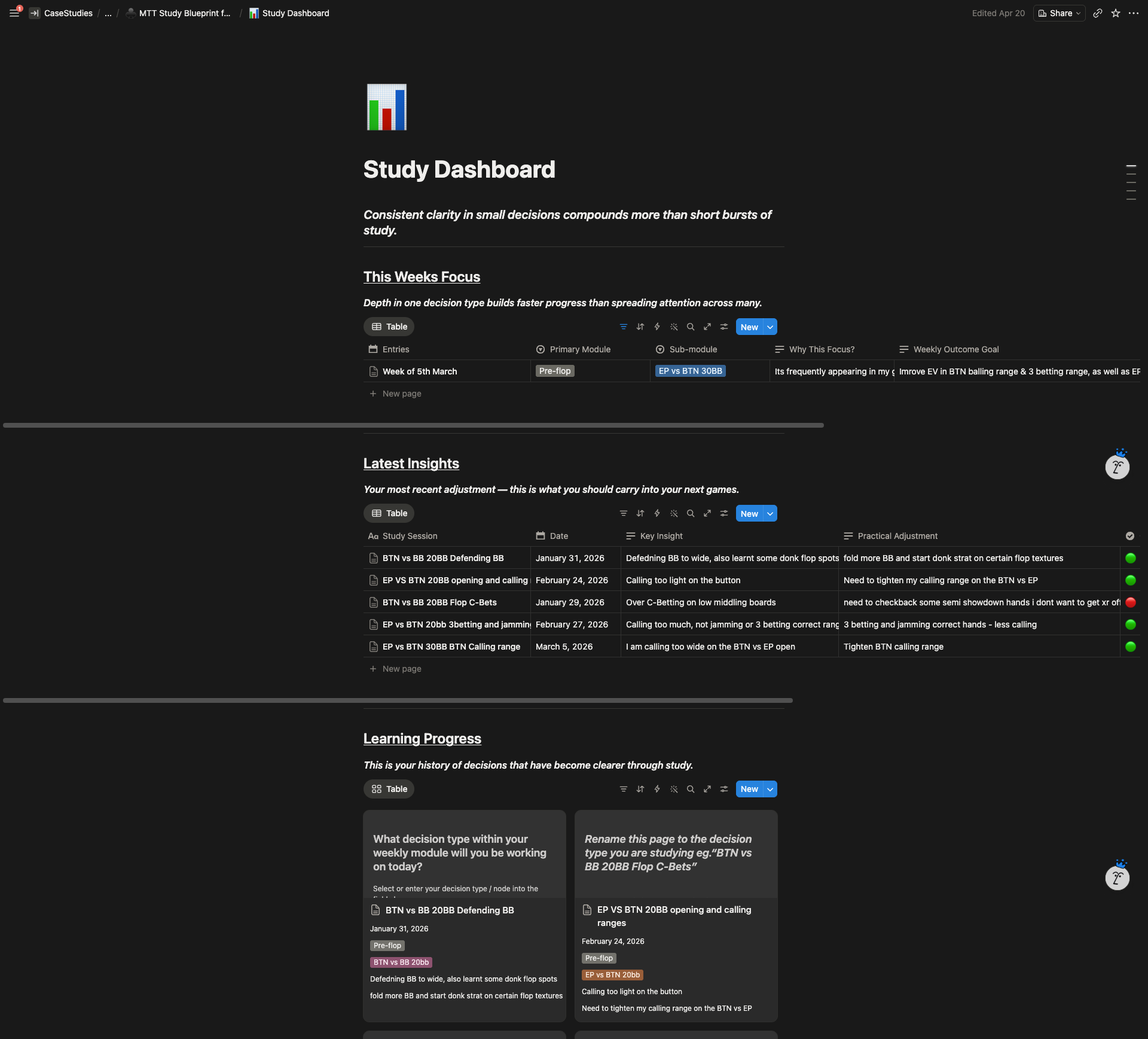
Before: A plain white Notion page with text links and raw database tables. Functional as a personal tool but unsellable as a product.
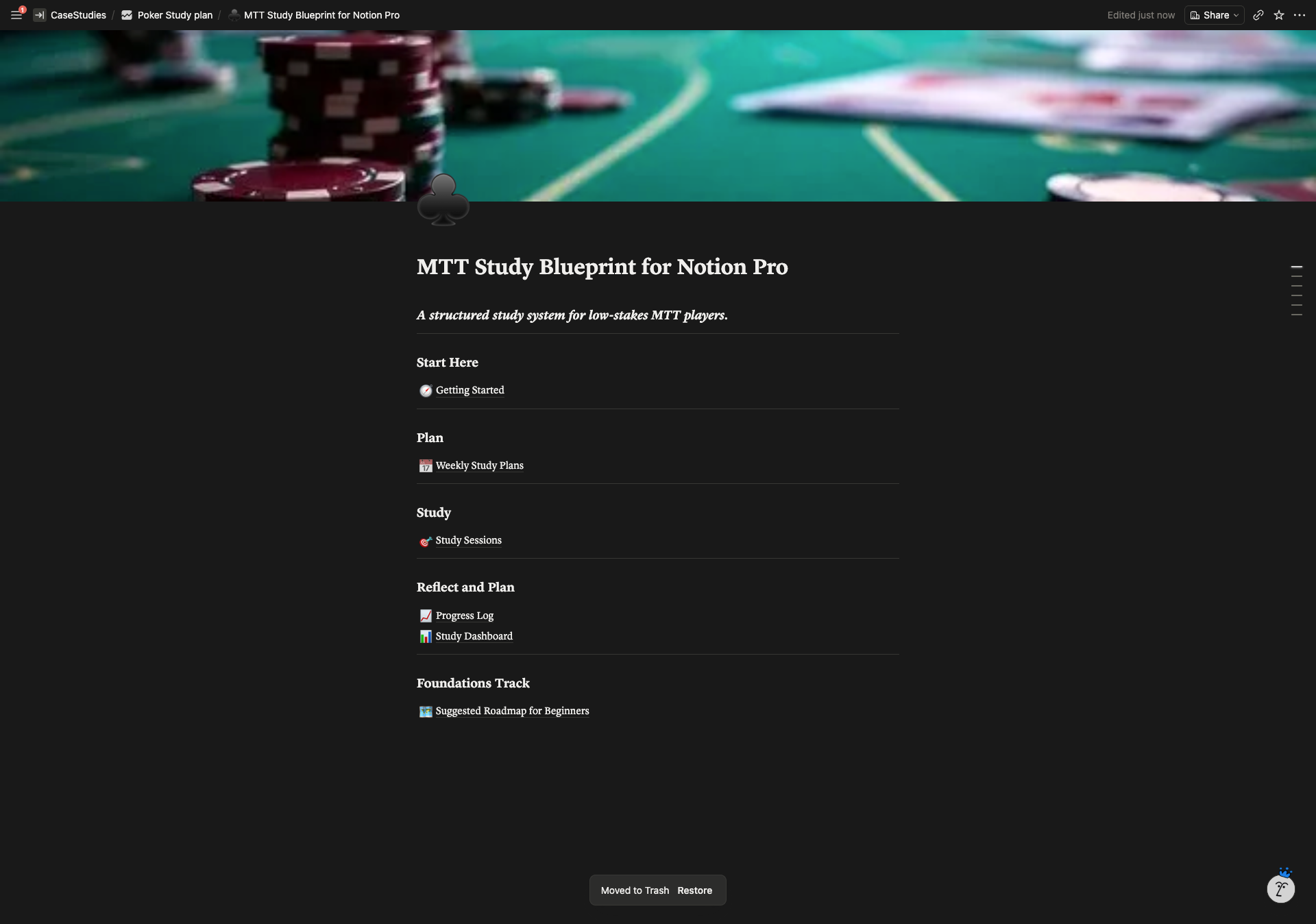
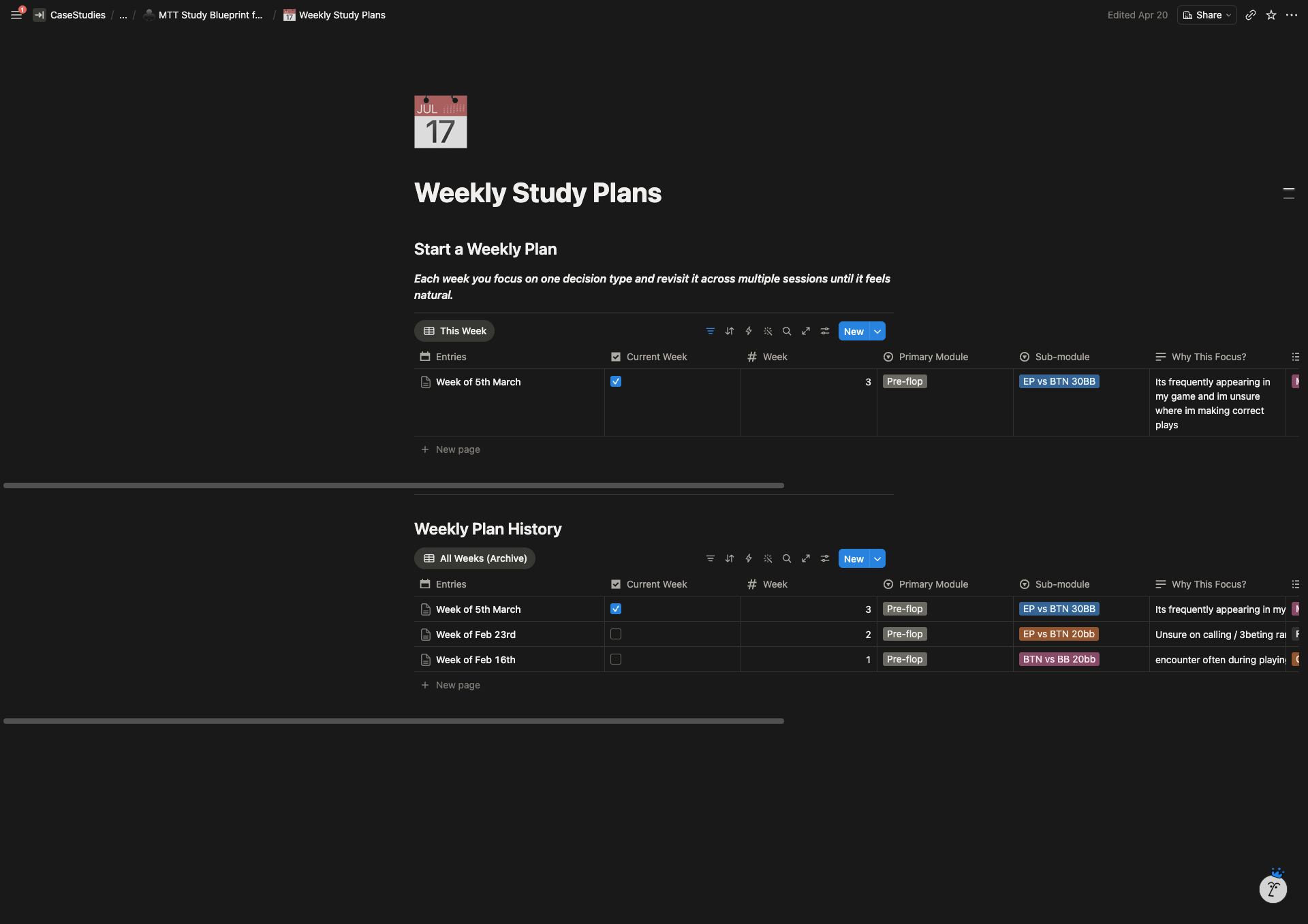
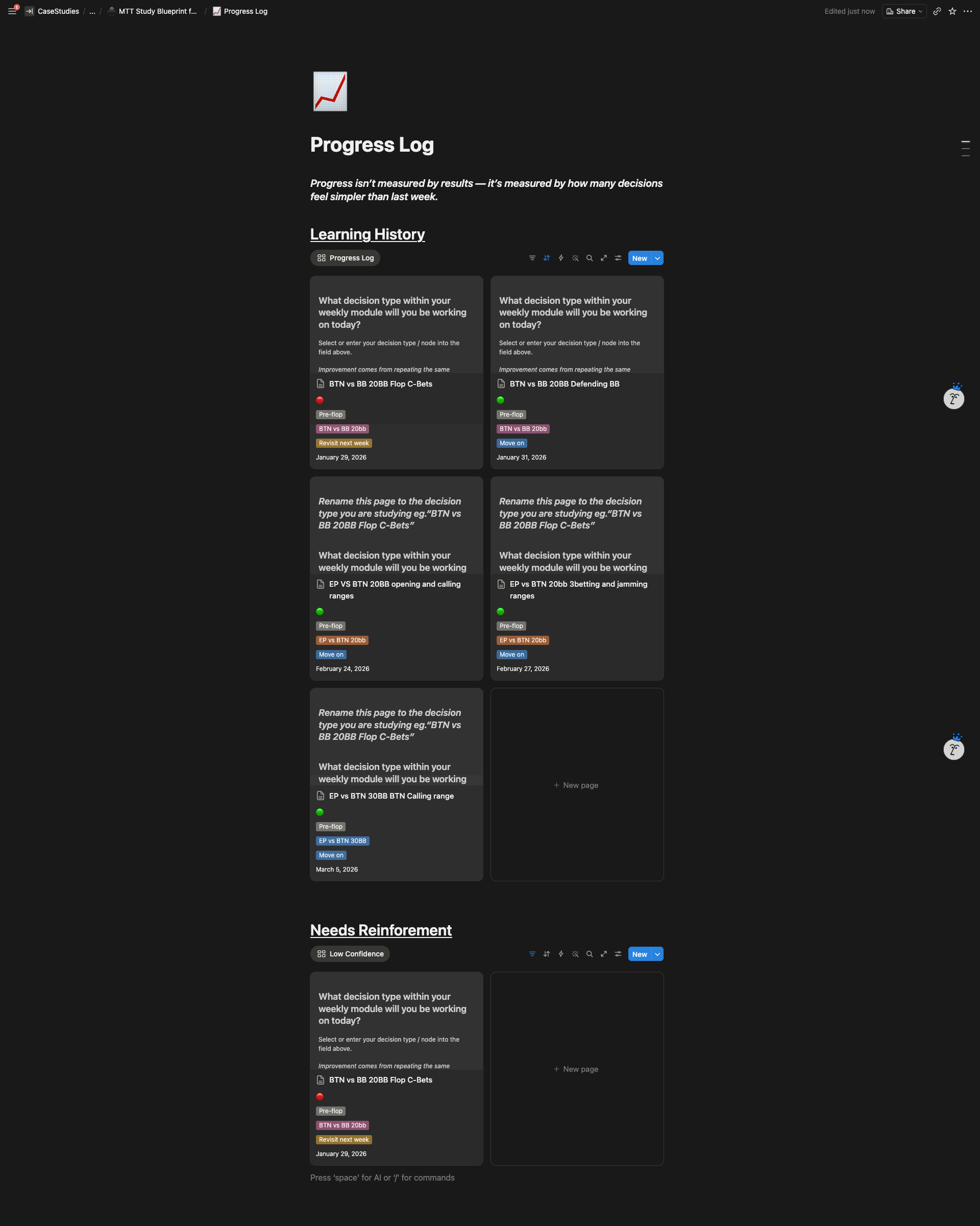
After: A premium dark-themed training system with interconnected databases, automated roadmaps, visual metrics, and a polished design layer that communicates value immediately.
Client Feedback
“Isuru will go above and beyond to understand what you are after in your project and ensure you are happy with the result. If you are choosing between which notion designer to use for your project I would highly recommend him!”