
The Client
A growing social media agency managing video content for multiple clients. The founder runs the operation, with editors handling cuts and clients submitting ideas and approvals. As the client roster grew, the original workspace stopped holding up.
The Problem
The agency had outgrown its first Notion setup. Content calendars lived in separate spaces for each client, editors didn’t have a clear view of what needed cutting and when, and onboarding a new client meant hours of manual duplication. There was no single place to see what was happening across all clients at once.
There was also a Notion permission problem underneath it. If you share one tasks database with a client and filter it to only their projects, the client can remove that filter and see every other client’s data. For an agency managing multiple clients, that’s a dealbreaker.
The Solution
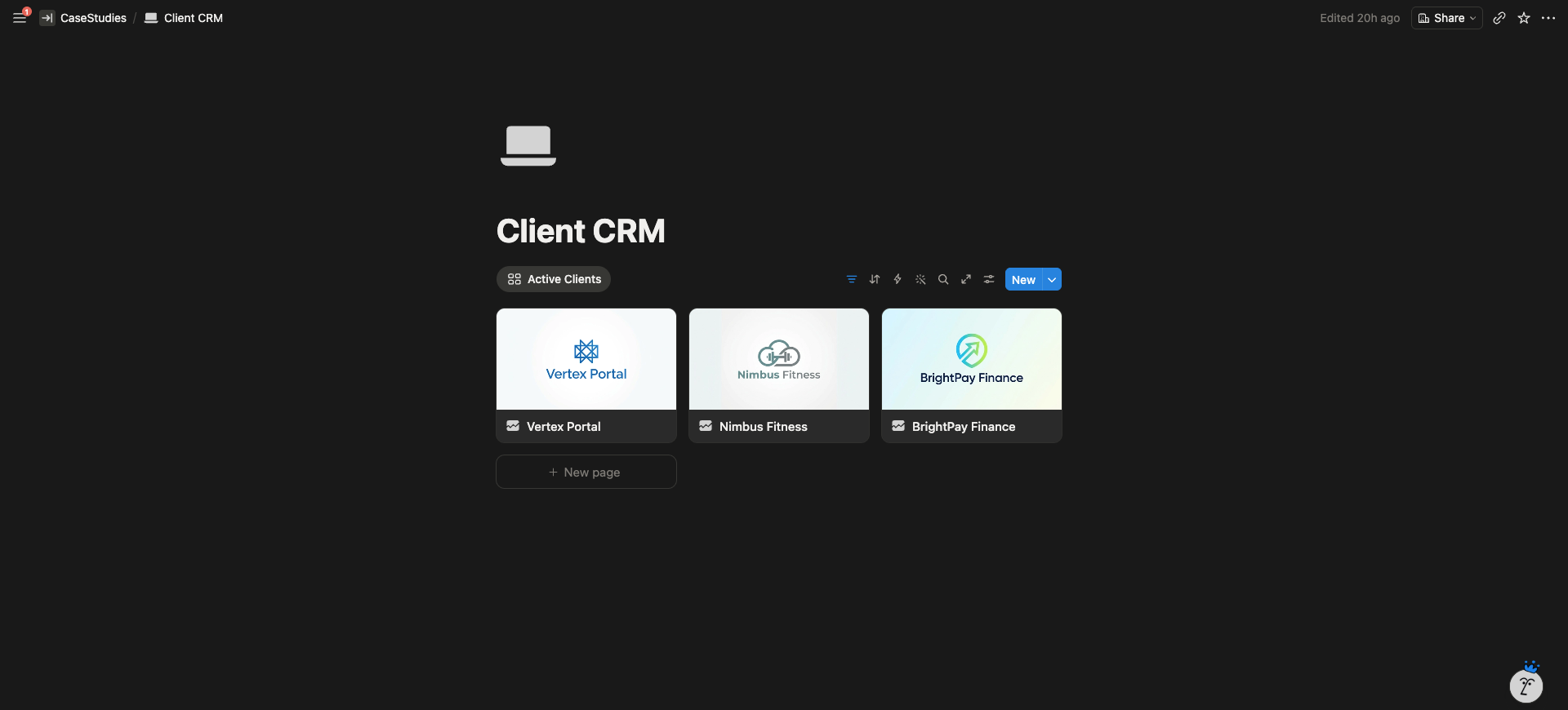
A scalable client portal template the founder can duplicate in minutes for every new client, paired with a central HQ that pulls every client’s work into one view. Each client gets their own isolated workspace with their own databases, so there’s no risk of one client seeing another’s data. The agency owner sees everything from one place. Editors get their own filtered dashboards showing only the videos assigned to them.
What I Built
Core Databases
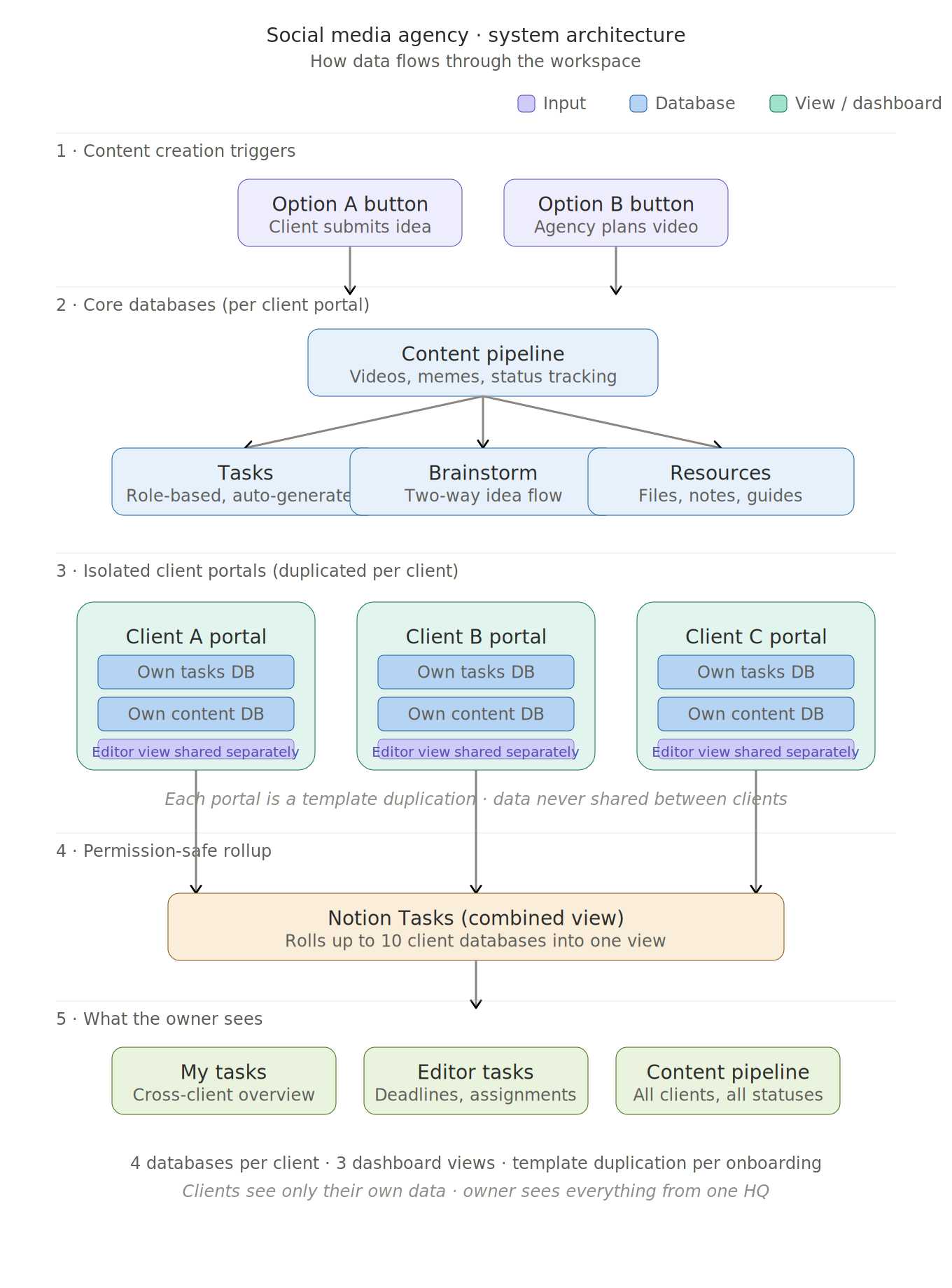
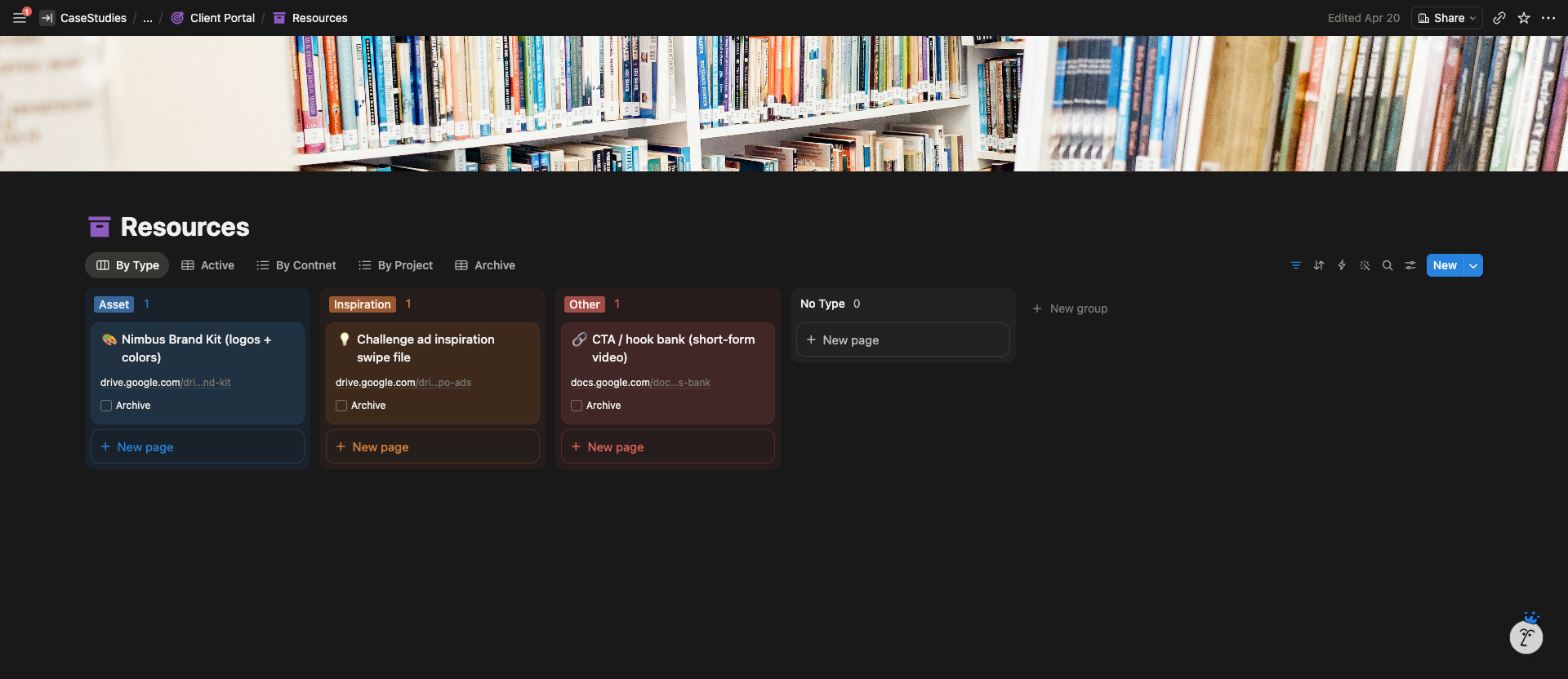
Each client portal contains its own dedicated databases for content, tasks, brainstorm ideas, resources, and notes. Nothing is shared across clients at the database level. The owner’s HQ uses Notion’s Tasks feature to combine up to 10 per-client task databases into one cross-client view. That 10 database cap is Notion’s current limit on combined Tasks views, so the system is built around it.
Pages & Views
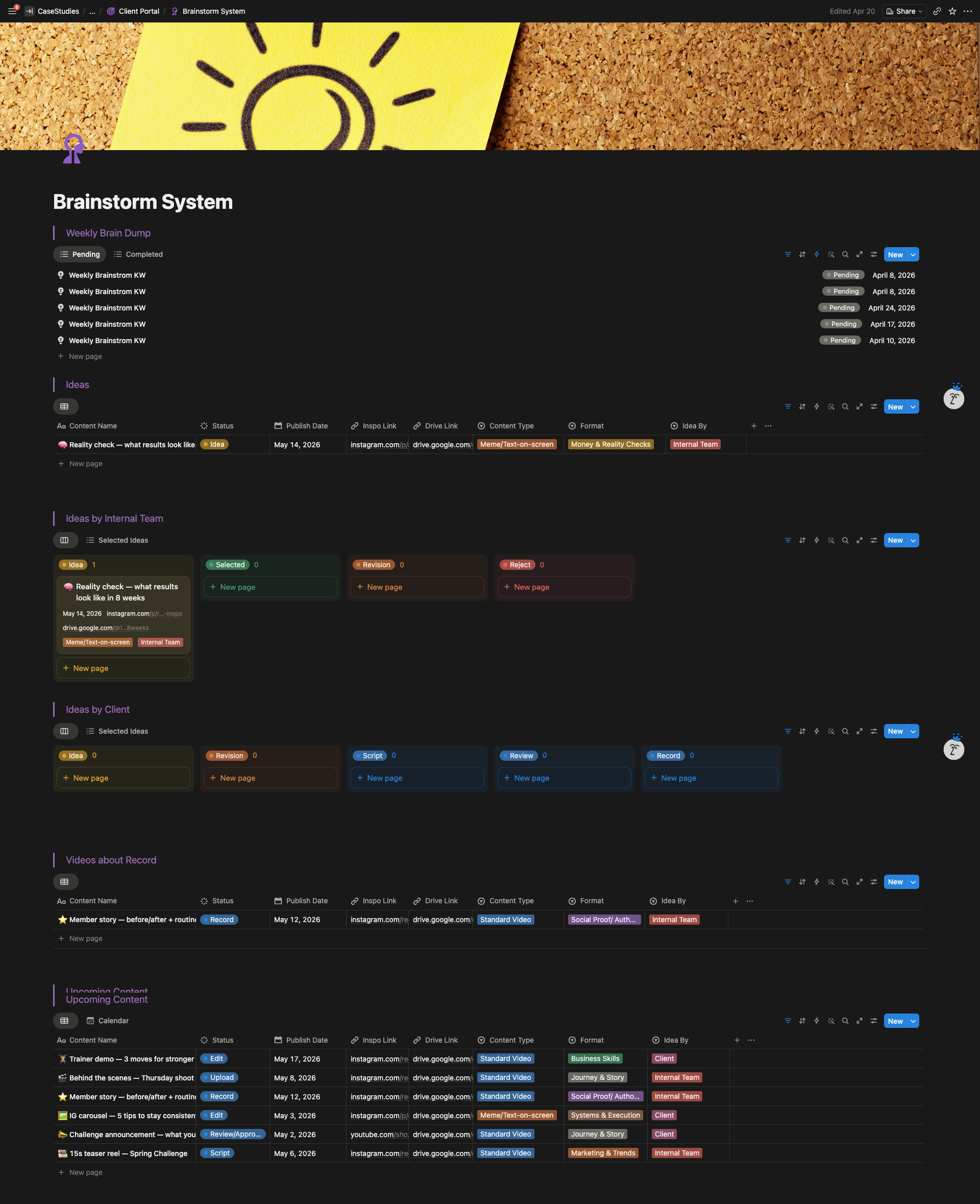
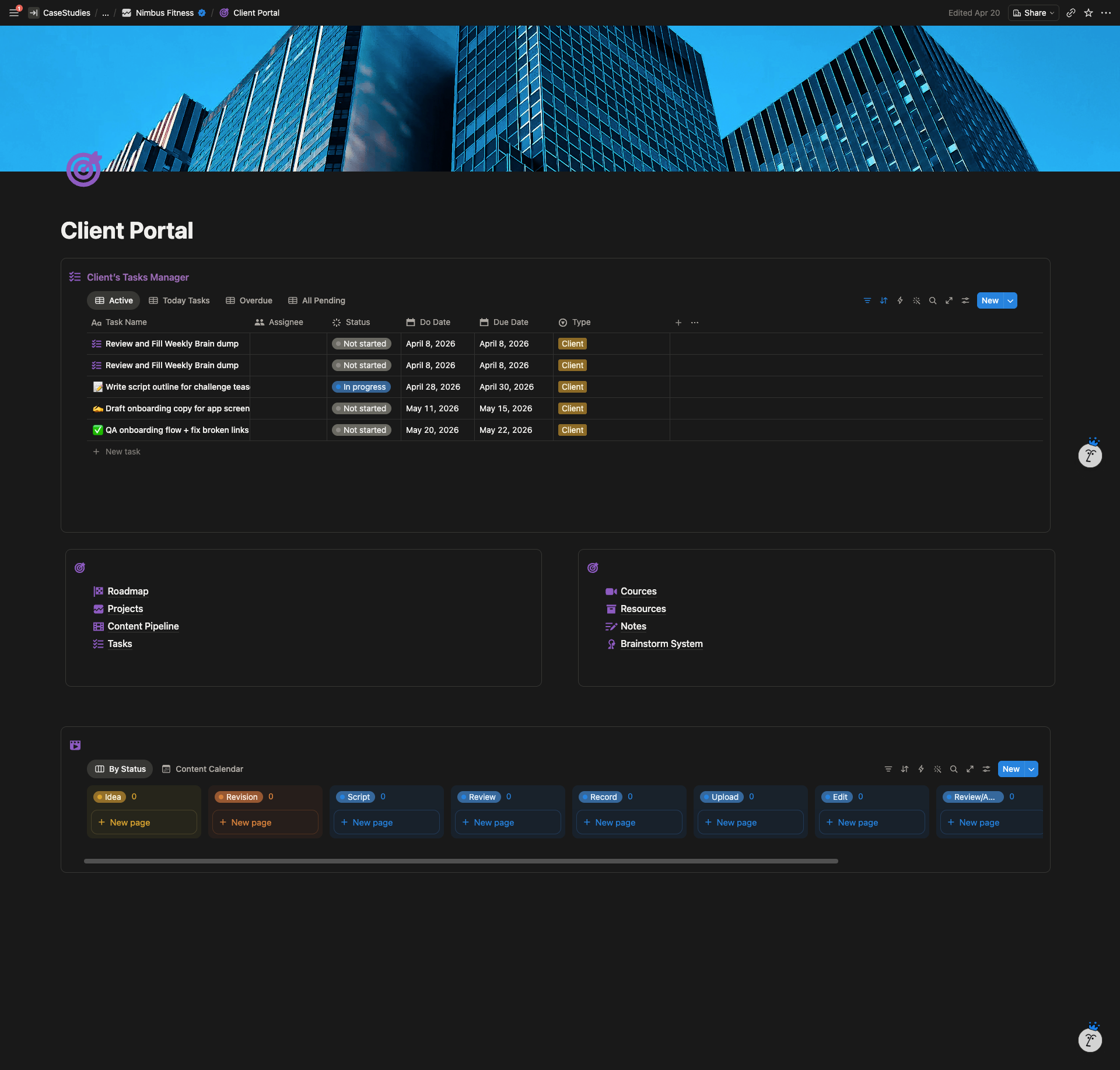
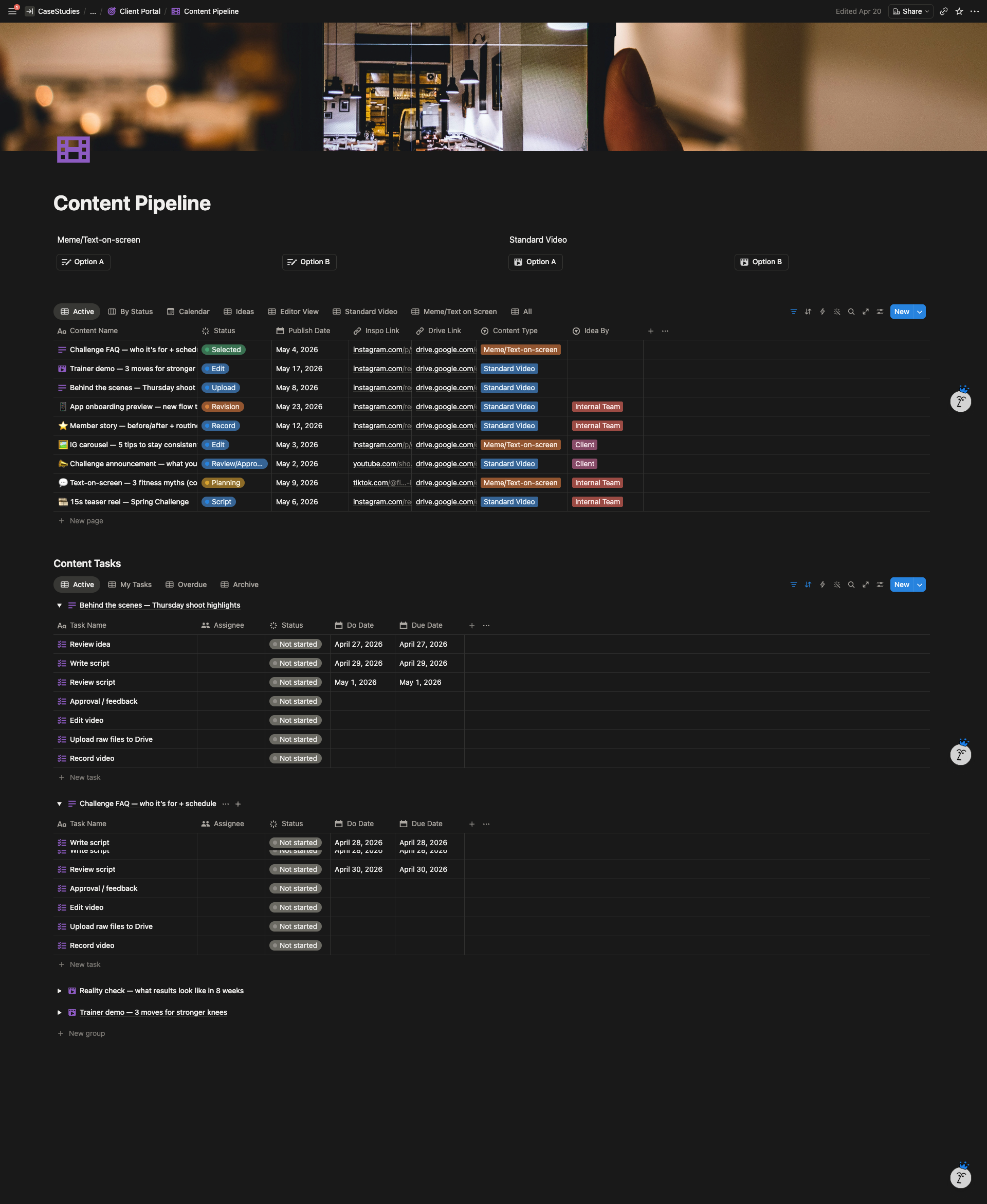
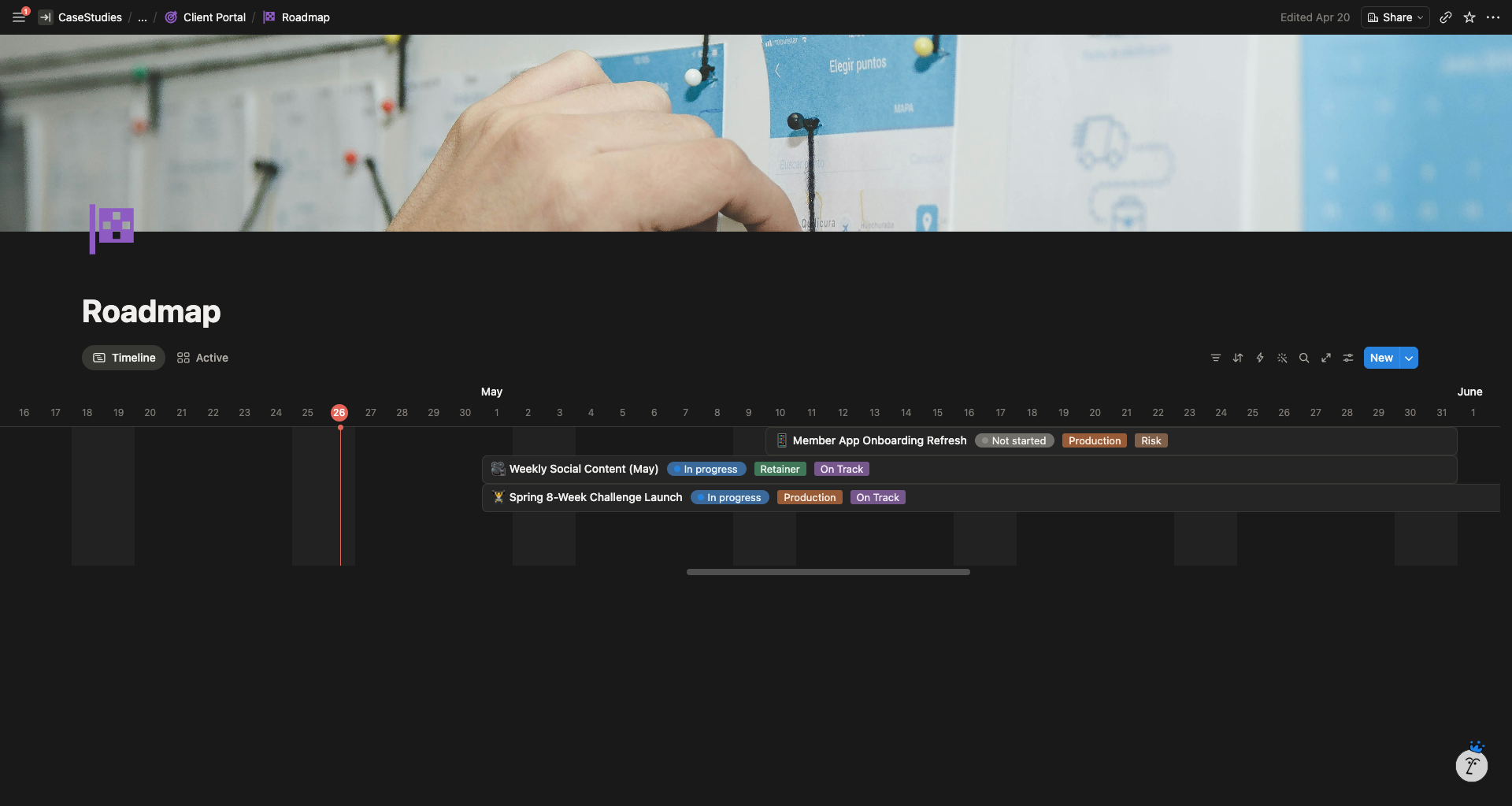
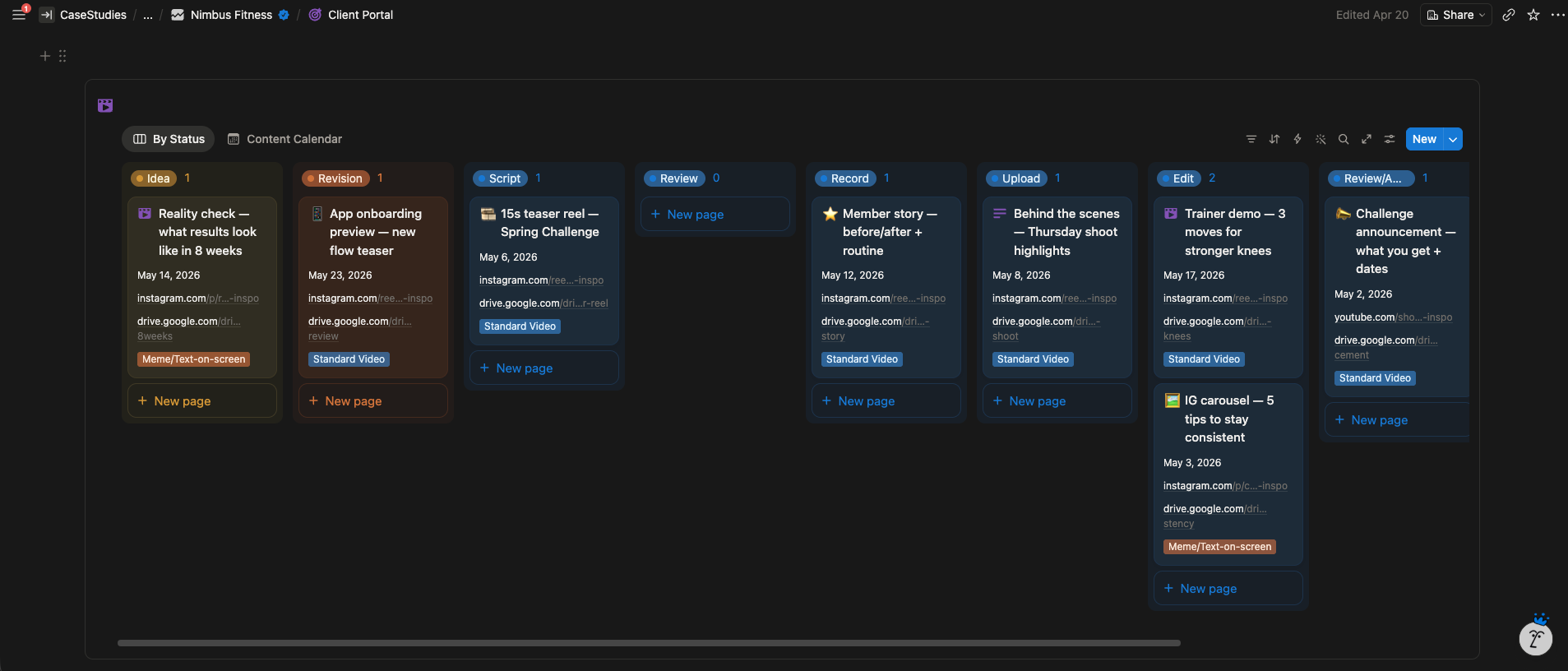
Two portal versions: a detailed version with a content roadmap, and a streamlined basic version for smaller clients. Each portal includes a content pipeline with board and calendar views, a task manager, the brainstorm system, a resources library, notes, and an embedded video course section.
The content pipeline handles two content types: Standard Video and Meme / Text on screen content. Each type has its own field structure, status workflow, and auto generated task list.
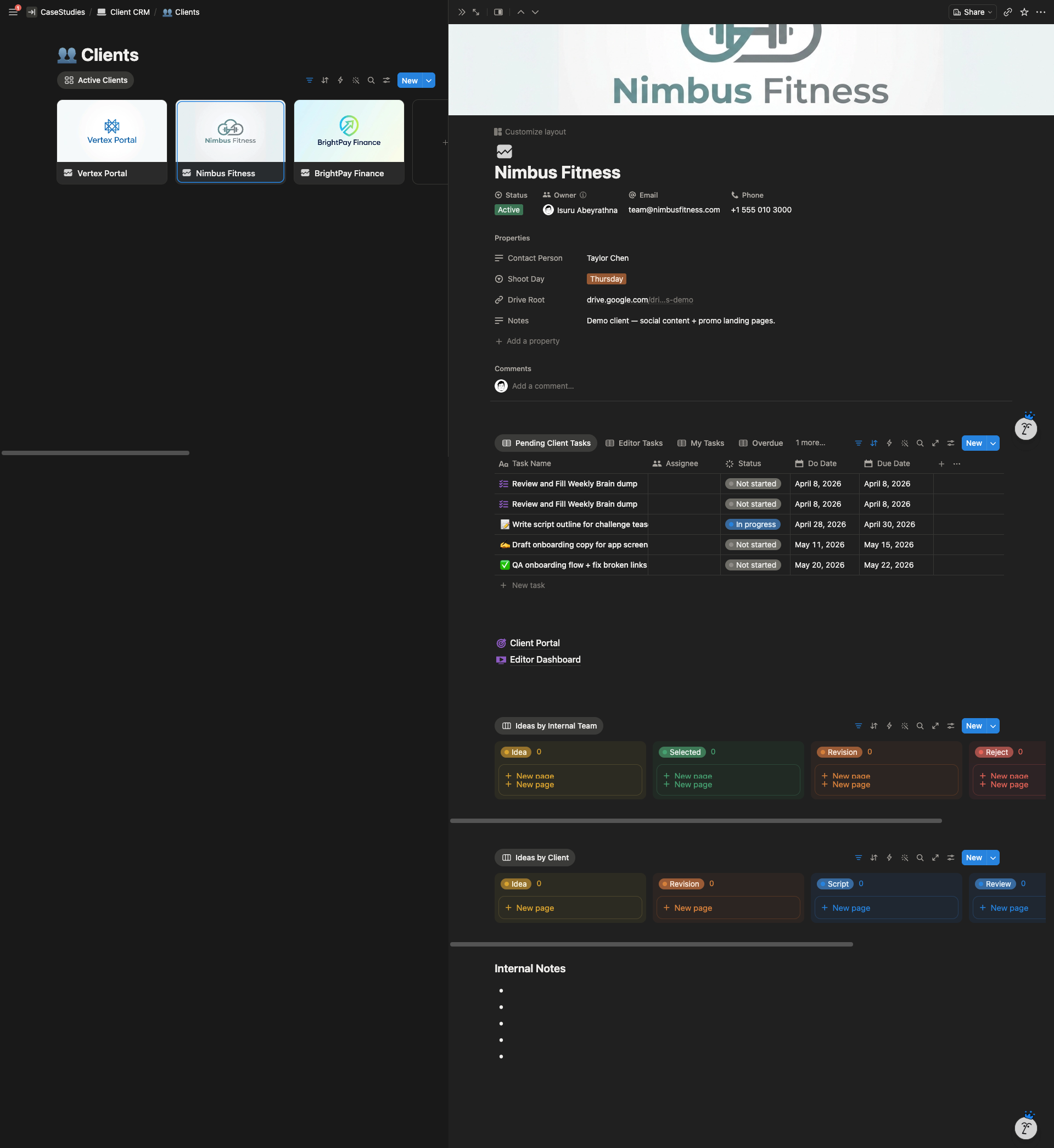
The editor dashboard is shared separately from the client portal. Each editor sees only the videos assigned to them, with deadlines and status tracking. Clients never see editor workspaces, editors never see client portals.
The HQ dashboard for the agency owner pulls tasks across all clients into one screen, with filtered views for My Tasks, Editor Tasks, Overdue, and a content pipeline overview.
Automations
Two workflow paths for new content. Option A is when a client submits an idea. Option B is when the agency plans the video. Both trigger automatic task generation, with tasks assigned to the agency owner, the client, and the editor, each with relative deadline offsets from the content creation date.
Buttons handle the new content creation in both workflows, and status changes drive notifications so the right person knows when something is ready for them.
Highlighted Features
Per client database architecture. Instead of one shared tasks database filtered by client, each client gets their own databases inside their own portal. The HQ combines them at the view level using Notion’s Tasks feature. This gives the agency cross client visibility without ever exposing one client’s data to another.
Two way brainstorm system. Clients submit ideas the agency can review, script, and send back for approval. Agency proposed ideas flow the other way, with the client selecting or rejecting them. Revision loops are built in with required feedback fields so nothing moves forward on a vague “looks good.”
Role based task assignment. Every content item generates its own task chain. The agency owner, the client, and the editor each get their own tasks with their own deadlines, automatically.
System Architecture
The Result
The founder can duplicate the portal in minutes for every new client. Editors know exactly what to cut and when. Clients submit ideas, review scripts, and approve content from inside their own portal. The agency owner now runs everything from one HQ where every client’s pipeline and every editor’s workload is visible from one screen.
Client Feedback
“Isuru did an outstanding job from start to finish. What impressed me most was how quickly he developed a deep understanding of what I actually needed, identified the real bottlenecks, and translated that into a clean, scalable Notion setup. The system looks simple on the outside, but he handled the complexity behind the scenes perfectly — exactly what I was looking for. Communication was smooth, execution was fast, and the final result is excellent. Nothing to criticize. Highly recommended!”